Jeez. I must be the only person in the world who doesn’t get Apple products.
I can’t see myself going through all my tracks again just so I can use them in Itunes. It’s taken me nearly a year and a half to rip all my vinyl for Gods sake.
Jeez. I must be the only person in the world who doesn’t get Apple products.
I can’t see myself going through all my tracks again just so I can use them in Itunes. It’s taken me nearly a year and a half to rip all my vinyl for Gods sake.
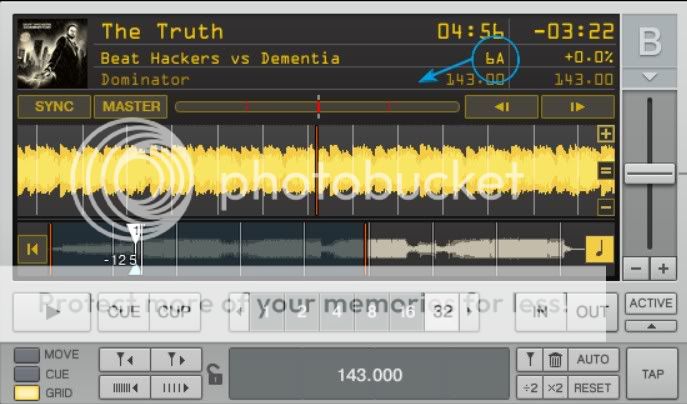
If you use Mixed In Key it will place the key in the comment field. You can also put the key in any field you like in iTunes. Just because it’s not called key doesn’t mean you can’t use it for a key field.
I again have slippped out of the way of things and now I ma messed up with my playlist from taking a small break. However I have my own radio show and therefore have to have my music back and organised this week by the time I start airing again.
I have a folder for my radio station in Itunes
Blast 106.4fm
I then write the exact date of the Broadcast I am going to play this tune on (not the day I got the tune)
I then Genre each track within the playlist usually with a loose basis like House or Trance unless I would be planning on playing the track out live.
I used to use mixed in key (even though I never really used it for Dj’ing but just to get teh BPM’s but after it messed up my entire Itunes/traktor playlists (which i think is my fault anyway) though it created way to much hassle and confusion and it was like i was starting from scratch again and couldn’t function a proper set because i had to search for it on my drive and then drag and drop it into traktor.
Can be easy to do in MIK if you don’t pay attention to all the options about overwriting and placing keys.
MiK > mp3Gain > Beer > Play
Fixed.
Lol true. Got my priorititties wrong 
MiB
What is “Mixed in Key”? where can I download it bro? I’m trying to find a smart way to really clean up, and manage my music properly so that it will be alot simpler and better for djing.
^ Internet superhero.
just found this today on the internedts today..
It works KILLER for tunes that arn’t in a playlist but in your library in Itunes.
[quote]try this:
create a new “smart playlist”.
For the first option, choose “Playlist”. the second option should be “is not”, and the third option should be one of your playlists.
Then push the “+” button to add a new rule. the first option and second option should ALWAYS be the same (“Playlist”, “is not”, respectively), and the third option should be another playlist. Repeat the process until you have one rule per playlist.
The result is a new playlist with songs that dont exist in any other playlist![/quote]
started it this evening and burned through a bunch. Almost quick enought to start from square one again.
by the way, I used to HATE itunes…until today.
http://www.mixedinkey.com/ Doesn’t really organize you songs, but it will tell you what key they’re in to make your mixes better.
Some reading
cheers thanks alot dude! 
Its a great tool. If you have a lot of tunes to process it does take some time at the start but if you process them straight away its no issue. You can even display the results in you deck view if you store the results in the “Comments” section.
Thanks guys, I checked out Mik but its not free, I didnt see sense in buying the Windows version when I’m going to be getting a Mac soon. So instead I downloaded RE. We’ll see how well it works.
Rapid Evolution is free.
Does the same thing.
People have much to say about these programs…which is better etc.
RE works for me…most of the time. The APP itself is java based and can be a bit funky on the MAC.
Just got the java update for OSX…so lets hope that sorts it.
Is re worth using?
Or alternatively, use the usual key tags and tweak the deck view items to display one of them 
Hey sarasin, I did download RE, I havnt started using it yet though, doing a major overdue library clean up first.
BTW you from Cape Town hey? I’m originally from Durban.