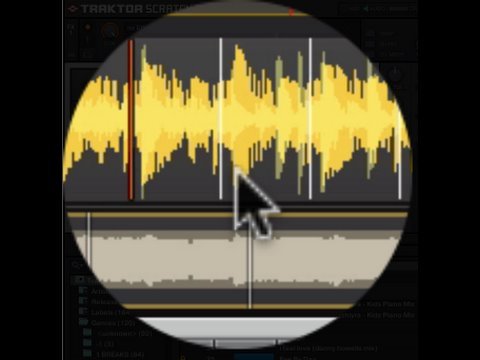
This is going to sound really really noobish and I am sorry but even after searching for a bit about what exactly is a beatgrid, I’m still a bit confused … I just started getting into dj’ing / virtual dj’ing and have been using Virtual DJ to get used to it before I buy my traktor s4, and was wondering what and how do i use a beatgrid ( specifically for Virtual DJ for now ) . And if u could just give a brief description about what it is and the advantages in using it ( in laments terms please, I’m just starting out so please don’t use any DJ slang) lol , thanks!
Beat grids are these little lines that are projected across the song’s waveform, their spread is dictated by the bpm dialled into the program. You position them each line on the beat on the waveform (and then check them with a metronome) and then the software knows where the beat is exactly so it can sync your tracks up for you and effects can be beat-synced.
I’m not entirely sure if VDJ uses beat grids, I’ve not used that software much, sorry! I’d imagine they do, traktor, itch and rekordbox all do.
ok, my next question is .. all u guys beatgrid each and every one of ur songs. before mixing? Is it essential ? Also does it save it once u set up the beat grid?
Yeah you should in my opinion, traktor gets it close but never completely correct. It only takes 15 seconds per song once you get the hang of it. You could even do it live like a vinyl DJ beat matches. Load the track, beat grid it, first the first beat, mix it in. Or just do them in batches when you have nothing else to do
It does save them. If you want to keep it you can click the little lock in the traktor beat grid section which will prevent you from accidentally editing the grid and it’ll remind you that you’ve already done that track.
Dude if your gonna buy an S4 why dont you download the Demo of Traktor. It comes with the manual and you can start reading up on all this stuff so you are prepared for when the S4 arrives.
Im not telling you to RTFM but, there a million questions to be answered and, well the answers are in the manual (for most).
Some of the real basic stuff you should be reading up on dude.
while topic was on, I can ask this question, so what is the main difference between the beatgrid mark position and the bpm var, both move the beatgrid to left or right. Now question with this is… when to use beatgrid marker and move it, or when to move the bpm higher or lower?
If the track has a 4 on the floor beat the odds are traktor will auto detect the bpm correctly so you usually just need to set the correct start position and maybe nudge it into place.
If you think the bpm is off then change the bpm or tap it until it works.