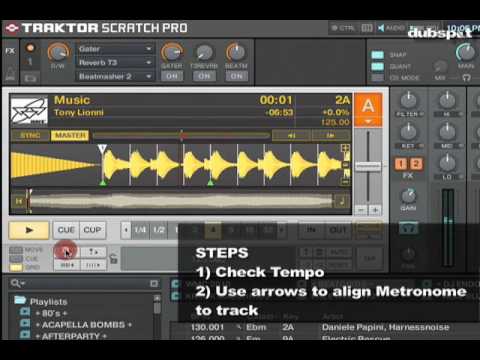
Since the update to 2.5, I’m having problems setting beatgrids with the metronome in Traktor.
I route the monitor output to my headphones and enable tick in the master section to manually beatgrid tracks by ear. Since the 2.5 update, moving the beatgrid no longer affects the sound output when the track is played. I have to stop the track and then start it again to hear the changes. I.e. if a beatgrid is perfectly set and I move it offbeat, the tick will still play in sync until I stop the track and start it again. Then it will sound terrible.
It also seems the tick not always play in sync with the track, regardless of the beatgrid. Starting and stopping the track a few times helps, but it seems unreliable.
Changing between sync modes BeatSync and TempoSync doesn’t seem to matter. Anybody else experiencing the same issue?
You have me doubting myself now. I beatgridded 40 tracks for a show on Friday using the master tick with Traktor 2.5. It definitely seemed to move when I moved the grid though.
i use master tick to beatgrid, and it seems to be working fine in traktor 2.5.
minor caveat, i have a button on a midi controller with the assigned command to ‘adjust phase to tempo offset’, which quickly moves the beat grid to zero out any phase offset (as opposed to clicking the move beat grid button a billion times)
doing it this way doesn’t cause the master tick to go out of sync, so i haven’t yet noticed the sync issue you mention and will try that - is it only when you are moving the beatgrid left/right in small increments, or does it also happen when changing the bpm? sounds like it is a bug.
It only happens when moving the beatgrid left/right in small increments. I’ve only noticed this in 2.5 & 2.5.1. In 2.1.3 it works as expected.
As mentioned previously, using the ‘Beat Tick’ (small headphone button on the grid panel) it works as expected, so thanks for someone pointing that out. I’d been using Ean’s tutorials and he always used the Master Tick.
For me it never synced “live” when moving the beatgrid (2.1.3), so I don’t do it that way.
First I use tempo bend like you would do when beatmatching (Sync is on), then with the help of the beat phase monitor I move my beatgrid in order to get the beat phase to zero.
I’ve never noticed the beat tick button in the grid panel, I will try it tonight with the direct beatgrid move to see if I can do this with one less step.


 hmy:
hmy: