Mac, the only way to go
:t-rex:
Mac, the only way to go
:t-rex:
is the normalize mucking the whole thing up?
record at the proper level an upload..
…
Record as a WAV wherever possible, and for god’s sake get a soundcard 
I’m not sure what you’re expecting out of 192 kbps. I don’t really think you’re gonna get much better than what I’ve linked. The 320 kbps I have saved sounds vastly different.
I’m not arguing that my desktop’s mic in will compare to an actual dedicated sound card, but it’s definitely usable.
…
Many computer mic inputs can also act as a real line-level input, but not all.
The difference between cheap and expensive A/D converters is completely insignificant compared to the difference between a Mic and a Line input.
There’s also very little wrong with 192kbps. The vast majority of people won’t be able to distinguish it from lossless.
I can hear the obvious noise floor at the start of your recording, but it sounds fine apart from that.
edit: The beatmatching, and particularly phrasing could use some work though.
Yes agreed my $12 external 7.1 soundcard sounds about a million times better, simply due to using the correct port
Dude thats nothing to due with the encoding. Even 128kbps can sound good depending on the track. This recording however, its unlistenable. due to the distortion, added by mic preamps I would guess.
Any I’ve ever seen require some box be checked in the software to switch modes between mic and line
Without this at best you would need to reduce the output of the mixer to minuscule levels in order for the preamp not to distort things - however after the fact then you need to factor in pre-amp coloring which is going to change the sound dramatically to factor in the way a microphone sounds flat, which is nothing like a line level sounds flat.
Bottom line, if your computer does not have some sort of AUX or Line in you need some form of external soundcard. ANY soundcard will be better than using the mic input.
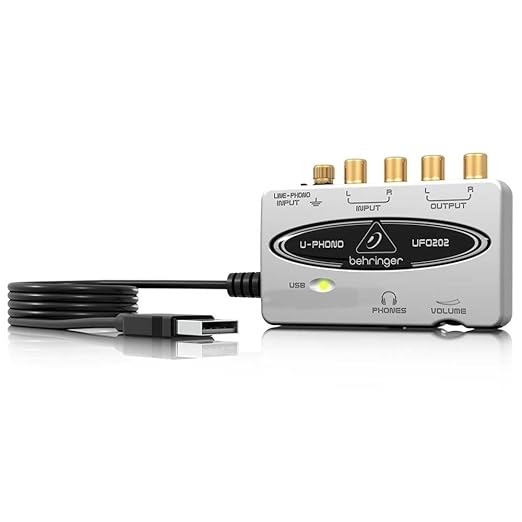
A Behringer UFO 202 is probably the cheapest “brand name” recording card that comes to mind. You can get one @ around $20 and will sound infinitely better than your mic inputs.
Record out // Aux out into a respectable soundcard is the way to do it. I personally use an m-audio audiophile soundcard in my desktop, you can get nice external soundcards too. I have a traktor A10 sound card that would also do the trick. You put the sends into the “in” of a soundcard and record the device.
You can still use audacity to record through the higher quality sound card , just have to enable it in the settings. The software is fine but you just need a hardware boost to get the desired quality.
Yea, I’m a nub when it comes to beatmatching so my phrasing is still pretty off.