Custom MIDI Controller

Custom MIDI Controller

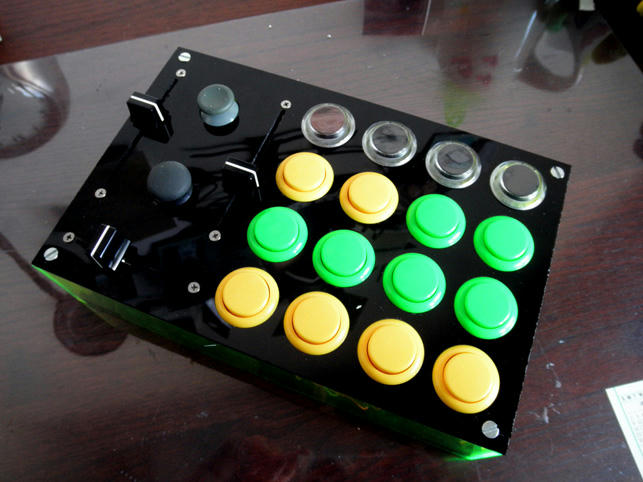
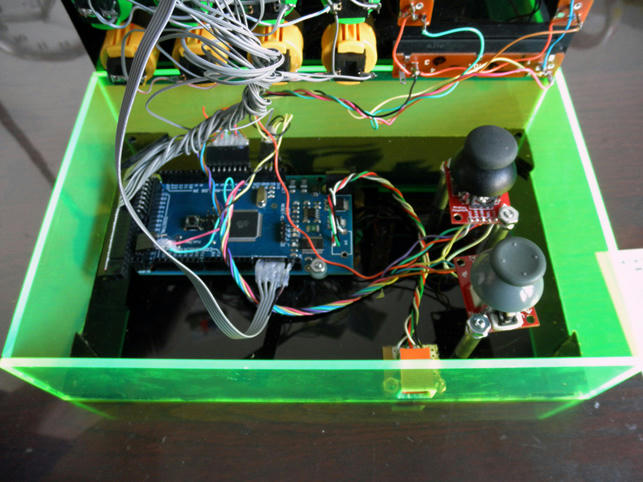
Here is my ALMOST finished Arduino Mega based midifighterish controller. It consists of 4x4 arcade button grid with the top four button lit by 2 red LEDs, 2 sliders, a crossfader (modded to move much more quickly/easily), and 2 joysticks from an xbox controller. I am still finishing up the code to dial in the thumbsticks and get MIDI feedback from the LEDs( for now they light up when the button is pressed). [ame=“MIDI Controller for Traktor”]MIDI Controller for Traktor on Vimeo[/ame]


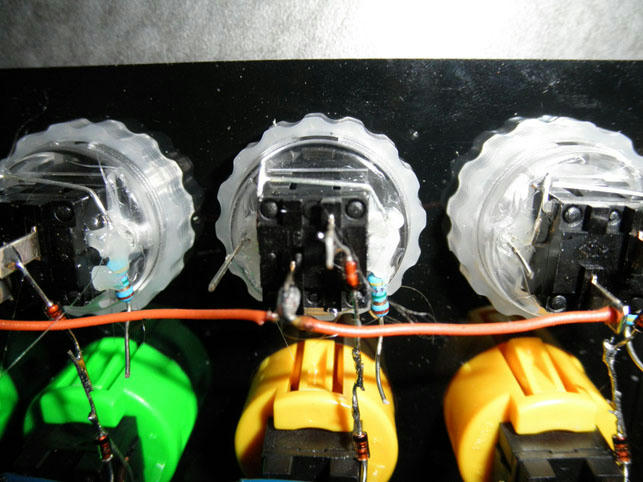
View of underside clear buttons with 2 LEDs on each side connected in series with a resistor (47K i think) and lots of hot glue

Dude, thats awesome. how do you work the eqing on that?

So far its setup more as an effects trigger I guess. Havent really played around with it much yet so still working out its fit/ purpose.

You built it from scratch?

Yeah its a bit rough around the edges as the acrylic was cut by a shop (they did a crap job on the dimensions) and i glued and dremeled the rest of it together. The wiring and leds are various parts I had lying around.

Good work! Looks nice, almost looks like production quality which is very hard to achieve.

Really Great looking thing and job! Congrats!

Thanks everybody. Hoping to post the code soon so you can pretty much cut and paste and start making controllers

Great job!

This is pretty close o what I had planned for my project which is on hold because of the GF >=(

@bobsagat666
Looks like you’re using the Arduino 2560?

@DJWindz Lay yo pimp hand down. Your from SD dont let a woman push u around.

Lol yeah been working on this when the wifes either sleeping/not home. Yeah its a 2560 next step is to build a cheapo usb to midi cable into it so I can avoid the modified ftdi driver bs

I would. . .but. . she beats me with a lead pipe! . .She’s “gangsta” I tell ya. . .GANGSTA!

@bobsagat666
Not liking MIDI via USB? Well. . .if you can do it, do it big!

See chrisw. . .I’m not the only one who’s scared of the significant other’s wrath! LOL!

Crap I was mistaken. Its a mega 1280 which is still using the FTDI serial chip. The new mega 2560 uses a different chip to convert to serial so you can program it to be a MIDI device that would not require any crappy drivers. Damn I wish I new all this as I just ordered a usb to midi cable to accomplish this very task.

My good sir i have 2 questions for you. How are your screwing those acrylic boards together exactly (chicago screws?), and whats the story on the green acrylic walls?

can you post a link to the shop where you bought the transparent arcade buttons? also, what size are they?

The top is drilled through with a nut sandwiched between two triangler pieces of acrylic in each of the for corners
Buttons are from here

http://www.lizardlick.com/Seimitsu-PS-14-DNK-Screw-In-Buttons_c_241.html

Hey man,

I am going to be building my own very soon (as soon as I get a bit more cash to pick up the arcade buttons / chipboard from DJTT) and I was wondering how do you have the wiring done / where did you get it / how do you connect the xbox analogue sticks and the crossfader to the chipboard from DJTT?

Sorry for putting them all together like that, but when I was coming up with my own concept I was truly confused as to how I would end up connecting the cross faders / any other buttons or knobs I had to the board and making it work with the MIDI.
Thank You!

ah bugger - I just ordered this earlier today:

which looks like it’s a mega 1280… does that mean I’ll need to install a driver if I want to use this in Windows?

it appears that the 2560 can be programmed to appear as a usb midi device, rather than a generic usb device. Is that correct?

ah well, it was only £20!

Yeah check my post in the BIG Arduino thread about the roland midi driver. The big issue for me is getting Midi back into the arduino.

would buying the midi shield help at all?

at least that way you could interface directly to the arduino via midi cables, rather than usb.