The internet is absolutely useless in explaining the setup for DJs, so if anyone can please walk me through it, step by step, connection to connection, with the right equipment I’d be uber grateful. Even moreso for anyone who actually wants to come and show me how to do this!
You need to connect the record (or booth) out of the mixer to focus rite. I don’t think the cables you have will work. I think these are what you need. Once you get signal to the soundcard and you get it plugged into the computer it’s a matter of changing the recording input of whatever software you are using to the focus rite. I don’t use ableton. I use Audacity to record things and then import them where ever needed.
Nope. The 2i2 only does mic-level XLR input. You need the 1/4" input for line level…still on the front, the jack will accept either.
Okay, so…you’re trying to record of the DJM-800, right? I’m going to describe how to record off the Booth output, but once you figure it out, you should be able to run off any output…the cables are just simpler this way.
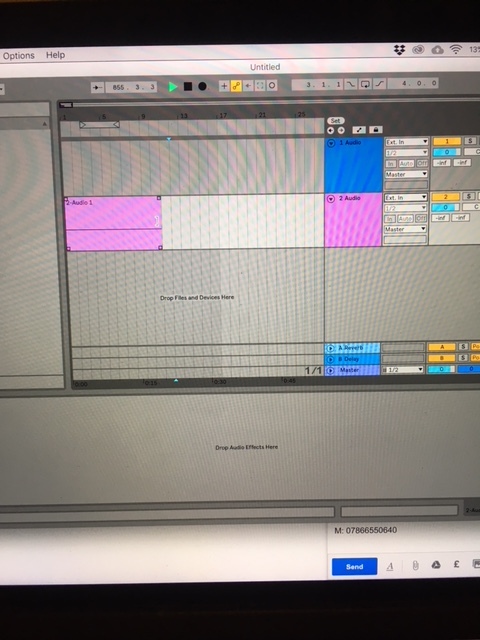
In Live, choose the 2i2 as your input device.
Run a set of 1/4" TRS cables from the Booth output of the DJM to the inputs on the front of the 2i2. Make sure that phantom power is OFF for each input, the gains are pretty low (dial indicators around 9 o’clock), and the “inst” swtich is not pressed.
Run a set of XLRs from the DJM’s Master output to your monitors.
Create a track in Live, external input - 1,2, monitoring “In”, and record arm the track.
Start playing music, turn up the master on the DJM until it’s a comfortable level.
Turn up the booth level (on the DJM) until you start getting green lights around the gain knob on the 2i2. About the same time, you should see live’s meters for that channel bouncing. Set the input gains on the 2i2 and the booth level so that the lower “RMS” section of Live’s input meter is hovering around -15 to -20 dB for loud tracks.
Then, you’re good. You just have to hit record in Live and start playing.