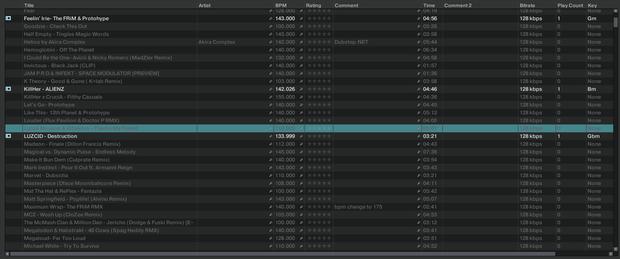
I upgraded to Traktor Pro 2.7.1 and found something disturbing. My tracks from Itunes (in the traktor itunes library) appear gray until they are loaded. When loaded they analyze so I thought to try and analyze them but the gray tracks don’t the option to do so. Here’s what it looks like:
Not a problem. It is a new feature that allows you to see what is loaded in the collection and analyzed. Once you load it, it will not be greyed out. Also tells you what can be edited directly from the iTunes node without jumping between the collections.
If you want to do it all in a batch, just highlight all, right click,and select import into collection