Confused at what that thread got to do with an S2 soundcard routing? …
@ OP, if I were you I’d provide the system you are on for starters e.g. windows / mac.
I’m pretty sure output routing is covered in the traktor/s2 manual yes you’ll be using the Master S2 output to your computer speakers, make sure you have the correct soundcard selected in traktor prefs and yes ,you might need to turn the on-screen cue/mix knob to just cue so you only hear the cue’d deck though headphones.
The 2 treads are talking of THE SAME EXACTLY thing
only difference is that in one, we talked about s2 soundcard, in the other, of a generic external soundcard.
i linked it because there is a reply in there, and the other thread was like, a page after that one.
“u can only select one soundcard in traktor. sounds like you’re trying to use an external one (IN THIS CASE A S2 SOUNDCARD) and an internal one (BUILT IN SOUNDCARD)? on mac u can create an aggregate device (i think) and on windows you should just be able to use asio4all, choose that as your soundcard which will then aggregate your actual sound cards together.”
OP: so yeah, if you are having mac, try the aggregate device method, if yo are running windows, install asio4all driver, and try to manage that out from Asio4all panel.
As said in the other thread, tractor can’t handle 2 sound card
he want to route the main sound through the laptop speaker (so use the internal sound card) but be able to cue using s2 sound card, so yeah, he needs an aggregate device, if he was using a pa(or hifi) system its obvious that he should use only the s2 sound card.
At least i understood this from the OP, that he want to use the built in laptop speaker and also the s2 cue.
if i misunderstood the OP, well, its way better for him, it has to do nothing than connect the out to the speakers as you said lol
it all depends if as “laptop speakers” he was talking about the internal speaker or some external speakers that normally are used connected at the pc.
ah men, sorry for the first reply, didn’t want to look rude, it’s only my bad english
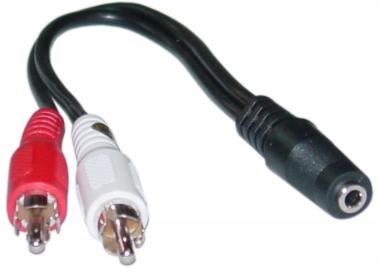
Im using a laptop with computer speakers plugged into the headphones in of the laptop. I tried the aggregate device method, but it won’t work, i choose traktor s2 i get moniter left,right master left,right. But only one will work, even if i’m pressing the cue button and all that,tried loads of different combinations, i guess i’ll have to get a Y spitter cable like that one.
Sound weird that aggregate doesn’t work.
Anyway, in this case, best thing you can do is follow steffex hint, with that cable u can directly connect the s2 to the speakers.