Mapping question: vci-100 (NOT se)

Mapping question: vci-100 (NOT se)

I’m still a bit of a noob at setting up the midi controller I’m using which is a VCI-100 to mimic that of a CDJ 2000 or something. I’m trying to set the three buttons above the platter to be a loop-in, loop-out, and re-loop button with the same functions as a cdj.

I’d like to be able to adjust the in or out loop by tapping said button again and using the jog to adjust length/position. Maybe use one of the other buttons somewhere to cut that loop in half, and have it continue doing that like the loop cutter on a 2000.

Any suggestions on how I go about doing this?

Add In > Deck Common > Loop > Loop In/Set Cue
Add In > Deck Common > Loop > Loop Out
…not so sure about the reloop in Traktor

If you want to keep your standard jogwheel functions like scratch and bend you’ll need some modifiers too.

Here’s the Traktor CDJ 2000 HID/MIDI mapping. The loops work almost the same as in standalone and you should be able to transfer the required parts to your VCI100 mapping fairly easily.

Hey,

Just checked your jpg. and it seems that does not list what OP is requesting.

Loop in and out are very basic so it doesn’t matter that they’re missing. The mapping above should do the auto 4 beat loop, loop cutting, loop doubling, and relooping.

Jog wheel adjust is not included as that is a HID element rather than MIDI.
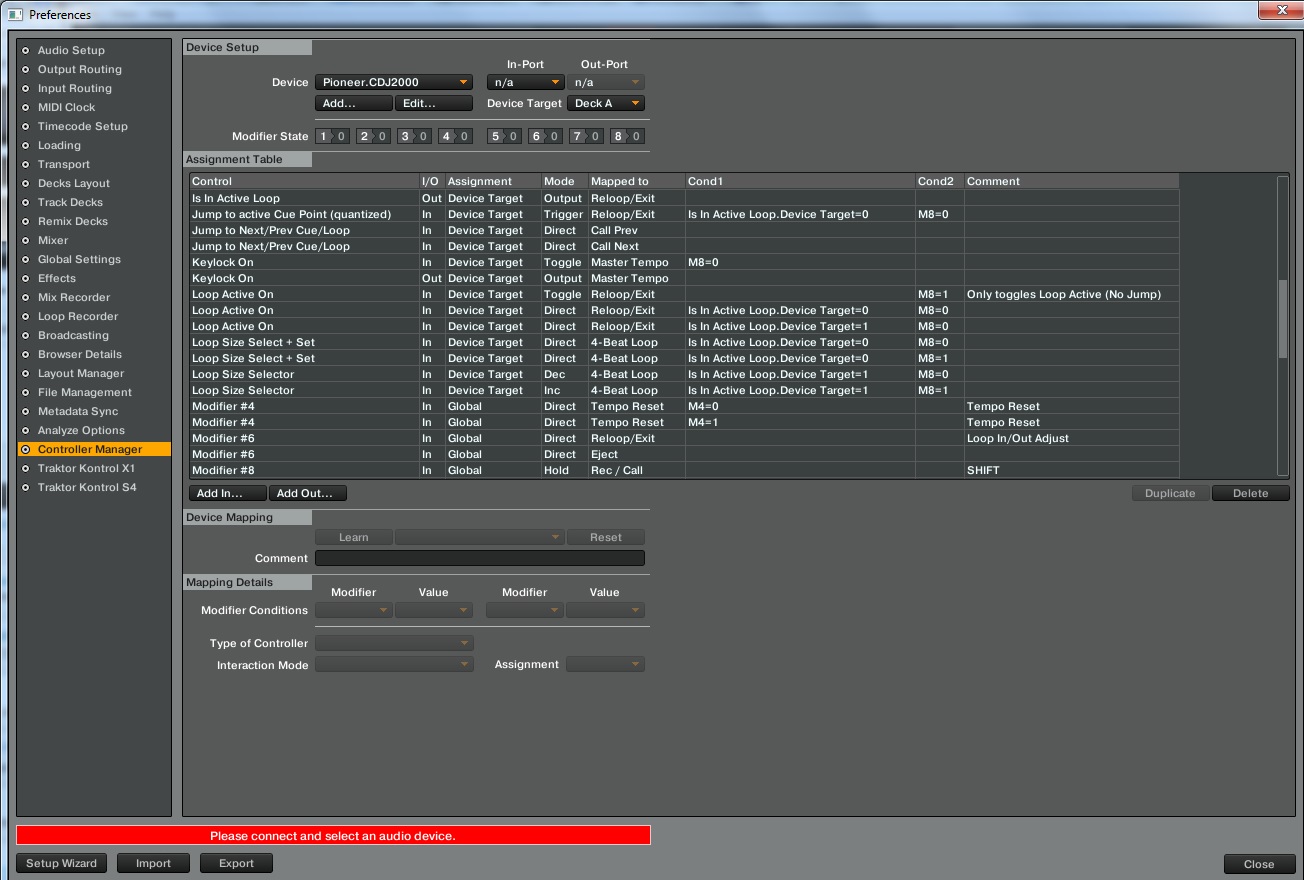
Isn’t like loop active button will simply just re-activate the loop rather that reloop it? I could be missing something though…

With the Shift modifier inactive, as shown in the 2nd entry the Reloop button will jump back to the set loop (active cue point).

Nope.

Ok, it seems “Jump to Active cue point” was removed as a user-selectable input in Traktor 2.5. CuePlay should do the same thing.

Alright, that’s more like it :wink:

CUP in instant mode should do the job.

Wow I never expected awesome responses. Thanks for the inputs guys.

I literally just had to reinstall windows due to it kicking the bucket, so I’ll give this all a shot shortly