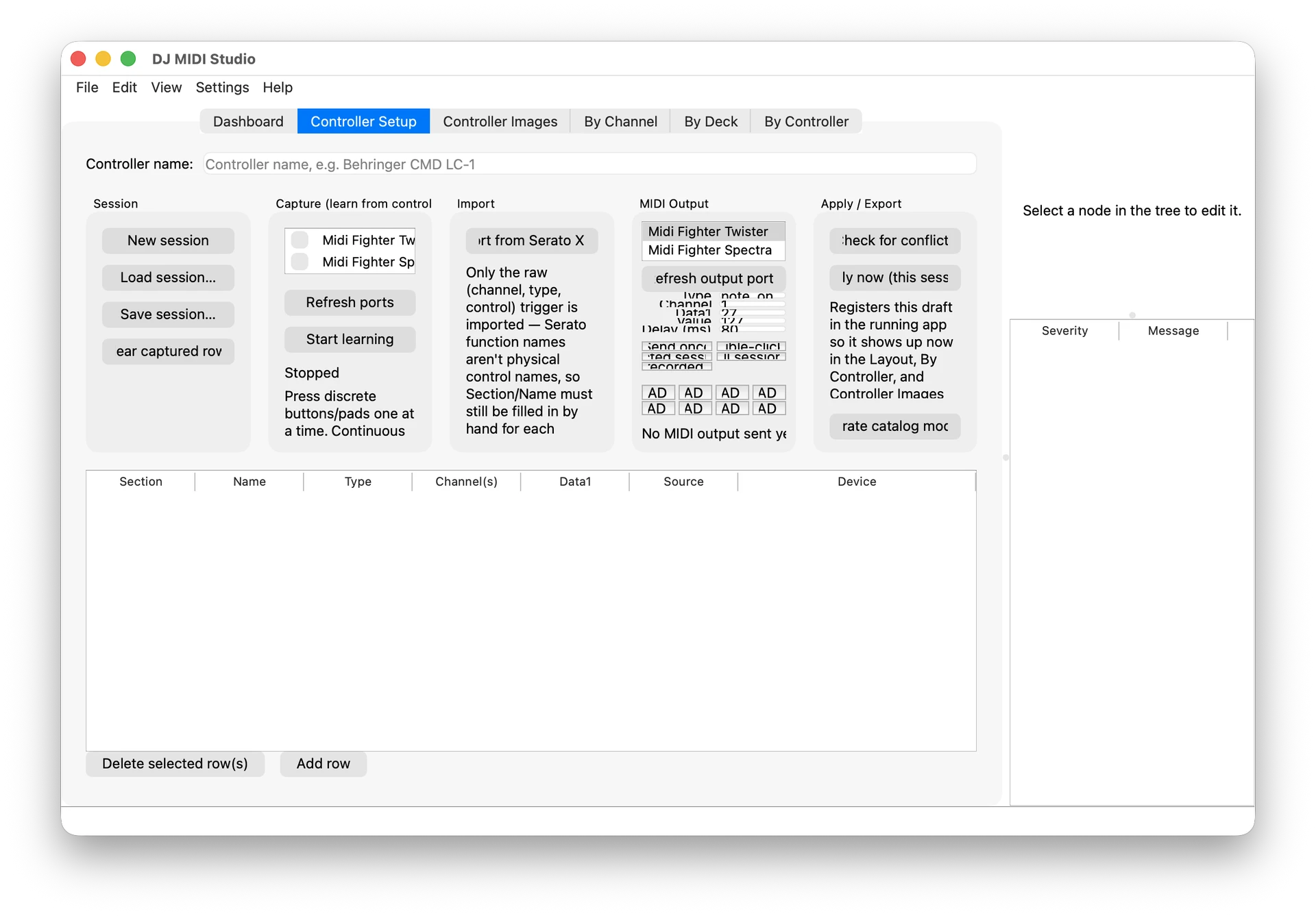
DJ MIDI Studio v0.45.0 — A new way to manage DJ MIDI mappings
Hey everyone!
I’ve just released the first public version of DJ MIDI Studio, a desktop application designed to make DJ MIDI configuration easier to inspect, understand, edit, and route.
It currently focuses on workflows involving Serato DJ Pro, Traktor, and MIDI hardware, with support for controllers such as:
• Pioneer DDJ-XP2
• Pioneer XDJ-XZ
• DDJ-1000
• DDJ-FLX4 / FLX10
• DDJ-REV1
• Numark Mixtrack Pro FX
• Hercules DJControl Inpulse 500
What it can do
 Explore MIDI mappings by channel, deck, or controller
Visualize controller layouts with pads, knobs, faders, jog wheels, and mixer controls
 Edit and validate Serato MIDI mappings
 Monitor live MIDI messages
 Route MIDI between hardware, software, and virtual ports
 Work with MIDI Clock, Ableton Link, Serato, and Traktor-related workflows
 Capture MIDI controls and detect double-click / shifted pad-mode commands
 Browse bundled controller documentation and MIDI reference material
 Validate configurations before saving or exporting them
 Download native builds for macOS, Windows, and Linux
The goal is to provide a practical bridge between DJ software, controllers, MIDI interfaces, and external hardware — especially for complex setups involving multiple devices.
 Help shape the project
DJ MIDI Studio is built for real-world DJ setups, and I need your help to make it genuinely useful.
Every DJ setup is different, especially when combining several controllers, MIDI interfaces, DJ software, and external hardware. Your feedback can directly influence the roadmap and help prioritize the features that matter most.
You can contribute by sharing:
• Your hardware and software setup
• MIDI routing or synchronization challenges
• Controller mapping files and MIDI logs
• Feature requests and workflow ideas
• Bugs, screenshots, and reproducible test cases
• Feedback about the user interface and documentation
You don’t need to be a developer to contribute. Testing the application with your setup and explaining what works — or what does not — is already extremely valuable.
If you are interested in helping, please open a GitHub issue or reply here with details about your setup. Together, we can make DJ MIDI Studio a reliable tool for complex DJ and MIDI workflows. 
Download and documentation:
 GitHub: Release DJ MIDI Studio v0.45.0 · guillain/DJ-MIDI-Studio · GitHub
Please note that the macOS build is currently unsigned, so macOS may display a Gatekeeper warning. This is expected for the current release while proper Apple signing and notarization are being prepared.
If you try it, I’d love to hear about your setup, what worked, and where the workflow could be improved!