So basically what im trying to do is when i turn the dry/wet knob on the send/return i want the sound to go through Ableton and apply a reverb (some vst)
The more flexible way to do this is to use Live for effects routing, wich is a little more complicated but works. You’d need a sound card with 10 channels instead of 8, and you have to watch the levels closely because there’s more of a potential to clip (i.e., don’t do it if you run anywhere near the red at any point).
Get SoundFlower (which is fortunately being developed again).
Set up an aggregate device involving Soundflower’s 64-channel virtual card and the 10-channel physical audio card (SL4, Scarlett 18i20, A10mk2, etc.).
Traktor and Live should both be set to use the aggregate card.
Traktor’s decks output to separate stereo pairs on Soundlfower (not the physical card yet).
Live gets 4 audio tracks with those inputs from soundflower that route to outputs on the physical sound card (and go to the mixer).
Live gets 1 more Audio track with an input from the physical sound card (the send from the effects loop). It’s output should go to a physical output that’s connected to the DJM-800’s return.
Create whatever return tracks you need for live and put your reverb/whatever VSTs on them. Route their output to the same phsyical output that connects to the DJM-800 return.
Use MIDI to control the sends on each channel in Live.
You’ll have the deck output whether the effects loop is running or not. The wet/dry control will actually add the effects return signals to the summed decks, so there’s a very serious risk of clipping there. The answer is to run everything quieter, which you should probably be doing anyway.
What ends up happneing is that a song will go from traktor, to live, to the DJM. They’ll get summed and send out on the DJM-800’s send, where that signal is summed with the effects returns from live and sent back to the DJM (via the return) and then output through the master.
I’ve done this before, and it works. It actually works really well.
DAMN !
Well, unfortunately i dont have a 10 channel interface and i really cant afford to invest in one at this point.
Im using 2 decks in traktor, so … can i make this work still ?
You CAN do what Mostapha has suggested using your A8 since you’re only running 2 decks in Traktor. You also won’t need to use the send/return on the mixer, since you can set-up sends/returns in LIve for EACH of your decks (meaning you’ll get your reverb/echo out type transitions).
In fact - routing from Traktor > Live > Output is the dream. You get the full functionality of both programs - the browsing/loading/playing of tracks in Traktor, and the routing, FX, and live sampling/manipulation of Live.
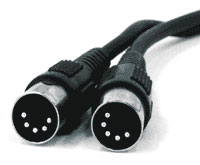
So now i think i have to buy a midi to usb cable so i can control the dry/wet in LIVE with the knob on the mixer
Though i managed to route the wet mix only and can control it with the knob on the mixer but it doesnt leave a tail.
Yep. That works, and I’m pretty sure a USB-midi interface works like that. It might be cheaper to get a different controller, but that also adds a controller.
The only real gotcha is that they’re pre-fader. To get the audio to stop but the tail to continue, you pause the deck in traktor.
And, yeah…sound flower is awesome. It’s also tiny. That’s what happens when a hacker (in the old school meaning) takes on an audio problem.
No no, a MIDI to USB cable (cheap one) is like 7 bucks
I saw a guide from some guy, i’ll just map some buttons i dont use to controll the send return on both channels
Who knows, maybe i’ll have a Delay as well !
I was hoping to just get a reverb, but to my surprise it might get even better !