Im sure the main out is 0 and 1 but i’ll have to check on mine when i go home
I have a Firebox and for whatever reason the outputs show up like this:
Main Outs: 0 & 1
Out 3 & 4: 2 & 3
Out 5 & 6: 4 & 5
thought i’d clarify a bit.
my prior post may have not been totally clear:Using Macbook Pro, Leopard operating system.
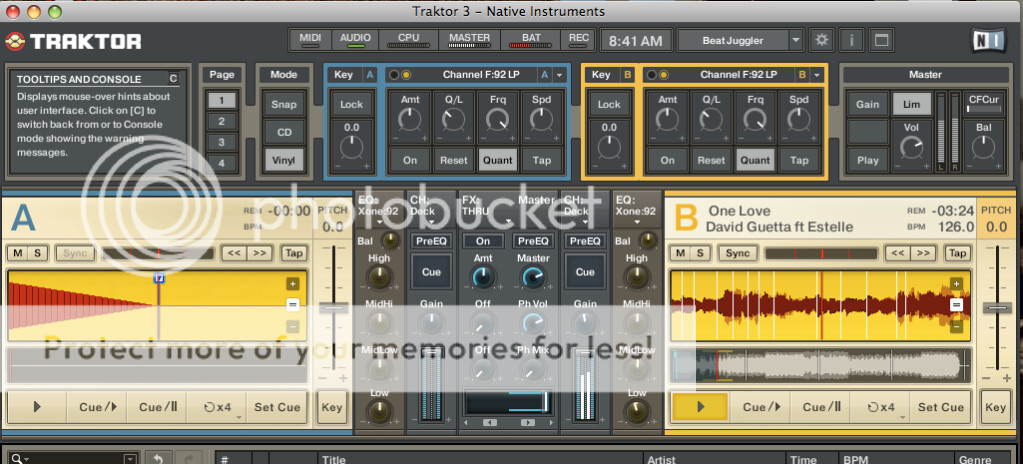
I use the internal mixer in Traktor 3.
Send the mix out via firewire to Presonus Firebox.
I monitor in Firebox.
I use the main 1/2 out of the firebox and go into say Channel 1 (line input) of my external mixer (behringer ddm4000). Then out from behringer to speakers.
I get signal, but it is only in one channel on my Behringer board.
How would I go about getting a stereo mix into the external mixer?
I would still be using the internal traktor mixer in traktor. I want to be able to add a denon dual cd player to to other lines in the Behringer.AND Have the Traktor stereo signal coming into the board as well. That way I only have one main output to House Sound. Is this possible?
Preference setting in Traktor:
Mixer: Internal
Monitor: 3/4
master: 1/2
Booth: nothing selected
Record: nothing selected.
Presonus Firebox mixer set up:
Playback to Headphones: 3/4 button engaged
Mixer output:
“main” button engaged
Playback: 1/2 button engaged.
laptop(output via firewire)--------firebox--------out firebox main 1/2in back (1/" to RCA)--------channel 1 input behringer mixer-----output mixer via ------speakers
Maybe you have Traktor panned over to one side or the audio cable is broken on one side or the mixer channel is panned to one side.
Are you using the FireBox Mixer control?
Can you post screeb shots of your Traktor preferences .
traktor 3/presonus firebox issues
Here’s screen grabs of my set up:
Hopefully these screen grabs are bigger.
Thanks so much. Hope these are viewable…
Your Output Routings are totally wrong in Traktors Preferences > Output Routing
Change Master to: 1 & 2 (Presonus Out 0&1)
Change Monitor to: 7 & 8
Then change the the Headphone setting on the Presnus mixer to SPDIF
That should fix things…
ok. i’m gonna try that now. will let you know if it works!
Thanks so much…
Karlos Santos
Tech Guru,
THANK YOU SO MUCH!
works. fantastic. thanks again for your quick reply and expertise…