Traktor question
Hi all.
In which forum should I post a question concerning traktor?
Traktor question
Hi all.
In which forum should I post a question concerning traktor?
Post your question here.
ok thanks 
So, is there a simple way to organize my music folder based on the playlist I have in traktor? Something like classify the folder through traktor to have it reflecting the playlists? I don’t think something like that is possible but I ask in case.
Yes buy Rekordbuddy so organize playlists and folders
I’m a bit confuse, I was maybe planning to use rekordbuddy to transfer playlist and tags from traktor to rekordbox, but will it also organize my music folders mirroring my traktor playlist??
I don´t understand that question. I don´t get, what you want to do. Sorry, english is not my mother tongue. Maybe you can explain a little more detailed what you want to do and what you wnat to know.
I guess I can use iTunes to organize my folder, but I already have thousands of tracks with playlists organized in traktor (but my music folder is not organized). I don’t want to organize manually my folder.
So to reformulate the question, I’m looking for a way to organize my folder BASED on how my traktor playlists are organized, but obviously not doing it manually.
I guess itunes will not help for that. And does rekorbuddy will do it?
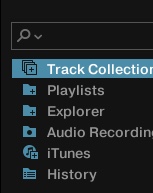
Have you tried clicking and dragging a playlist from Traktor into iTunes?
Never tried. Is that working? That would be great. I’m gonna try.
Rekordbuddy is not available for windows yet, am I right?
This should technically work but it’s a tiny bit labor intensive. Create a folder where you want your music, export playlist including the tracks from traktor to a folder with the playlist name in your music folder, delete original tracks from playlist, scan you Traktor library and when the tracks from your playlist show up missing point Traktor to the new playlist folder. To test, I would only MOVE the original tracks to a different folder and not delete until you’re sure Traktor repoints to the newly copied tracks in your playlist named folder. Rinse and repeat. Once you’re confirmed the workflow is solid then you can just export all your plaits separately to new folders and once done, delete the originals, repoint and “Bob’s your Uncle”.
Oula, that’s too much work lol, I’m gonna search for something easier. But thanks
I’m curious why you want to sort your actual music into playlist folders anyway. Isn’t that kinda backwards?
I’m probably not going to sort all my library, but like if I want to have a folder with all the tracks that are in one playlist, to transfer them to an other laptop or something like that. I was thinking about that too to transfer the tracks of a playlist to rekordbox to use on cdj’s, but other solution likle rekordbuddy seems better for that.
I just use iTunes to organize all my music and make both playlists and smart playlists to export to Traktor, Recordbox & Engine Prime. Regardless of how you feel about iTunes, it’s a better library management system then any of the DJ software, I’ve found.
*Truth.
Ok thanks guys. I’m gonna try with itunes, if I can drag playlists from traktor to itunes and create them like that it’s amazing
Create a playlist FOLDER in iTunes.
In that FOLDER, create a PLAYLIST (name it TEST).
Try click dragging the playlist file out of Traktor, and into the TEST playlist in iTunes, or;
Highlight all tracks in the playlist in Traktor and click-drag them to the TEST playlist in iTunes.