does anyone know anything about writing tag information to WAVE files??
I have started to buy wave format tracks and am having issues writing tag info to the track..
when I drag the file into the beatport pro app, the file shows up a blank, I can still hit sync with beatport and type in the name manually, and then I can find the tag info and press done, nothing gets written to the file.
for mp3s I use “The Godfather” to fix the names easy… then run them through beaport pro with no issues, but with waves the program doesn’t allow me to do that…
Regular wav files have very little tagable info. I’ve NEVER understood why DJ software doesn’t adopt Broadcast wav files as that would allow as much if not more info than what you can access via mp3 but that’s the difference between prosumer and professional software APs, I guess.
converted the waves to AIFF and its as if it was an mp3…:thumbup :
now onto coming up with a proper organizational system for my music…
currently using iTunes and have started to learn about the smart crate systems…
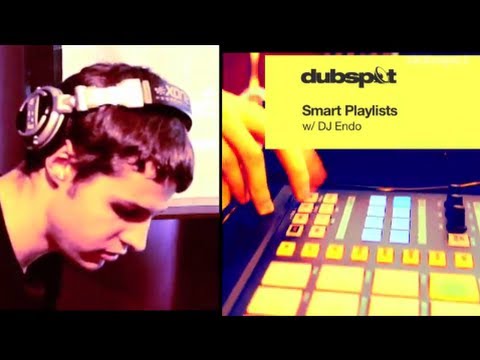
here is a pretty cool video for that in case anyone is interested…
although this video isn’t completely thorough… organizing by key and different key variations is great but I want to be able to include the mood criteria in there just like beatport pro…
if only there is a way to combine both iTunes and beatport pro together somehow…
the video with Ian from techtools is also not fully thorough…
Does anyone know or have a good system for starting and updating and organizing your music library??
I mean from the moment when you download the track
what folder it goes into?
what you do with the track next?
what folder it ends up in??
I understand this can be very different for everyone, but perhaps we can come up with the ultimate workflow for downloading and preparing the tracks so that they are super organized and tagged to be able to search for songs effortlessly…
WAV does not save metadata. if you’re buying tracks from Beatport, buy them in AIFF instead and they will come with metadata embedded. The quality is the exact same and AIFF works with every DJ software.
FLAC would be better due to smaller file size, but I’m not aware of beatport offering direct download of FLAC, and it also is not compatible with all DJ gear. if you use iTunes to organize your library, FLAC will not import. AIFF is your best option for now
Funny thing is, WAV’s TOTALLY have metadata, it’s just that nothing and nobody (except Sony) uses them. Never have understood why, they’re just as easy to access and code for as MP3/ID3 tags, but nobody bothers.
not sure about that i don’t think you can write all of the data, AIFF lets you tag much more thoroughly and you can store album art, can’t do that with WAV
You have the same ability to add any unlimited amount of metadata as you do with any other format, including album art (bliss will do album art, for example), you can even embed an ID3 tag in there if that’s what you want to do. See here for a list of things you can do right now with WAV metadata. You’ll notice that WAV is a RIFF file… a related member of the IFF family to AIFF.
It’s not that it can’t be done, it’s that there is no interest in doing it (for whatever reason that I can’t guess)… and as a result, solid standards haven’t really emerged.
[quote]Does anyone know or have a good system for starting and updating and organizing your music library??
I mean from the moment when you download the track[/quote]
SMART PLAYLISTS in iTunes.
Download your music. Add all of the relevant tags. Stick it in a folder. Make sure iTunes is pointed at that folder.
I have ALL OF MY DJing music in a SINGLE folder. No folder structure whatsoever. Just one folder.
All sorting and grouping is done with iTunes Smart Playlists.
Like I said - if all of the information that you’ll ever want to sort/group on is in the tags, you can create any number of Smart Playlists that will group on that information.
As long as you tag your new files before you bring 'em into iTunes, they’ll automagically be added to EVERY Smart Playlist that their tags dictate they should belong to.
You can create and delete your iTunes library as many times as you like. As long as you have the tags saved wit the files, you can re-build your Smart Playlists at anytime.
You can even create non-Smart Playlists from Smart Playlists by clicking and dragging to a new Playlist. So, you can create a smart playlist (say for a specific mix/gig) save it as a normal Playlist, and delete the original Smart Playlist. If you kept the Smart Playlist, as you add new files that meet the criteria for that Smart Playlist, they’ll automatically be added to it, but, if you converted it to a non-Smart Playlist, it would never auto-update.
Great if you want to keep a record of what you selected for a particular gig or mix, and also want to minimise the number of Smart Playlists you have.
But, yeah, iTunes Smart Playlists are where it’s at, mate!
Very Good. Yes but then that one folder that you put things into will eventually get to be one massive folder with all sorts of genres and styles of music… I think I might be a bit ocd and it will bother me that its this way…
Smartplaylists …This seems to be the trend for some djs… well its a great way I agree… and am almost done with my own smart playlist system…
I’m running into some barriers though with trying to create SMART playlists according to MOOD, SET TIME, VENUE, there aren’t any fields in iTunes with those categories… and I’m not sure where to write them too…
I should also mention that like to play according to mood… I find its the best way for me to select tracks…
As you may already know the beatport pro app allows for all the updating and tagging which is super helpful… and the best part about it is that you can tag according to MOOD, VENUE, SET TIME,
But how can you create smartplaylists in Beatport Pro??
if only beatport pro can be integrated somehow with iTunes or perhaps it can be used just like iTunes if we can figure out a way to make smart playlists in beatport pro???
Also I’m using a pc and so perhaps there is a a difference with the beatport pro for mac and windows…




 I think I might be a bit ocd and it will bother me that its this way…