Happy Holidays everyone,
I’m compiling together all of the available DJ software’s as of 12/15/2010 that I can find. There are so many options nowadays, I wanted to throw them all into one spot to make your decisions easier. So take of it as you will, lets get started.
Layout: Software
Description
Specs
Link
Please understand, the Products description etc. listed below is going to be limited to an extent. There are so many various softwares and each has a 5 page description so please excuse the shortened explanation. I tried to give a basic, or general understanding of what the software represents.
Gemini Groove
Groove is the new complete, easy-to-use and reliable Professional Mixing Software that offers the total live performance at the most affordable price. Ideal for professional DJs, as well as bar and restaurant owners, dancing schools, radio stations and other entertainment centers, Groove easily enables you to professionally mix, organize and navigate through your MP3, WMA, OGG Vorbis and WAVE files to create the ultimate playlists, technical mixes and flexible background music.
Along with great visual representation, Groove provides a myriad of features the pros need and want, plus the added bonus of a mix session recorder, giving you the possibility to record your personalized mixes and broadcast them to the world!
Expand your creativity and ‘Get Into Groove’
MP3, WMA, Ogg Vorbis, Wave support
Full Midi and Keyboard controler support
Automix with Fader start
Full, feature mixer w/3 band EQ an kills
Instant-start & cue with preview
Looping with dedicated loop times
+/- 32% Pitch with Master tempo
Single & continuous play modes
3 Hot cue points for each channel
Reverse audio playback
Auto BPM calculation w/TAP
Vinyl scratch emulation
Delay, Flanger, Phaser and Reverb
Playlist support with powerful database features
iTunes type cover flow
Powerful music search engine
Overhead waveform display w/zoom and beat marking
High quality Mix session recorder
System Requirements for GROOVE
OS: Windows XP, Vista, Windows 7 (32-bit or 64-bit)
MAGIX Digital DJ turns your computer into a high-end DJ system! Whether you’re a DJ novice or a pro, this professional DJ software includes everything a DJ needs: virtual mixing desk, automix function, precise beat recognition and a preview function. Simply add songs directly from your iTunes® library or your hard drive to the DJ set and turn every party into an unforgettable event!
A new DJing era begins!
The integrated unique mufin technology actually helps you quickly select complimentary audio tracks, saving you time by searching for new songs that perfectly match your music selections with the innovative analysis provided by the mufin engine – all with a single click.
System requirements
For Microsoft® Windows® XP | Vista® | 7
For 32-bit and 64-bit systems
Minimum system requirements PC:
Intel® Pentium® III or AMD®, 1 GHz or higher
DirectSound or ASIO compatible sound card
512 MB RAM (1 GB recommended)
200 MB free hard disk space
Graphics card resolution 1024 x 768
CD-ROM drive
For Mac OSX
Minimum system requirements for Intel® Mac®:
Sound card with CoreAudio drivers
512 MB RAM (1 GB recommended)
200 MB free hard disk space
Graphics card resolution 1024 x 768
CD-ROM drive
Optional (for Windows & Mac):
Sound card with two outputs for headphones mix (preview function)
Only import of DRM-free songs & playlists is possible
Tracks can be loaded from the playlist into the TRAKTOR LE’s two playback decks per drag & drop. The track immediately appears in the waveform display. TRAKTOR LE shows the running track’s waveform as two separate frequency bands in real-time, thus enabling the user to anticipate beats, breaks and instrumentation ahead of time. An additional display for each deck shows the entire track as a mini waveform, allowing users to find any song passage fast.
As soon as a track is loaded, TRAKTOR’s automatic BPM detection calculates the tempo. Adjust the tempo of a track manually or use the Sync function to automatically align the tempo of the two tracks being played. Advanced Key Lock and time stretching features are included. A beat-accurate instant loop button and cue point offers creative mixing possibilities.
TRAKTOR LE’s integrated 2-channel mixer provides a classic 3-band equalizer with kill switches and input gain. The central element of the mixer is the crossfader and cue mix (with separate headphone mix). A master effects section has been included, offering four different effects: filter, delay, reverb and flanger. All controls offer incremental buttons and the “Ghost Pointer” feature allows you to instantly jump to a pre-defined value.
TRAKTOR LE’s ultra-fast database makes it easy to manage and archive tens of thousands of tracks. Extended ID3-tags allow all information to be saved in the MP3 file -tags can even be written into other file types that do not normally support this, such as WAV and AIFF. You can search for files using the integrated file browser, add tracks to your playlist, track collection or the new record cases, and pre-listen tracks without having to load them into a deck. The unique Crate Flick lets you browse by artist, album, genre or label, or use the fast search engine to find a specific track. Save as many playlists as you like. iTunes playlist import is also supported and TRAKTOR LE is fully iPod compatible.
Duo
TRAKTOR DUO provides all the essentials of modern DJ software. Built on a deep understanding of DJs’ needs, TRAKTOR DUO gives you two feature-packed decks with rock-solid performance and complete creative freedom – no matter what your style.
Utilizing the experience of nearly a decade of TRAKTOR software research and development, TRAKTOR DUO is streamlined and focused to give DJs the essential features they need to spin digital. Boasting two state-of-the-art playback decks, a selection of professional-quality effects, an easy-to-use interface and premium sound quality, TRAKTOR DUO puts the world’s bestselling DJ software within the reach of DJs at any experience level or budget.
At the heart of TRAKTOR DUO are two playback decks packed with plenty of useful and creative features. An automatic beat grid and precise beat detection capabilities provide you with the correct BPM readings for mixing your tracks. The Sync Lock function makes sure that once tracks are beat-matched they will never drift out of time, and intelligent loop and cue functions even let you remix tracks on the fly.
Both playback decks in TRAKTOR DUO integrate a 3-band EQ and classic filters giving you complete control of your tracks’ sound. For even deeper sonic transformations, TRAKTOR DUO comes with six high-quality effects: tempo-synched filter, delay, flanger and reverb, as well as the unique beatmasher and gater effects – built with Native Instruments’ groundbreaking REAKTOR technology.
TRAKTOR DUO incorporates the same user interface as TRAKTOR PRO. The high contrast, scalable fonts and intelligent grouping of graphic elements ensure an unparalleled ease of use and super-fast workflow. The intuitive Crate Flick search lets you visually flip through your collection by cover art and makes finding that next track both fun and easy.
The powerful groove production studio MASCHINE can be used as a MIDI controller for TRAKTOR DUO, alongside the TRAKTOR KONTROL X1. In these exclusive videos, 3-times World DMC Champion DJ Rafik demonstrates the next level of turntablism tricknology.
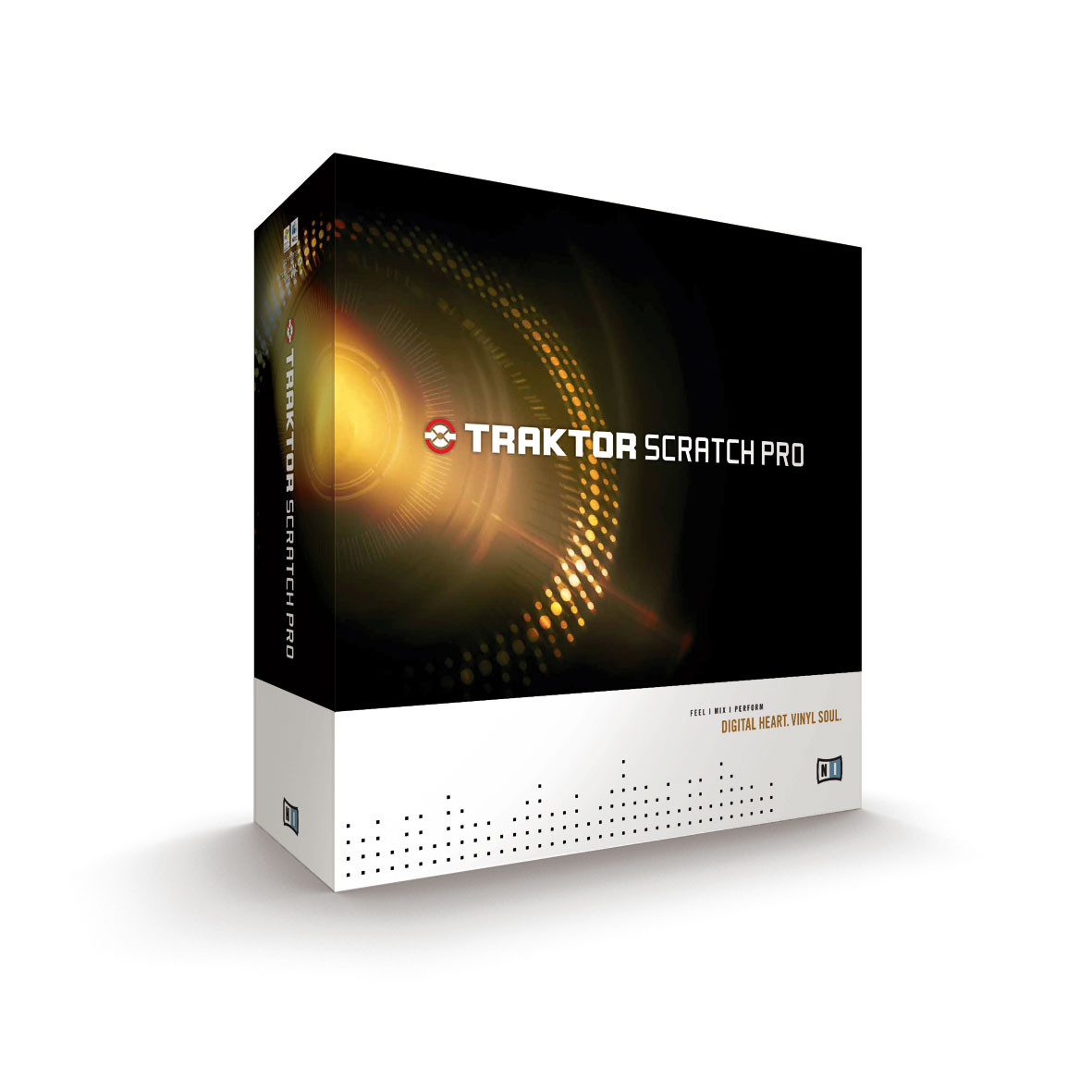
TRAKTOR SCRATCH PRO is the premium digital vinyl system from Native Instruments allowing you to spin and manipulate your digital track collection on up to four decks with vinyl and CD control. Includes the full version of TRAKTOR PRO software.
TRAKTOR SCRATCH PRO is the premium system for pro DJs spinning digital tracks on vinyl and CD. The full feature set of the leading TRAKTOR PRO software is included, setting a new gold standard in professional digital vinyl systems. Containing super-precise control records/CDs, the high-end AUDIO 8 DJ interface, ingenious Multicore cabling and the last word in DJ software; TRAKTOR SCRATCH PRO is the definitive fusion of analog and digital Djing.
The included TRAKTOR PRO software meets the needs of even the most inventive pro DJs. With the Crate Flick cover art browser, 28 effects algorithms, and four processors capable of chaining up to three effects plus EQs and filters for each deck, a new level in creative mixing is at your fingertips. Simultaneously control four decks with CD or vinyl. Remix tracks live with the powerful and extensive loop functions.
AUDIO 8 DJ is the ultimate audio interface for DJs: This premium quality 24-bit/96kHz interface is built for TRAKTOR SCRATCH PRO and utilizes ultra-precise Cirrus Logic® AD/DA converters for maximum loudness and quality: eight high-gain (9.7dBu) outputs, eight inputs, MIDI I/O and much more – all wrapped in a robust and compact design
TRAKTOR SCRATCH PRO blurs the lines between digital and analog DJing, taking both to a new level. The high-resolution 2kHz control signal boasts unmatched response whether using vinyl or CD. Even the most demanding turntablists can feel how everything from slow rubs to quick backspins and even motor-offs respond just like vinyl. Pressed with extreme care onto high-quality 120g discs, it really feels like each digital file is cut into the wax.
TRAKTOR SCRATCH PRO is designed for maximum plug-and-play usability, and comes with two Multicore cables that combine all necessary connections into a single pro-quality audio cable for each deck. Plus, with TRAKTOR PRO included, just grab your laptop and spin at the after-party – no timecode control required.
TRAKTOR works in perfect harmony with the self-contained groovebox and powerful groove production studio MASCHINE. Sync MASCHINE to TRAKTOR and use the AUDIO 8 DJ to route the MASCHINE audio to your mixer. Simultaneously use the MASCHINE hardware as a MIDI controller for TRAKTOR.
Windows® XP (latest Service Pack, 32 Bit) or Windows Vista® (latest Service Pack, 32/64 Bit) or Windows® 7 (latest Service Pack, 32/64 Bit), Intel® Pentium 4® 2.4 GHz or Intel® Core™ Duo or AMD Athlon™ 64, 2 GB RAM
Mac OS® X 10.5 (latest update) or 10.6 (latest update), Intel® Core™ Duo, 2 GB RAM
Zulu virtual DJ software is the complete DJ software solution for amateur and professional DJs. Powerful features united with an easy to use interface makes mixing your favorite tracks easy. Zulu lets you mix your music live whilst applying effects on the fly.
Your songs will always stay on the beat with Zulu’s advanced, automatic beat detection. Load a track onto a deck and Zulu D J software can automatically scan the file for a beat, assign a beat per minute (BPM), and change the tempo in the second deck for perfect synchronization.
Drag and drop your music anywhere in Zulu DJ Software, and preview upcoming tracks before they play. Zulu DJ Software also supports all the latest audio file formats so playing your music is never a problem.
Automatic beat detection
Synchronization between the decks
Cross fade between two tracks
Apply effects in real-time
Preview tracks through headphones
Supports the formats wav, mp3, wma and more.
complete list of supported formats
Simple and intuitive user interface for easy operation
Real-time pitch control
Real-time tempo control
Tap your space bar to the beat to set the BPM manually, or input your own BPM value for greater control
Use keyboard ‘Hot Keys’ to control Zulu DJ Software
Use cue point markers to adjust the track starting point
Loop sections within a track and synchronize to the BPM
Apply effects including distortion, reverb, delay and more
Separate output for Professional DJ Headphones
Can be used with any USB DJ Mixing Console
Zulu DJ Software System Requirements
Works on Windows 7 XP/2003/Vista/2008
For earlier versions please see Windows 98/ME and Windows 2000 respectively for legacy software.
CUE is the most reliable, intuitive DJ software. It empowers DJs to mix, scratch, juggle, and sample audio and video on its dual virtual decks. You can use CUE just like you use vinyl, CDs, or most other DJ formats. Just load tracks from your virtual crates to the virtual decks and mix it up. Working with digital tracks is just like it’s always been since the days of vinyl, and you can control with your mouse or select from a wide range of Numark controllers, decks, and mixers for the feel you prefer.
Multi Deck:
Support for up to 99 decks
Include skins for 4 and 6 decks
Support both true multi-deck logic or mini-decks with left/right zoom logic
Audio:
Audio optimizations on Vista and Win7 (greatly improve the performance of the audio engine)
New Advanced Audio Config panel with line by line configuration (with low-latency optimizations)
Line-in/Mic support with effects, waveform display, beat-matching
Instant record of Line-in or Mic for replay and scratch
Rewire support
New master tempo engine
New PureScratch engine
New built-in resonant filter on each decks
Database Management:
New GenuisDJ algorithm
New FileInfo window with multi-files tag and rename
Save to ID3 tags (or mp4 tags) option
New browser fields (composer, rating, custom fields)
Support for nested virtual folders
Easy drag-n-drop management of virtual/favorite/smart folders
Automatically renew and manage Netsearch DRMs before it expires
New zoom mode for temporary fullscreen browser
New integrated audio preview of browsed songs
Video engine:
Improved H.264 decoder
New overvideo action for multideck configs
Access to more than 2 GB of memory on Vista and Win7 - 64 bit
Record and Broadcast:
Video codec list for video record (on PC)
Support for ICECAST2 broadcast
Record loopback and mic recording are now set in the Advanced Audio Config
Controllers:
Plug-and-play support for more than 80 controllers
Support Hot-plug and unplug of controllers automatically
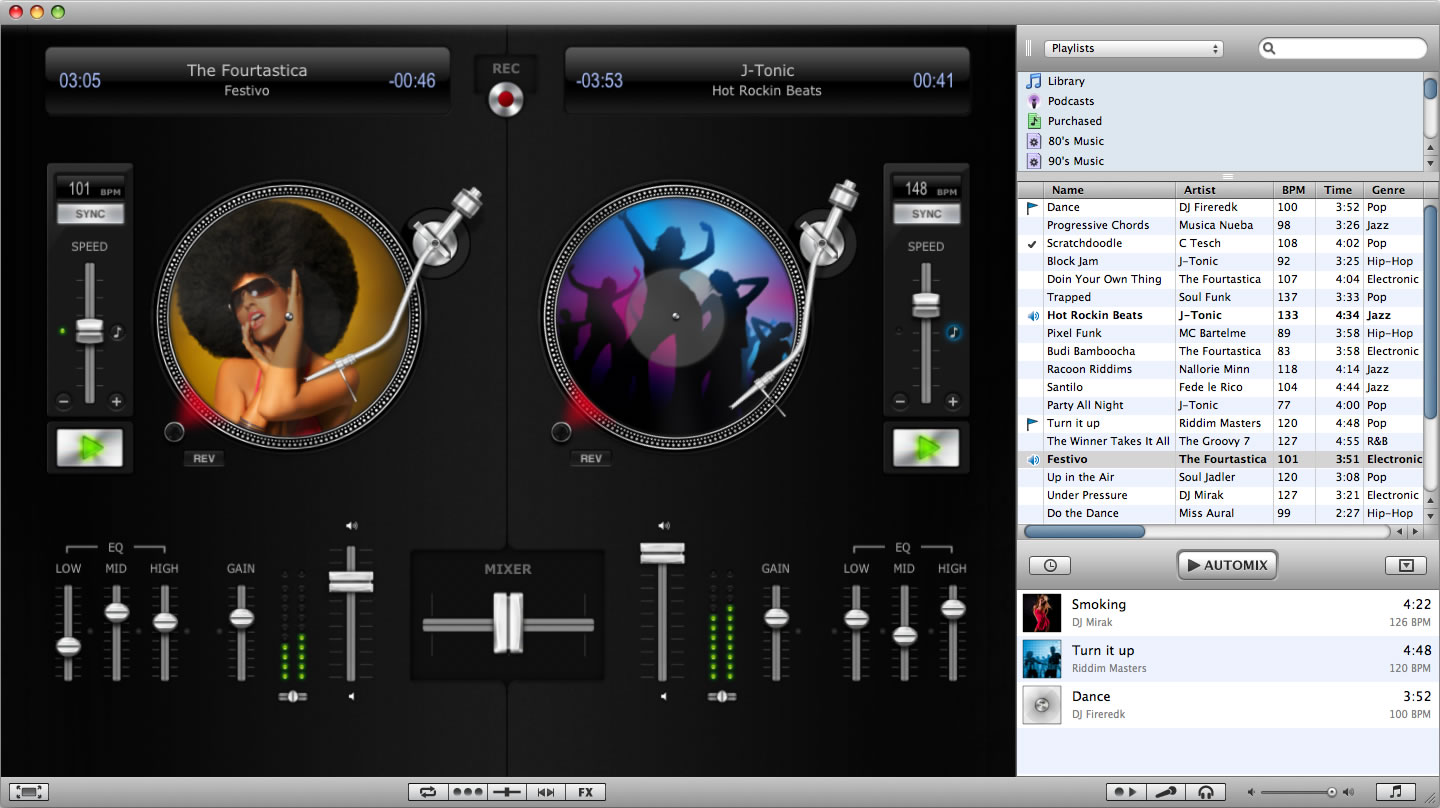
Ready to rock your next party? djay for Mac seamlessly integrates with your iTunes library and transforms your Mac into a full-blown DJ system. Unprecedented ease-of-use, combined with innovative and powerful mixing features, make this the perfect tool for beginners and seasoned pros alike.
General Features
Automix
(automatic mixing with seamless transitions)
Recording (as compressed AAC or CD-quality AIFF)
Song History (export as playlist to iTunes or as PDF file)
Live Undo/Redo
Over 100 keyboard shortcuts
Multi-lingual:
English, German, French, Spanish, Japanese
Three-finger gestures:
reset slider, go to song beginning/end, transition to other turntable, backspin, forwardspin, load song from library
(requires trackpad with Multi-Touch gesture support)
Learn more about Trackpad Support
Supported Files
Supports all major audio formats:
MP3, AAC, AIFF, WAV, MOV, Audio-CD, and others
Supports songs purchased from the iTunes Store
(also supports DRM protected songs, however, no recording or Audio Unit plug-ins supported with DRM)
Extracts audio from various video formats (DV, QuickTime, and more)
Drag and Drop support for files stored on external hard drives or memory sticks.
Audio Effects
Speed Change
(adjustable slider range ±10% to ±75%)
Pitch Shifting (±1 octave)
with wet/dry adjustment (0% - 100%)
Time Stretching (±75%)
Reverb
(including various room type presets) with wet/dry adjustment (0% - 100%)
Echo (beat-matched)
with wet/dry adjustment (0% - 100%)
Reverse Playback
Pitch-Bend
Scratching
Auto-Cut Scratching™
Backspinning
Seeking
Skipping
Scrubbing
Adjustable start/stop latency of turntable (0.0 – 5.0 seconds)
Brake effect (turntable power off)
Audio Unit Effects:
Multiband Compressor, Dynamics Processor, Bandwidth Filters, Low Pass, High Pass, Parametric EQ, and more
DJ Tools
Visual needle drop and scratching
Sample-accurate cueing
Automatic Transitions:
Standard, Backspin, Echo, Reverse, Brake or Random
Manual Looping (quantized)
Auto Looping (beat-matched)
Cue-Points (savable for each song)
Start / Stop points (savable for each song, also extracted from iTunes if available)
Beat-matched Seeking
Beat Skipping
Auto-Sync
Manual BPM tap
Song Doubling
Mixer
Adjustable crossfader curve
3-band equalizer (bass, mid, treble):
-36 dB to +12 dB
Kill switches (bass, mid, treble)
Pre-Amp / Gain ±12 dB
Stereo panning
Stereo metering with clipping indicator
Dynamic volume control / line faders
Savable EQ (per song)
Music Library
Seamless iTunes integration
Queue (On-the-fly playlist creation)
Song status column
Customizable columns and table
Browse by playlist, artist, genre, album or composer
As-you-type instant library searching
Song detail info viewer with album cover display
Played song indicator
Song marking
Real-Time Sampler
Record snippets live from turntable or microphone (3 individual recorders)
Instant playback trigger (3 individual players)
Looping
Reverse
Speed Change
Dynamic volume control
Samples library
Controllable via keyboard shortcuts
Microphone
Voice pitch-shifter
Echo
Audio Unit effects
Supports built-in mic, USB, multi-channel input
Live input via line-in
(e.g. to digitize analog tapes or vinyl records)
Sharing
Collaborative mixing over LAN (Bonjour) network
Online radio broadcasting using Nicecast to Live365, Shoutcast and Icecast networks
External Audio Hardware
Supports external USB or FireWire audio interfaces
Supports USB headphones/headsets
Fully automatic detection and configuration of external audio devices
Custom channel assignment
Pre-cueing (plug and play)
Auto select pre-cueing
Learn more about External Audio Hardware
MIDI Controller Support
MIDI Learn
(support for any MIDI controller)
Native plug-an-play support:
o Vestax Spin
o Vestax VCI-100
o Vestax VCI-300
o Vestax VCM-100
o Hercules DJ Console Mk2
o Hercules DJ Console Mk4
o Hercules DJ Console Rmx
o Hercules DJ Control MP3
o Hercules DJ Control MP3 e2
o Hercules DJ Control Steel
o Ion DISCOVER DJ
o M-Audio Torq Xponent
o M-Audio X-Session Pro
o Numark OMNI CONTROL
o Numark STEALTH CONTROL
o Numark TOTAL CONTROL
o Reloop Digital Jockey 2 Interface Edition
Supports high-resolution (14 bit) MIDI
Learn more about MIDI Controller Support
Graphics
Realistic and intuitive dual turntable interface
Album artwork on turntables
Fully resizable interface
(main turntable/mixer area and music library)
Fullscreen mode
Uses OpenGL technology for maximum performance and graphic quality
System Requirements
Mac computer with an Intel or PowerPC (G4/G5) processor
(1.25GHz or faster; 1.8GHz recommended)
Built off of the PCDJ DEX Technology, RED Mobile is lighter DJ software aimed directly at the needs of the Mobile DJ. Everything you want to make your job easier, with a clean and user friendly interface that easy to navigate. Use many of the top controllers or a simple keyboard and mouse, your choice!
PCDJ Red Mobile is a computer mixing program geared for a Mobile DJ’s needs. Red Mobile has a powerful Recordcase (track library) that allows you to Import, Mix, and Search all of your mp3, ogg, wma, flac, wav files, unprotected iTunes files easily. Red Mobile supports multiple m3U waitlists, play-list, or crates of mix and match tracks. PCDJ RED Mobile is all you need to rock any mobile event! With Autoplay, a MIX NOW button for quick crossfade and play, an easy to navigate user interface, you have the mobile DJ’s dream package. Less screen clutter and just the right feature set to make your job as easy as possible. Concentrate on your clients and not your DJ software!
Features
New: Right click BPM Quantization Sync
New: MP4 files with Apple Lossless can now be played (I.E. Promo Only MP4 Files)
New: Improved master tempo quality
New: Order column is now remembered when opening different folders
New: Improved search while typing speed
Supports iTunes Tags
Track rating column
Support for new KARAOKI plug-in
Support for Monkey’s audio file format
Improved Audio Engine
Option for daylight skin
Option for ‘accurate mp3 time’
Right-click on column headers to change them
Play mp3, wma, ogg, flac, wav, or directly from a CD
Autoplay – automatically play through waitlist or group mixing from track to track
Mix Now button for quick and seamless crossfade and play
Change pitch with 4 different ranges from +/-8% to +/-100%
Change volume, play and pause (instant-start) with low latency (down to 2ms with ASIO, up to 10ms with DirectSound)
Edit ID3v2 tags for mp3’s and the ogg vorbis tag for ogg files
Fast and accurate automatic BPM detection
Pre-Listening -Through Soundcard rear-out – Through Left/Right splitter or Through Second Soundcard
Output to external mixer – Player 1 to Front Out, Player 2 to Rear Out or Player 1 to Soundcard 1, Player 2 to Soundcard 2
DirectSound or ASIO output
Spectrum analyzer, stereo VU Meter
Configurable song break and startup speed for turntable-like effects
System Requirements
Minimum system requirements:
PIV 1.2 GHz computer (SSE2 CPU), AMD 64 or Greater
PCDJ DEX is our flagship professional DJ software that’s simple enough for the novice, but feature rich enough for any seasoned DJ. DEX boasts a powerful and robust track library that allows you to organize and search all of your MP3, OGG Vorbis, WMA, FLAC, WAV’s, and unprotected ACC files quickly and easily. DEX supports multiple M3U playlists, cases of mix and match tracks, and “smart playlists”, giving you ultimate control over your content and event programming. We understand that one user interface isn’t for everyone, so DEX offers many ‘Skins’ that give you a different look, feel, and feature set depending on your needs and style of mixing. With up to 4 independent DJ players, auto-play and shuffle, support for many DJ Controllers, BPM beat matching, effects and sampler, waveforms for easy looping and cue point setting, auto-gain control and much more – it’s easy to see why PCDJ DEX sets a new standard for DJ performance software!
Features
New: Right click BPM Quantization Sync (click to watch video)
New: MP4 files with Apple Lossless can now be played (I.E. Promo Only MP4 Files)
New: Improved master tempo quality
New: Order column is now remembered when opening different folders
New: Improved search while typing speed
Supports iTunes Tags
Track rating column
Send MTC Midi Clock for synchronizing with other programs (i.e.DMX Light-shows)
Monkey’s Audio file format now supported
Playlist repeat option added
Beat-grid added (only available in FX skin right now)
Support for New KARAOKI plug-in
Audio Engine Upgrade
Smartlist functionality
Play mp3, wma, ogg, flac, wav, or directly from a CD
Change pitch with 4 different ranges from +/-8% to +/-100%
Change volume, play and pause (instant-start) with low latency (up to 2ms with ASIO, up to 10ms with DirectSound)
Edit ID3v2 tags for mp3′s and the ogg vorbis tag for ogg files
Fast and accurate automatic BPM detection
Pre-Listening
Through Soundcard rear-out
Through Left/Right splitter or
Through Second Soundcard
Mix on an external mixer
Player 1 to Front Out, Player 2 to Rear Out or
Player 1 to Soundcard 1, Player 2 to Soundcard 2
DirectSound or ASIO output
Spectrum analyzer, stereo VU Meter
Configurable song break and startup speed for turntable-like effects
System Requirements
Minimum system requirements:
PIV 1.2 GHz computer (SSE2 CPU), AMD 64 or Greater
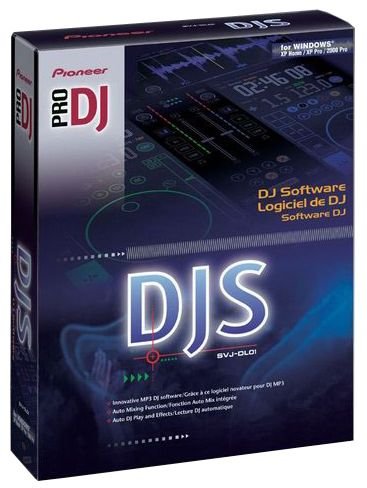
Pioneer’s DJS software was designed for professional and amateur DJs to enable full-scale DJ play on a PC. The software offers the same playability and functionality as the company’s Pro DJ products, using a PC instead of two CDJ turntables and a DJ mixer. The DJS software combines the key elements of Pioneer’s professional digital CD decks and mixers with a host of innovative features including:
Auto mixing
Waveform display for indicating playing position and cue/loop points
BPM synchronization and beat synchronization
Eight effects including Delay, Echo, Auto Pan, Trans, Filter, Flanger, Reverb and Pitch Shifter
Fader start function for controlling the playback of two players (channel, fader and cross fader)
Create function for setting four points for cues or loops in a song
Also included is a ripping function for converting CD, line input signals and wave files to MP3.
The graphic user interface is intuitive and easy to understand. It follows the same ergonomic design used in all Pioneer CDJ products and mixers. The display shows everything a professional DJ needs to see, including time, BPM, mixer controls, jog dial, hot cue buttons, etc.
The DJ can assign basic functions to a particular key on the PC keyboard. By doing this for frequently used functions, the DJ can establish his or her own playing style – on a keyboard. In addition, the “SYNC” feature automatically beat matches the cued track to the track that is playing and a powerful effects program mimics the effector features of the DJM-600.
System Requirements
Operating System Microsoft® Windows® XP Home Edition/Microsoft Windows XP Professional/ Microsoft Windows 2000 Professional
CPU Intel® Pentium®4 or Pentium®M (or comparable processor at 1.5 GHz or faster)
RAM 512 MB RAM or more
Screen resolution 1024 X 768 or better
Output Built-in or external audio output
Removable Media DVD or CD-ROM drive
Hard Disk Space 250 MB or more of free hard disk space (excluding the capacity needed for storing MP3 and other files)
Serato Scratch Live combined with Rane hardware is the ultimate solution for professional DJs, giving you the freedom to take your entire digital music collection on the road and equipping you with advanced features that add extra creativity to your DJing.
This intuitive system replicates the traditional DJing experience for “real feel” usability and performance. With unparalleled performance, sound quality and stability, you’ll soon see why thousands of DJs worldwide choose Serato Scratch Live.
Scratch Live Software
Scratch Live software has an array of unique tools and performance features, including:
Creative DJing features: cueing, looping, keylock, the SP-6 Sample Player and DJ FX
Intuitive file management with smart crates, easy file and iTunes playlist migration
Multiple display modes for optimal library browsing
Advanced visual feedback for quick mixing
Video-SL compatibility for video mixing*
MIDI mappable controls
Built-in recording interface for recording your mixes and archiving vinyl
Exclusive Access to Fresh Promotional Music with Whitelabel.net
Free software updates that constantly add new features and improvements
Video-SL available separately.
Rane Hardware
Serato Scratch Live is exclusively licensed to Rane Corporation. You can use it with the following Rane DJ products:
Rane SL 3
Rane SL 1
Rane Sixty-Eight
Rane TTM 57SL
Rane MP 4
Serato Control
Mix and scratch files from your computer hard drive using Serato Control Vinyl, CD or Approved USB Controllers.
Serato Control Vinyl and Control CD (included)
The Serato Control Vinyl and Control CDs each contain the Noise Map Control Tone, a unique control signal which allows Scratch Live to track the motion of the record, simulating the same movement with digital audio.
Minimum Specs:
PLEASE NOTE: These are the minimum requirements to run Scratch Live. For best performance and for use in professional situations we recommend you buy a higher spec computer. We also recommend Intel processors.
Mac
1 GHz G4
2 GB RAM*
1024 x 768 screen resolution
OSX 10.4.11 or higher (See Note 2)
Available USB port (USB 2.0 required
for SL 3 & Sixty-Eight)
Windows
Intel processor, 1.6 GHz or better (See Notes 3 and 4)
2 GB RAM*
1024 x 768 screen resolution
Windows XP with Service Pack 3 or higher
Windows Vista with Service Pack 2 or higher
Windows 7
Available USB port (USB 2.0 required
for SL 3 & Sixty-Eight)
*If you have a large library, you will benefit from having more RAM.
Note 1: If you are using Scratch Live 2.0’s more system intensive features such as DJ FX or AUX Deck plugins and are having issues you may need a higher spec computer for best results or make sure you have optimized your system: Windows 7 and Vista / Mac OS X.
Note 2: If you are planning on using HID devices on Mac OSX 10.5 (Leopard), then you must use OSX version 10.5.6 or up. HID devices include Rane mixers such as the Rane Sixty-Eight or TTM 57SL and some 3rd party controllers such as the Pioneer CDJ-400, CDJ-900, or CDJ-2000 CD players.
Note 3: Please read this FAQ if you are looking at buying a computer with an AMD processor: Problems with PCs using AMD processors.
Note 4: Please read this FAQ if you are looking at buying a Windows based PC with an Intel i-series processor: Problems with Windows based PCs with i3, i5 or i7 processors when used with USB 1.1 devices.
CROSS is a digital vinyl and MIDI DJ software for Windows and MAC platforms. MixVibes drew from its experience in audio engine and vinyl control design to deliver a new pro-DJ product that brings more efficiency and simplicity to the mix. CROSS delivers the best of MixVibes’ know how in DJ software in a solid and back to basics package! This software will satisfy the expectations of professional DJs who need a powerful and reliable DJ tool.
FEATURES:
Plug & Play DJ system for hands-on beat matching and scratch
Smart audio effects
Ultra precise BPM Analyzer
iTunes® integration & Smart media management
Compatible with every DJ MIDI controller
MIDI-mapping to use your own DJ MIDI controller + popular DJ MIDI controller’s presets included
4-in/6-out high-end DJ USB audio interface included
Authentic vinyl control with 2 vinyl driving modes: Absolute and Relative (for loops)
Powerful anti-skip mode, realistic sound even at low speeds
Best time code CD resolution for hot CUEs and short loops
2x 7-inch control vinyl + 2 control CD records included
Integrated ASIO drivers for a very low latency
Automatic and Manual loops, locators, auto beat matching
Compatible with every soundcard
Multiple routing modes to accommodate various audio set-ups
High-end master tempo & hybrid pitch allowing speed change while keeping the original tonal Key (note)
Specifications
Minimum System Requirements for PC
Windows XP SP2 or Windows Vista SP2 or Windows 7
We recommend Windows 7 or XP over Vista
Intel Core 2 Duo / 1.8 GHz or equivalent
1 GB RAM
Hard drive space for music
Minimum System Requirements for MAC
Mac OS X 10.4
Intel Core 2 Duo / 1.8 GHz or higher
1 GB RAM
Hard drive space for music
PLEASE NOTE: These are the minimum requirements to run CROSS.
For best performance and for use in professional situations we recommend you buy a higher spec computer.
We also recommend Intel processors.
CROSS DJ is MixVibes’ MAC/PC DJ software that helps you control your music with your computer’s keyboard & mouse or with a DJ MIDI controller.
Because finding the right track to play next is the first concern of a DJ, CROSS DJ is focused on media management and interface simplicity. Organize and edit your tags and artwork using “info” tab. Create or edit playlists on the fly and auto-mix them if you need to take a breathe from the decks. CROSS DJ also enables you to detect an external hard drive on the fly and start playing tracks from it during your set. The iTunes® integration is also one of CROSS DJ’s most unique features: CROSS DJ fully assimilates your iTunes® library allowing instantaneous playlist importation!
FEATURES:
iTunes® integration and smart media management
Smart audio effects
35 MIDI presets
Compatible with every DJ MIDI controller
MIDI-mapping to use your own DJ MIDI controller + popular DJ MIDI controller’s presets included
Automatic and Manual loops, locators, auto beat matching…
Compatible with every soundcard
Multiple routing modes to accommodate various audio set-ups
High-end master tempo & hybrid pitch allowing speed change while keeping the original tonal Key (note)
Multiple recording modes to record your DJ performances or even rip your vinyl records.
Specifications
Minimum System Requirements for PC
Windows XP SP2 or Windows Vista SP2 or Windows 7
We recommend Windows 7 or XP over Vista
Intel Core 2 Duo / 1.8 GHz or equivalent
1 GB RAM
Hard drive space for music
Minimum System Requirements for MAC
Mac OS X 10.4
Intel Core 2 Duo / 1.8 GHz or higher
1 GB RAM
Hard drive space for music
PLEASE NOTE: These are the minimum requirements to run CROSS DJ.
For best performance and for use in professional situations we recommend you buy a higher spec computer.
We also recommend Intel processors.
You are not a full time DJ but would like to entertain your friends with an easy to use DJ application? MixVibes HOME 7 is the DJ Software you need to instantly mix your media files in a user friendly environment. A simple click allows you to imports your iTunes® library and playlists. Mixing your favorite songs has never been this easy!
TOP FEATURES
Match Tempo
Speed up or slow down songs to match tempos manually or synchronise them automatically with a single click or change the pitch without affecting the tempo. The possibilities are endless.
Loops and Cue Points
A Cue point allows you to set a precise point to start playback of a song or to jump to any part of the song instantaneously and seamlessly. Create remixes on-the-fly using Loops and Cue Points!
Effects
Enjoy impressive professional DJ effects with parameters settings, such as flanger, phasing, filter, pan, chorus or echo.
Sampler
The integrated 16-pattern sampler provided allows you to add original sounds to your mix to make it even more creative and enjoyable. Moreover, over 300 samples are supplied on the installation CD!
Advanced Playlist Management
Whether you want to play Rock, R&B, Techno or Soul, MixVibes helps you organize and browse your song library in many ways. Songs can be displayed by genre, BPM, Artist, Year, and more. You can even import your iTunes® playlists.
USB Audio interface included
A High-Fidelity compatible USB 2.0 Audio Interface is included with the software. This interface provides an extra output to monitor your tracks through headphones to execute perfect transitions between your songs, just like a real DJ.
Hands-On Control
Once you are ready to take it to the next level, just connect any compatible controller, such as a Hercules RMX for hands-on control.
Specifications
Minimum System Requirements
Windows® XP SP2 or Windows® Vista SP1 or Windows® 7
Processor Intel® Pentium III 1GHz or equivalent
512 MB RAM (1 GB recommended)
One available USB port
Hard drive space for music
PLEASE NOTE: These are the minimum requirements to run HOME 7.
For best performance and for use in professional situations we recommend you buy a higher spec computer.
We also recommend Intel processors.
Deckadance is a DJ mixing application that works as a standalone program OR as a VSTi plugin in your favourite host.
Control Deckadance using your mouse, keyboard, midi_controller, timecoded vinyl and or CD system. No other DJ software supports more control formats and is as committed to 3rd party controller support as Deckadance.
Image-Line, the company behind Deckadance, has more than 10 years experience developing and managing class-leading audio software, such as FL Studio. During Deckadance’s development, we didn’t just bring in some consulting DJs to tell our software engineers what they wanted. Deckadance was written by DJs for DJs, so we are confident that it will take your DJing to the next level with features that make total sense.
Of course, if you suck as a DJ, you will still suck using Deckadance, but you will suck better, faster, harder and more creatively than ever before!
Minimum System Requirements
Deckadance runs multiple threads (audio, graphics, beat analysis, file searching, native USB controller IO, preview monitoring etc) so large performance gains can be expected on multi-core systems.
PC
OS: Windows XP (SP2) /Vista.
Processor: Intel PIII 1 GHz or Althon XP 1.4 GHz.
Memory: 512Mb RAM.
Hard Disk Space: 200MB free space.
Sound Card: DirectSound or ASIO compatible soundcard.
VirtualDJ gets updated all the times. The current version is 7.0.1.
For more up-to-date information, you should also check this review of the major new features, or this detailed list of the latest updates.
Basic features:
up to 99 independent zero-latency players with:
o Standard controls (play, pause, stop, cue)
o Pitch control with Master Tempo (from -100% to +100%)
o 3 band equalizer High, Mid, and Low with Kill and +/-30db gain
o Independant key control
o Resonant filter
One-click beat matching and synchronization (FAME algorithm)
BeatLock engine for keeping songs in-sync and in-time
Dynamic beat-matching visualizer
Automatic beat-matched crossfading
Automatic BPM and KEY calculation
Automatic pitch matching
Automatic audio gain matching
Real scratch simulation
Automatic seamless and beat-aware LOOP functionality
Synchronized sampler with 12 instant record and playback slots
Time-Stretch and Master Tempo Pitch algorithms
Automatic first beat and last beat detection
Automatic 4/4 phase detection
Infinite number of cue points per song saved for instant recall each time the song is loaded
Mixxx is free mixing software for DJs, providing everything needed to create live mixes. It allows you to beatmatch songs and crossfade them together, like you would with turntables and a mixer.
If you’re new to DJing, don’t sweat it - we have you covered. Mixxx runs without any extra hardware, and is a full replacement for a traditional “turntables and mixer” DJ setup. Thousands of people learn to DJ using Mixxx each year!
For experienced DJs, Mixxx offers a wide range of advanced features. Our comprehensive MIDI controller and vinyl control support gives you the tactile feel you need for ultimate control of your mixes. To obtain the lowest latency and highest responsiveness, Mixxx uses hardware video acceleration and takes advantage of multi-core CPUs.
Advanced Mixing Engine
Whether you’re blending psy-trance or mashing up the latest Top 40 tracks, Mixxx’s looping and hot cue controls give you the power to be more creative with your mixes.
Between BPM estimation and the parallel waveform displays, beatmatching has never been easier. Our new ramping pitchbend buttons allow you to subtley nudge songs back in sync without anyone noticing.
Stretch your music without changing the pitch! Mixxx’s pitch-independent time stretch locks the pitch of your music while you’re mixing, so you never have any awkward detuned moments. Our alternative vinyl emulation mode changes the pitch you change the tempo, and is perfect for scratching with a MIDI controller or with vinyl control.
DJ MIDI Controllers
Use the latest and greatest DJ MIDI controllers with Mixxx! Advanced MIDI controller support is provided by our groundbreaking MIDI scripting engine. Take advantage of your MIDI controller with our JavaScript-like language. Check it out:
Mixxx supports most popular DJ MIDI controllers like the Hercules DJ Console MK2, RMX, and Stanton SCS.3d. In addition to our natively supported controllers, our MIDI learning wizard helps you set up other controllers with Mixxx.
Vinyl Control
Using a turntable and timecoded vinyl, Mixxx’s playback can be syncronized to the turntable. This let’s you scratch and mix with your digital music collection as if it were on vinyl!
Mixxx supports Serato, Traktor Scratch, and FinalScratch vinyl, as well as Serato CD for control from CDJ units. Position synchronization (“Absolute Mode”) is fully supported for each of these timecodes as well.
Even better, you can save money and use your existing soundcard. Mixxx’s vinyl control works with any soundcard that has a stereo line-input jack. This means most consumer and professional soundcards can be used for vinyl control with Mixxx, so there’s no need to purchase expensive vinyl control hardware.
Flexibility and Freedom
We love to customize and tinker, and so we’ve made Mixxx as flexible as we can. From our cross-platform approach, to Mixxx’s skinnable interface and customizable EQ shelves, we’ve tried to give power users more options. Did we mention our crossfader curve control let’s you adjust for mixing, scratching, or anywhere in between?
Advanced DJ Software for mixing high-fidelity audio
ProDJ 5 is fully equipped with an powerful array of innovative features that helps DJs
(of all genres & levels of expertise) unleash their mixing potential. In addition to essential auto beat-mixing, cueing, synchronize beat-looping and MIDI mapping of all major controllers; ProDJ 5’s offers superior stability and mixing performance you require for each and every performance.
Perfect Auto Beat-Matching!
Always stay in perfect beat with ProVJ 5’s automated beat-matching system (PerfectSyncTM). Load your audio or video tracks, and the DJ Software will automatically scan your files for a beat, calculate beats per minute (BPM), and change the tempo of your 2nd track for pin-point synchronization.
System Requirements
Windows 7®, Vista® or XP®
1.6 Ghz processor (2.0 recommended)
2 GB RAM
200 MB free disk space
DirectX 9.0 or greater
1 Soundcard (2 soundcards for cueing up music/video tracks)
Min 128MB primary video display device
Harddrive space (internal or external) formusic & videos
DJ Mixer Professional is a full-featured and complete DJ software for both Professional and Beginner DJs alike, This powerful DJ software combines a sophisticated, easy-to-use interface with innovative mixing tools to help you perform electrifying live mixes!
DJ Software
This Professional DJ mixing software enables you to mix your music and video in various formats such as MP3, M4A, WAV, AIFF, FLAC, OGG, CDA, Karaoke CDG, AVI, MPEG, MOV, MKV, WMV and more. in real time. All you need is a sound card.
Perfect for weddings, parties, clubs, restaurants, hair studios, hotels, even at home;
Audio limiter for high quality audio even at high volume levels
Fully Unicode
TAG editing
High-quality time-stretching
AutoMix mode (mixes automatically the playlist - with beat-match option)
Record your mixes to burn them on CDs (WAV/AIFF formats)
Automatic marking of loaded songs in current session
Support for distinct audio outputs for speakers and headphones (pfl-mix monitoring and pre-listening) using multi-channel audio cards or SPLIT mode for simple stereo soundcards
Browsing system with unlimited lists, disk explorer and database.
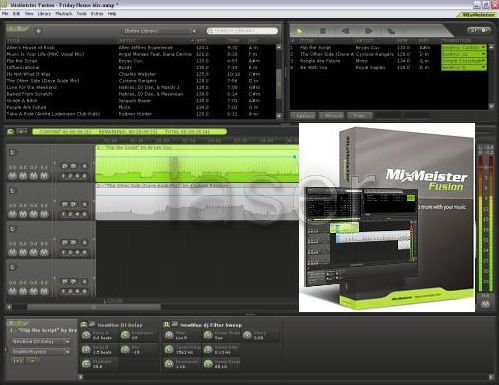
MixMeister software isn’t quite like anything else on the market. It’s designed for people who care enough about their music to refine a mix until it’s perfect, rather than throw everything together on the fly and hope that it sounds OK. You won’t be limited by on-screen simulations of turntables or CD players, either – you can “tweak” any part of your mix creation in a timeline instead. When you’ve got the mix just the way you want it, you can play it, burn it to CD, stream it over the Web, or reshape it in real-time for live performances.
MixMeister Express
If you’ve heard great music mixes before and always wished you could create them yourself, now you can. MixMeister Express puts pro-level capabilities like automated beat matching and tempo adjustments within everyone’s reach.
MixMeister Studio
If you’re serious about creating mind-blowing mixes, you need MixMeister Studio. When you can already hear the perfect mix in your head, and just need a tool to bring it out into the world, Studio can do it.
MixMeister Fusion
If you make a living mixing music in front of an audience, MixMeister Fusion gives you rock-solid performance features and a deep feature set. Fusion has the precision and power of Studio, plus live performance controls, dual audio outputs, and more.
MixMeister Fusion + Video
If you want to deliver seamless audio and video shows, MixMeister Fusion + Video lets you make full-motion, beat-matched video just another part of your performance, without having to purchase exotic hardware, learn new software, or manage separate audio and video systems.
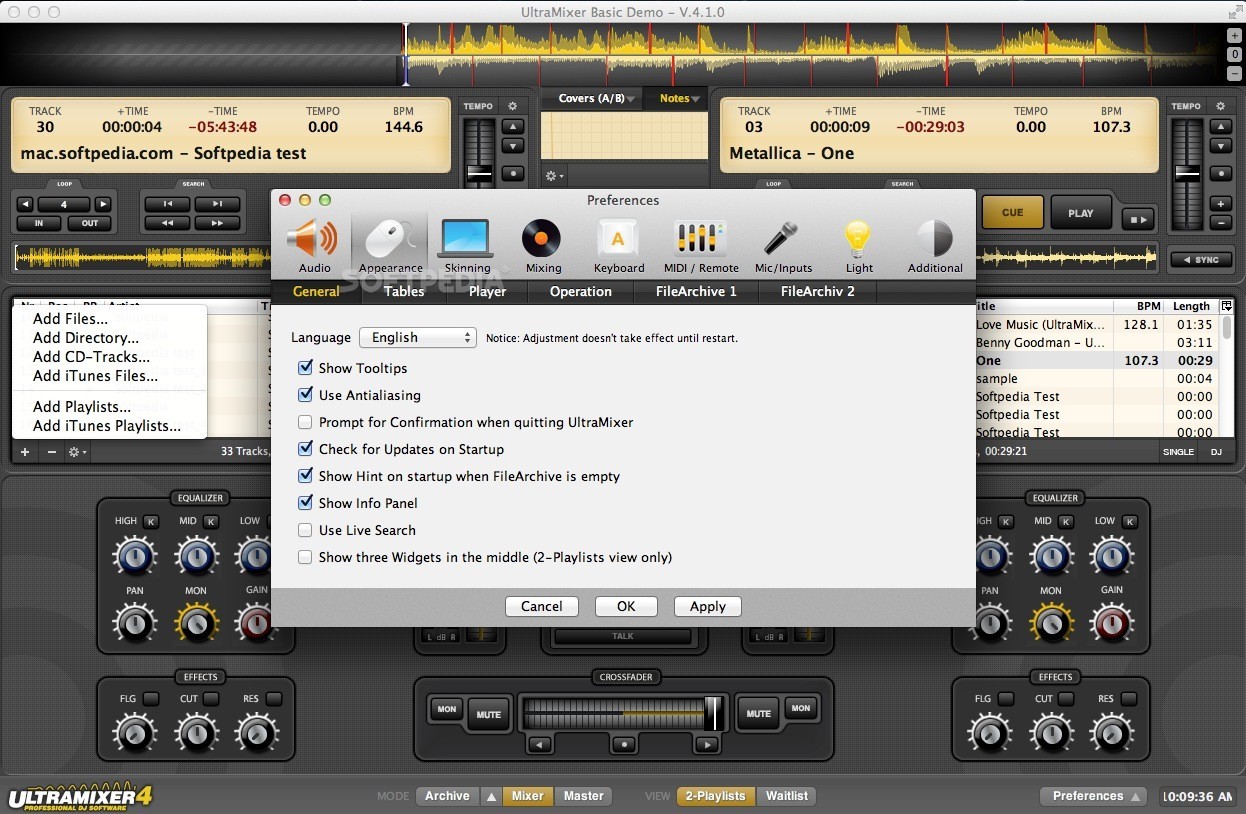
UltraMixer 3 is the third generation of the reliable digital deejaying software which enables you to mix digital music in various formats such as MP3, WMA, AAC, OGG, WAV, FLAC or CDs in real time. All you need is a sound card. The DJ’s turntables are replaced by two digital SoundPlayers, the “vinyls” are available within seconds through the integrated FileArchive. No matter whether you want to use UltraMixer for a professional gig or at a private party or as virtual jukebox in restaurants, hair studios or medical surgeries - it will prove the right choice!
UltraMixer 3 Professional offers many new posibilities. Compared to the previous version UltraMixer 2 the graphical user interface is a lot more powerfull and flexible without changing things that were good and successful. It’s very easy to switch to the new version. UltraMixer 3 Professional is the best choice for experts and advanced users who already know the world of digital Mixing want to know that all needed features are included in their most importand tool. Besides realtime effects (cutoff, resonance, flanger), an integrated sample player, 31 band equalizer and advanced suppurt for hardware controllers UltraMixer 3 offers completely new possibilities. With the graphical waveform and beat matching you are able to synchronise the players semi or full-automatically. For example you are able to record and burn your deejay mixes with the new mix recording feature as MP3. Using the waitlist you can choose to work with two playlists for each deck or a single one for both decks. This way it is easier to see which tracks are playing next. Thanks to the AGC (automatic gain control) not it is possible to adjust the volume of different tracks in realtime.
UltraMixer is the first DJ software in the world that is available for the most popular operating systems Windows, Mac OS X and Linux.
Der Erwerb einer Lizenz für UltraMixer 3 Professional autorisiert Personen und Organisationen sowohl für den privaten als auch für den öffentlichen und kommerziellen Gebrauch der Software.
Currently UltraMixer 3 is available as Professional Edition for high demands and commerical use. For private use the previous version UltraMixer 2 is still available in multiple editions. It’s very easy to upgrade from UltraMixer 2 to 3 at any time without problems.
KraMixer DJ Software uses the latest technology to produce the best possible DJing experience. FMOD is the sound engine used by KraMixer and is also used by Playstation 2 and XBox game authors. It is proven to be one of the fastest sound engines available today.
KraMixer also incorporates DirectX 8.1 for its fast sound processing capabilities and extra features. However, DirectX 8.1 isn’t mandatory for KraMixer to run.
Features:
Manual and Automatic BPM Counters
Automatic BPM matching
Support for MP3, Wav and Ogg File Formats
Variable Frequency Range (from +/-1% to +/-49%)
8 Built-In Sound Effects including Echo, Flange, Reverb and Compressor
Real-Time Recording to MP3 Format
High Speed Sound Engine With 2 Modes of Operation
ID3-V1 Tag Compatible
Turntable-Like Braking Functions
Manual looping with multiple loop points per channel.
Options For Headphone Cueing (mono with monitor of left channel and master on right)
Minimum Requirements:
DirectX 8.1 (not essential)
700 MHz CPU or Faster
1024 x 768 (XGA) Compatible Monitor
Sound Card
128 MB RAM (256 MB preferred)
5 MB Hard Disk Free Space
Windows 95, 98, NT, Me, 2000, 2003 Server or XP (only 2000, XP and above have recording available)
MixSense DJ Studio is professional FREE software for digital DJ’s that demand the best DJ experience possible from their PC’s. Using the latest technology combined with years of audio software engineering experience, mixSense is the ideal DJ application for LIVE performances.
One of mixSense’s finest aspects is the fact that it is zero latency with almost any sound card. What does this mean? Latency is a common problem which refers to the overall time delay between the users initial input (eg. mouse click), and the actual response of the software. Almost all audio applications have a minimum latency of 20 - 100 milliseconds since the software has to ‘buffer’ the audio data for processing before actually playing it. 20 milliseconds may sound minor, but when beatmixing is concerned, 20 milliseconds delay can throw a mix out of sync. Why would you risk that? mixSense removes this common flaw by sending the audio data directly to the soundcard without any audio buffering and without sacrificing any major features.
Minimum System Requirements
DirectX 9.0 (Not essential, but limited without)
*** (Click here to download DirectX 9.0)
1024x786 Screen Resolution (XGA)
128 MB Ram (256 MB preferred)
1.2 GHz CPU or Higher
1 or more Sound Cards
Windows 2000 or XP