Dont forget you need to adjust the Tempo of the Master Deck, that will be the only one where the tempo slider wont be greyed out. And BTW I would learn to beatmatch, but if your new or if you want to do crazy stuff use sync, and dont take any notice of people telling you that they wouldent trust the auto beatgrids, with any form of dance music they will be correct over 90% of the time, just check them out before dropping them in, for most tracks you will be able to see by the waveform that they are fine.
So if I leave the sync button off and say I start my set with a track on Deck A at 130bpm and while that is playing I load my next track on Deck B which is at 134 bpm I need to first get them to match bpm. So if I adjust the pitch on the Deck B and starting cueing it to get in sync with Deck A. But wouldn’t the bpm on Deck B again be at around 130bpm once I’m done manually adjusting the pitch to sync with Deck A. So wouldn’t it just be simpler to have hit the sync button from the get go and have it at correct bpm and syncing with Deck A?
Read it again, you are altering the pitch on both decks. 
If you pitch up 2 bpm over 16 beats on the playing deck nobody knows but you. Pitching down on the cue deck will have no audio effect as you haven’t brought it in yet.
Youtube might be your friend here. Do yourself a favour, put something over the sync button until you don’t need it.
In my other life, I don’t let Graduate Engineers do software calcs until they have proved to me they can do the calcs on a bit of paper with a calculator. Same principle.
In the immortal words of Karate Kid “wax on, wax off” 
I don’t see why you want to alter the pitch on both decks.
4 BPM isn’t that much.
Sync is definitely easier, but you should try to learn how to manually beatmatch.
So I was watching this YT video regarding sync and beatmatching with TP:
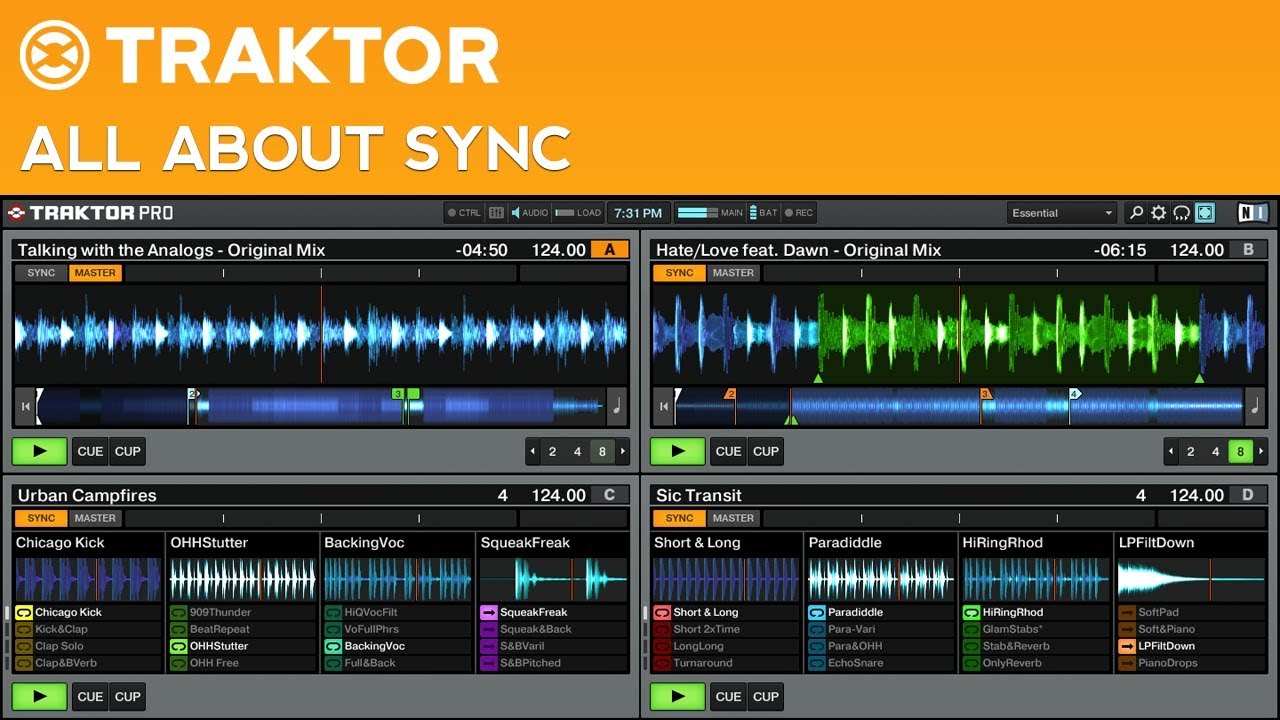
Should I use any of the methods here or not?
It’s not about 4bpm, the OP is being offered a technique that will let him or her do transitions between tracks without sync; again, read the post, 5% pitch at 136 is 6.8 bpm.
Therefore apply the logic of moving pitch on both decks and you can achieve larger bpm swings than what has ben suggested. Traktor even makes this easy for you by having a keylock facility. It’s a powerful tool when you practice and learn to use it.
Am I not explaining this very well? You dont even need to be able to beat match properly since Traktor has the the phase meter.
Yes, but I think you’re confusing him. For these two tracks, they’re within reasonable BPM that you don’t have to change both tracks when you can easily just change one track.
+1 to this. echo freeze is my favorite way to switch between songs that are REALLY different from one another; if you work it into a build like you were saying, the audience will be expecting a big change anyway!
Ya I’m sorta of getting confused now on how to go about this. Let’s make this easy and simple so that I and others can follow as well. If someone can let me know which settings or buttons to engage or not to get the transition going up a few bpms of each track that would be help.
Deck A with 130 bpm track. Pitch level on controller/TP at zero. Sync is off.
Deck B with 134 bpm track. Pitch level on controller/TP at zero. Sync is off.
Do I need to change anything in Master Clock section…Master and Auto should be light up?
So I hit play on Deck A and its playing and I cue up Deck B in my headphones and get it to sync manually by adjusting the pitch level and using the jog wheel to get in sync with Deck A. So in theory when the Deck B is in sync now with Deck A then it should be matching at the same bpm now or not?
So if that is true then Deck B should be showing 130 bpm on the display now correct? So then what is the difference if I had just hit the sync button on Deck B from the get go and it too gets the track to same bpm and synced. That’s where my confusion seems to be it in that whether we hit the sync button or adjust the pitch manually to sync with Deck A the bpm of deck 2 will need to be around 130 bpm.
If I’m not understanding this correctly please let me know.
i think you want to paint by numbers too much.
pitch up the track playing very slowly. then mix in the faster track.
I really dont understand why there is worry about sync between two tracks with 4bpm difference. Its so small… Just sync them, I cant see how it wouldnt sound fine.
I move between 148 bpm to 70 bpm all the time, thats a whole other issue. Turntable FX, Echo Freeze, backspin, let the track run out, etc.
It’s not that sync won’t sound good. We’re just suggesting that he learns how to manually beat match.
Track A - 130 BPM; Track B - 136 BPM
If Track A is playing, cue B and pitch down B ~4.5% or so.
If B is playing, cue A and pitch up ~4.8% or so
Maybe I’m missing something, but what does using sync or not using sync have to do with going to a track with significantly different bpm? Sounds like people just want to reinforce their idea of what “real” DJs do or don’t do, irrespective of the topic at hand.
OP, unless I’m misunderstanding, you’re making a mountain out of a mole hill. You can jump 5 BPM using whatever method you want… this is why you’re a DJ.
- Sneak the pitch adjustment in during a breakdown
- “Meet in the middle”… if going from 130 to 135 bpm, gradually bring your outgoing track up to 133 and start your incoming track at 133. Then, during or after your transition, slowly bring the BPM up to 135. Or leave it, if you desire.
- Don’t make such a sudden jump. Go to a 132 bpm track next, then a 134, then your 135. This way it’s less jarring.
Ultimately it’s up to you. Just remember - if it sounds good, it is good!
+1
seriously? 148 to 70? lol
Yep, here is an example: “Locked out of heaven” mixed to “Representin”.
Also, that’s not such a crazy thing anyway when you consider that 70 x 2 = 140… a little pitch-up on deck A and a little pitch-down on deck B and you could do yourself a nice little “half-time” transition.
that’s what i was getting at.
i mix 80-82 bpm hip hop with 175 bpm dnb, it’s not that hard