To me , the main thing missing i-on the S2 is the loop recorder, that’s why I’m making this mapping. But first, two things to note:
-If he accepts, I will ad my functionalities to BeauBryte’s DJTT Kontrol S2 mapping because i think it is awesome
-This mapping will be for people who don’t use the samples on the S2 or who have an X1 or an F1 (soon
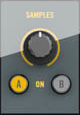
I will change the Sample part in the S2:
to this functions:
I’ve already done it, but then I went back to djtt mapping and edited that, cause is bug free. If you want I can post them, I deleted all the samples controls.
Swapping the sample decks for loop recorder is a step backwards for the s2.
If I were you, I would leave the sample deck as it is, but put your loop recorder on top of it like you described. Something Like loop recorder like you said but with a shifted option to also enter sample deck mode. I tested it before, got pretty good at it, But I left out this option because there’s no real benefit to put the loop recorder on a 2 deck mixer without an audio input. You miss the really cool stuff and there are not enough buttons. You do need the undo and size buttons too to get a perfect layout. With some skills and creativity you can build up loops way better with sample decks, think about eq, fx and a predictable work flow you can use. If I wanna use loop recorder I use my keyboard or a second controller.
We are talking of people that use another controller for sample (like an x1 in my case)
I NEVER touch the samples command on the s2, I have them always ready on the x1.
In my case, I’ll control the samples with an Akai MPD 26 that I mapped for traktor (in midi mode) so I don’t need the sample command on the S2 but as Cionni said, it for those who control the samples on another controller
Sorry mate I’m Italian xD
I edited the tsi you mentioned, deleting the sample controls and adding the loop recorder, but that mapping was having some issue(and I didn’t like the order of effect units) , so, I edited also the djtt tsi, and now I’m using that one( adding also some rapid preset trigger for fx unit 1 and 2)
I edited also the sample deck tsi for the x1, adding 3 modifier for the knobs for -filter -eqs -volumes
And I add controls for activate fx on single sample, key lock, cue using the hotcue mode.
So x1 total control over samples.
S2 total control over 2 tracks + loop recorder.
I prefer djtt tsi because of the fx unit order, I can use effect and create a build up with knobs or jogs and then using the freeze effect, meanwhile in the tsi you mentioned I can’t do this because of the fx unit order.
But if you want I can edit the other tsi
hi
you have a good idea to do that , and i follow your post now.
What do you think, for add a EQ Kill on your mapping?
Maybe, if we push SHIFT and we turn a little bit one EQ, the S2 can Kill ??
What do you think?
The best solution I’ve found for the loop recorder is to create a custom TouchOSC layout/midi map for my iPhone. It doesn’t require wifi and has a 0ms response time. Works perfectly!