How to configure traktor 2 with Denon MC3000 with my laptop on Bluetooth
Hey,
First, I am a plain beginner, and get stuck to the very first level, just plug the stufs.
My audio installation is bit particular though. My laptop is connected by bluetooth to a Logitech 5.1 sound system. I don’t want to change that.
Then I don’t how I am supposed to do with the Denon MC3000 ? Do I just plug the usb ? What about the jacks ? The shit is really getting serious when it comes to configurate the audio from Traktor 2, I indicate I have a Denon MC3000, then what ?
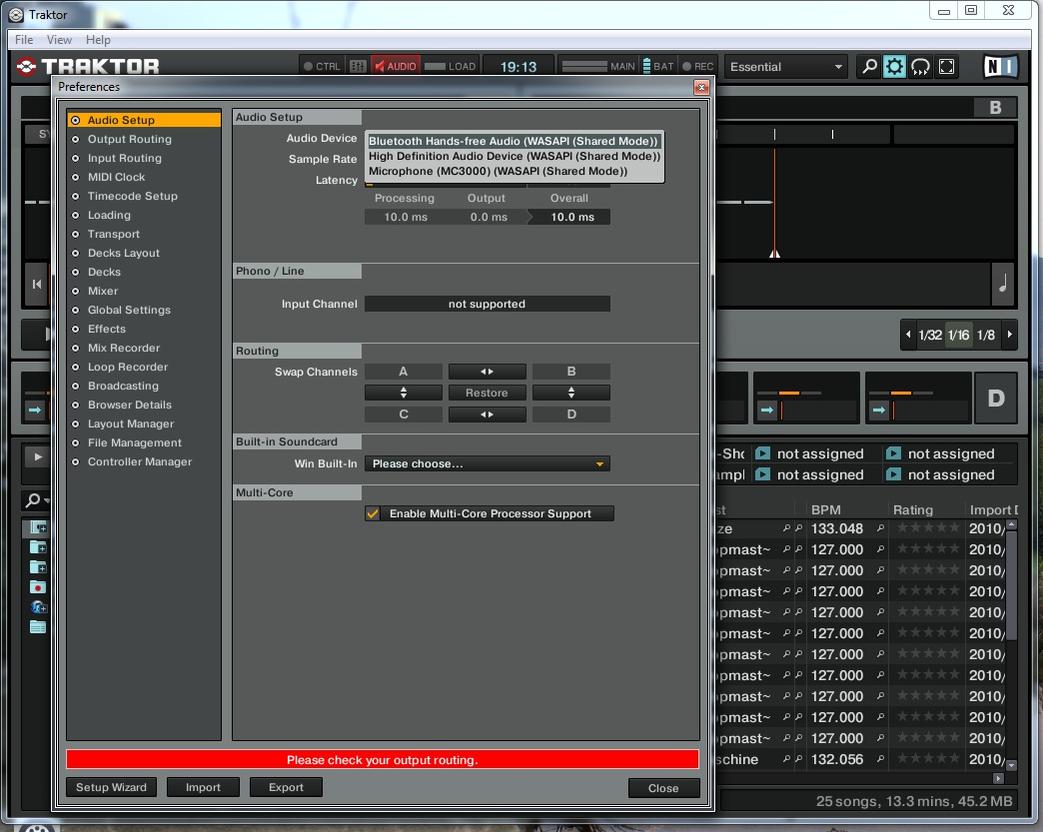
Should be simple but get stuck don’t find any clear tutorial on forums or youtube
Thanks for your help, don’t push the technical vocab’ too far, I am still breathing fresh air and feeding with milk breast, mixing is whole new world for me.