Hey guys
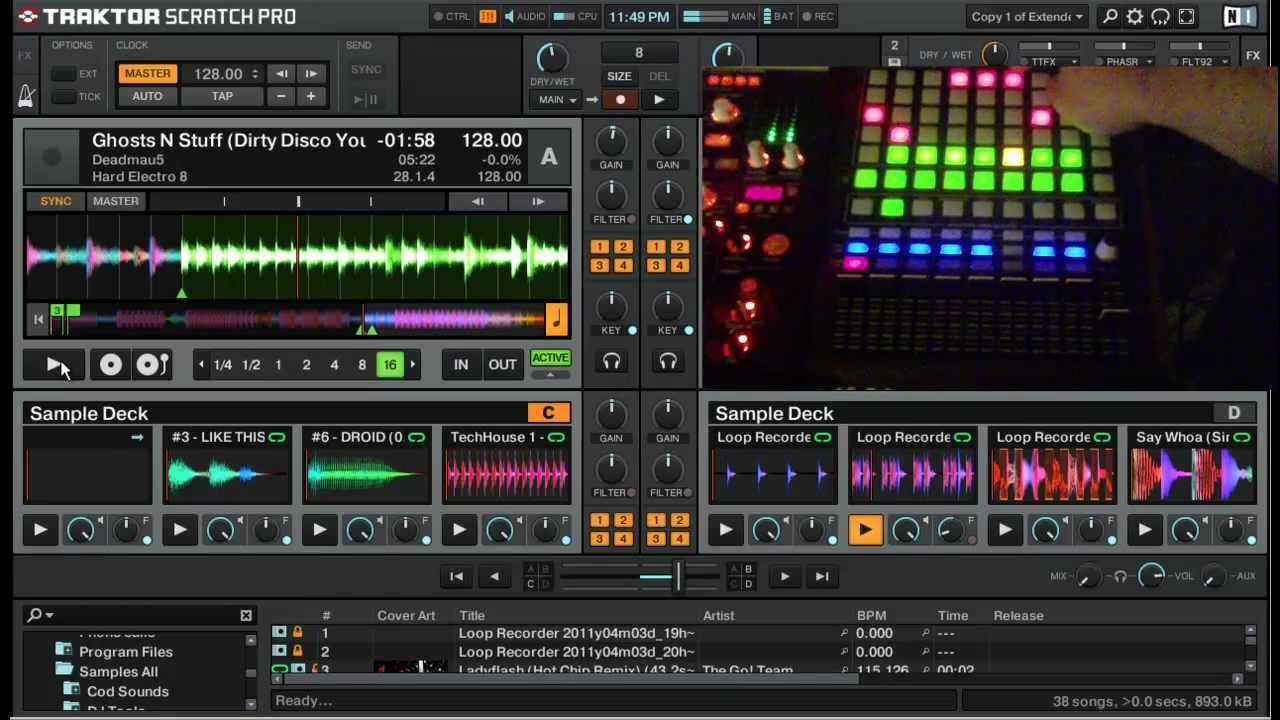
I just got the Midipads software for my ipad and wondered if i could configure it to do the sampler section of traktor? i started kidding around but im stuck trying to get feedback of the samples like this guy:
I already own a DDJ-T1 and though of starting to use samples in my gigs, so this would be a cheap start for me.
i can make a 8x8 grid and 8 sliders, anyone know if theres a mapping for roughly that configuration? i dont have any trouble modifying it a bit to fit exactly my midi signals if that is what it takes.
Other app suggestions that i can control the sample section of traktor from would also be nice!
TouchOSC, cheap, and you can do your own template, as you want, maybe there’s already one here in the forum
if i remember well, it has feedbacks, but maybe someone can explain it better, try searching on youtube anyway
that’s quite an epic mapping… easiest would be to change your controller to send/receive on the same notes/cc’s as the apc20 that he has. the colours might still be an issue tho. pretty sure the apc20 uses the same basic messages as the apc40 so this should help http://midimasher.djism.com/lua/devices/apc40.lua
i love the sample progress indicators he has, sort of “slicer like”. for that i’m pretty sure he mapped “out > sample deck > seek position” which outputs the % of the way through - so you’d need one (with diff ranges) for each of those 4 buttons per sample deck
I got the slicer part, exactly as you said, but now i cant get the browser function to work with a up/down arrow on the ipad..
I got the increase decrease set on them, and Traktor learned them, everything seems to be fine, but nothing happens.
The midi in signal in traktor is flashing when pushing the buttons.