Major Problems In Traktor 2.6.8 with playlist getting corrupted with music
Hello
Have contacted support regarding this bug / fault in traktor but having real major issues with my playlist getting corrupted with files from other playlists,
one playlist had over 900 entries this morning many were duplicate and 95% of them were files that should never had been in that play list
this problem is driving me CRAZZZZY. Just wasting so much time creating play list that keeping on getting other playlist files added to them, which ends up making the playlist useless. Thus makes traktor such hard work to use when all the wrong files are in the playlist.
any help or advice will be very much appreciated, I am hoping support can get to the bottom of this major problem in traktor.
please see my correspondence with support below
Hello
I have tried 3 recent version of traktor pro 2.x and had the same problem with all
3 regarding play lists.current version is 2.6.8
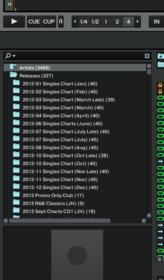
but when I create multiple play lists as in the image I have attached, I am
finding that when I add many files to the play lists other non related play lists
end up with the same files ???i.e.
I have created the following play lists (2011 - 2015 CLUB HOUSE) / (2011 - 2015
CHART POP) / (2011 - 2015 DEEP HOUSE)when I was adding my music files to the above playlist (2011 - 2015 CHART POP), I
added about 200 songs, next thing I knew many of these 200 songs were also in
playlist (2011 - 2015 DEEP HOUSE) ???NOW I NEVER ADDED ANY SONG TO PLAYLIST (2011 - 2015 DEEP HOUSE), how can they have
the same songs as (2011 - 2015 CHART POP) ??This is so annoying as I have spent so much time trying to add the correct song in
to the correct playlists only to find, they all keep getting corrupted with the
wrong songs from other play list ??what is causing this issue how can I get round this ongoing problem, Is it
anything to do with how I have titled the play list as they are similar names ??I have tried starting with and without brackets “(” it does not seem to happen to
all playlistsbut how can 200 odd music files from one play list end up in a tally different
play list as well,any help will be very much appreciated as this is a major bug / problem for me as
I am trying to organised my music in traktor, though at the moment I have had to
down tools as my play lists are all over the show with wrong songs, after traktor
has done some thing to the playlist??Any help will be very much appreciated.
Kind Regards
At the moment about 5000 track as I am slowly adding my lossless music after tagging, though I hoping to have + 60 k tracks once I have tagged and processed,
But at the moment can’t even put the music in the right playlists due to this strange problem with only 5000 tracks.
But some playlists works ok
Hello John,
your report raises a couple of questions:
-
You state that 3 Traktor versions were showing the same behaviour. Besides
2.6.8, which versions are affected? -
Do you have all of your tracks stored locally on your computer or are you using
an external storage device? -
Does the issue only occur between playlists carrying similar names? Or are all
of your playlists named in a similar matter anyway? -
How many playlists do you have in your Traktor software anyway?
-
Are you also using iTunes in Traktor, e.g. importing iTunes playlists in
Traktor? If so, does the phenomenon affect only those or also the ones created in
Traktor?
Hello Mark,
Thank you for your help in this issue
Please see comments below
Kind Regards
John
Sent via Apple iPhoneOn 7 Jul 2015, at 01:29 PM, NI-Ticket-System ni-support@native-instruments.com wrote:
Hello John,
your report raises a couple of questions:
- You state that 3 Traktor versions were showing the same behaviour. Besides
2.6.8, which versions are affected?
I can confirm the same issues in version 2.7.1, / 2.2.8.1 (latest version) and finally 2.6.8
I am only using 2.6.8 because your support said it was stable and the audio quality is so, so, so, so, so, much but better than the later versions (2.71 & 2.2.8.1)
Not sure why the sound is so poor in the latest versions of traktor may be it because of the 64bit version ? anyway back to the play list problems
- Do you have all of your tracks stored locally on your computer or are you using
an external storage device?No i am using external storage, I have been using a Seagate 4TB USB3 drive, but have now purchased a Lacie 2Big 8TB remote drive that supports both USB and Thunderbolt 2 so will be using this real soon.
Does the issue only occur between playlists carrying similar names? Or are all
of your playlists named in a similar matter anyway?well… there are play lists that are no affected? that perform as normal, so I would say it’s more of an issues with playlist that are name similarly. but then some of the play lists that are name similarly are ok ? so yes I would say it seems that playlist with similar names are getting cross contaminated / corrupted with files/links from other playlistsHow many playlists do you have in your Traktor software anyway?
at the moment about 50, though this problem occurred with only a few playlist (10+), I also plan to have many more playlists in the future
- Are you also using iTunes in Traktor, e.g. importing iTunes playlists in
Traktor? If so, does the phenomenon affect only those or also the ones created in
Traktor?
NO, I cant stand ITUNES in any way, So will have nothing to do with itunes at all !
I simply process my music, (Tag It, Cover Art etc.) import the album in to traktor, I then Analyse album in traktor, and then drag and drop imported album files to relevant playlists I have created.
Everything starts off ok with newly created playlists, then out the blue for no reason the playlist will be filled with 100s of songs that I did not add or that are event relevant to the playlist they are in !
I truly hope you can get to the bottom of this bug as it causing me so wasted time in corrupted play lists,
Kind Regards
Hello
Still having major problems with my playlist getting corrupted, one playlist had over 900 files in it ??? there should have only been a few 100 files, many were duplicates files that had been added,
virtually every playlist I have created and spent many weeks putting the correct music in each playlist is now totally corrupted with the wrong music from other playlist ??? I have wasted months of time and nearly at the stage of giving up with traktor sadly.
I have invested lots of time and money in Native Instruments over the years and love there products, but I can’t be working were all my play list end up with hundreds of files from other play lists, there is no point in having playlist with this bug / fault! when they are full up with music from other play lists
I am trying to create a easy working environment in traktor but sadly getting nowhere fast,
Now a few questions,
the play list that had 900+ files added to it this morning when a launched traktor, how can this be ??
they are not files that I added to the playlist. many of the files were duplicate files, as if this bug in traktor has added the same files over and over again to this play list.
the problem seem related in several areas, playlist are getting corrupted either by playlist with similar names i.e. 2012-2015 (CLUB HOUSE) and 2012-2015 (DEEP HOUSE)
OR by how long the playlist names are ?
OR when the play lists were created i.e. my 70s xxxx playlists are not getting corrupted with my 2012-2015 xxxx playlist but they were not created at the same time. ???
Also it seems the play list are changing and getting corrupted with more files at times when I launch traktor ??
the extra files getting added to the playlist are not even files i am playing so I can’t even say I am accidentally adding the files to the play list some way.
If the only way in traktor you can add files to play lists is by dragging and dropping the files from imported CD’s how can additional files get added to play lists mysteriously ???
I created a playlist weeks ago called (SOUL LOUNGE) and this playlist has not been affected just had a look and all the added files are fine, why are some play lists ok and other not? none of this really makes sense.
could this bug / fault in traktor be if the first say 10 characters of the play list name are the same the problem arises i.e. playlist get contaminated with each others files. ??
I am trying to give you as many ideas and hints in to this major bug in traktor, and hoping that you will be able to get to the bottom of this problem, so I don’t have to change over to the other major competitor in DJing software.
there is no real consistency to this fault
Please get back to me
Kind Regards
Hello a further update
this problem is getting even more crazy
after seeing 300+ wrong files in my (11-15 DEEP HOUSE) play list, I decided to delete everything from this playlist, so there were no entries at all.
I shut down traktor and relaunched and after a short while had another look in the playlist (11-15 DEEP HOUSE)
too my amazement there were 523 random files added to this empty playlist, please see image
What is going on, how can traktor be corrupting these playlist,
playlist (11-15 DEEP HOUSE) had nothing it it after I deleted them !! and now after relaunching traktor I have ended up with 523 random files added to this playlist.
What is going on ??
I await your reply, I hope I have really given you guys something to work with, it’s very clear an empty traktor play list should not get files added to it ?
Regards