ok, I’m not going to claim to be the greatest at mapping in Traktor, so please go easy on me. I’ve searched but can’t seem to find the answer.
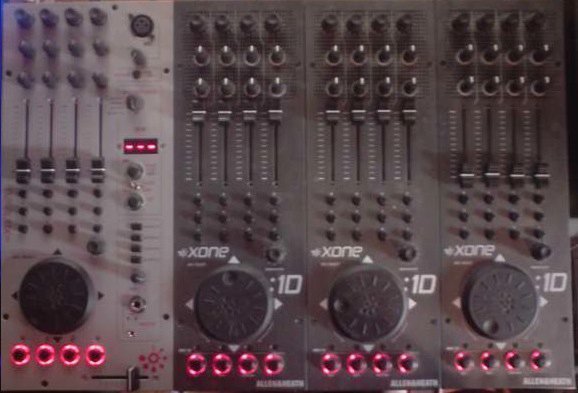
What I want to do map the top encoders to control loops. I managed this before on Traktor Pro but got sold my 1D’s. Now I’ve got another pair to use, prefer them over the X1, and it’s TP2 I have.
Previously I was able to map the push button part of the encoder to start a loop and the rotary part to control the length. I could then push down again and it was release the loop and everything would be in sync.
But I can’t seem to do that in TP2. Can it be done? Has anyone done it they can share their settings?
I can only get it to set a loop point but not start the actual loop, and I can’t get it to control the length. It just jumps straight to 32 when i turn the rotary.
I’ve tried mapping the different loop options without success
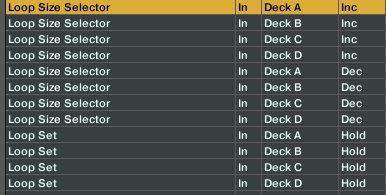
This settings will work if you dedicate two buttons to increase/decrease the loop size. Although the loop set feature looks good!
Try this as a Loop Size knob:
Add In > Deck Common > Loop > Loop Set
type of controller=Encoder
Interaction mode=Relative
rotary sensitivity=100% (or less, find the correct value based on your preference)
Add In > Deck Common > Loop > Loop Set
type of controller=Encoder
Interaction mode=Relative
rotary sensitivity=100% (or less, find the correct value based on your preference)
Note that Encoder-Mode is set to 3Fh in my picture. If that setting doesn’t show results for your controller just click on that tab and change the setting to 7Fh - one of those two encoder modes will work for your 1D.
I don’t have 1D so thank you very much for clarify this for me!
OK, so from what you have described the 1D encoders are sending out two different Note/CC massages depends on the direction in which encoder is twisting. Add knowledge