Twister clock…
Same for me, I have some issues with the clock.
For the last 2 days I have made some test, trying to find what is going on with the tempo.
I have a lot of thing going on when I play but the arrival of the twister seem to be just a little bit to much for my Traktor.
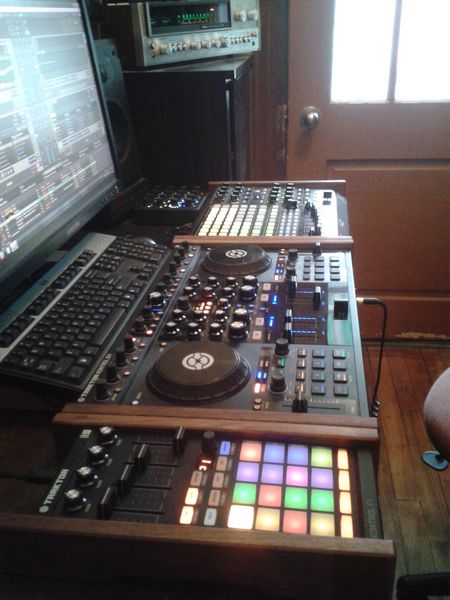
I have a S4, Kontrol f1 and Akai apc40 to shape the sound. With the new setting I had to change my lantency and it is still clipping.
So I tough I was asking to much and it had some impact on the internal clock.
I re install my tsi file, big button for my S4 and small for the others, Putting in and out on the spot for each of the file.
Trying to focus on finding what’s the problem, here are my observations.
I’ve put sync to the master on my F1 ( deck C) and the Twister ( deck D ). push on the play pause in the internal click window. I start with the F1 than I put the Twister, sync is close to perfect, as soon as I put a track perfectly grid, the F1 stay’s sync but the Twister start to lag so I have to bend it some to put it back or push on sync again, sometime it change the down beat. So I have to stop it, re sync and replay it until the next track.
I’ve try a lot of track ( Master ) with the F1 ( Sync ), the sync is easy and pretty precis. I’ve try with the Internal clock, with track ( sync ) and F1 ( sync ) same result. Don’t have to put a lot of attention there.
I did the same with Track ( master ) and Twister ( sync ) and it doesn’t sync our it goes out of sync in couples of bars. I have to do-it manually or re sync it or try to reset it.
I did the same with the internal cock and it is the same.
Btw, I did the same test without the APC 40 tsi file and it make no difference.
Sometime the twister is in sync with 3 or 4 channel playing, everything is cool, but as soon a I change in the first channel, the first kick’s in Twister pack to the third sample, the Twister go off again.
Just to let you know, I usually play with and without the sync button, when I play, even when I’m using 4 decks.
I always bring my track without sync, to practice my ear.
For now, I have to say it is impossible for me to play with the twister in the team, unless I put all my time and energy on the sync, reset, stop and play button. Something is not right.
I do understand , this is gear and program, so it is a working progress and I’m on this train because the Twister is a fantastic idea! Just need more love.
All my set-up is organized and map in a way that I don’t have to use the mouse or rarely, so I’m kind of not very happy that I have to use the mouse a lot and the fact that the Internal metronome window is not mapping friendly!!!
It is like opening you sunroof in your car with your hand.
JP