Got a question, I want to add maybe another channel or 2 to mix with in my ableton set up.
So maybe running 3 or 4 channels in ableton, but how do you guys mix with 4 decks at once. right now my 3rd channels is a loop channels so like I will bring in a loop from a another song to just spice up my main mix. But how do you guys go about actually mixing full songs in a 4 deck set up.
And of course moldovers appraoch to controllerism -
Basicly you need to chop the songs into lots of smaller chunks and play these - Abletons transport controls suck so you cant just have 4 songs thrown in on 4 different channels and expect to be able to play them to their full potential with ease.
I can tell you how I use multiple decks. This may not be simple for me to put in words but I will explain you first the way I use the third deck. For example I would start a song in deck 1 and start an early mix with deck 2 , which most of the time would be running a 4 to 32 bar loop that will complamaint the track on deck 1 . I usually mix early so the first track seems to always have had that loop, sounding as one track. At the time you usually mix with deck 2 i would start mixing the track on deck 3. So what I am doing is basically remixing the first track (deck 1 and 2) and after mixing that remix with deck 3. So by the time is time to let deck 3 as the main one you can mix out deck 1 or 2 (or bothe) depending of were you want to go with the mix. But I usually keep that loop from deck 2 sounding on the background. So lets say you did this so now you have deck 2 and 3 mixed together. Now you can add another loop from deck1 to the background of the mix, and at the time of mixing out the track form deck 3 you can now let deck 2 run as the main track, and suprise! That background loop sounding through track 1 and 2 is now the main track! Its sounds amazing because that loop was always there as complaiment to track 1 and 2 but now is the main track and the transition was too seamless to even listen to it.
Also you can use the third track to have a loop prepared so when you are doing a regular 2 deck mixing you have already ready the next track on standby on that third deck so what you can do is basically mix out one deck while mixing in the third one. This way I always keep a “mix” going. My theory (not sure if it is a good one) is to almost never just run 1 track alone, I always have a nice complaiment to add. This technique requires good ear and good eq control because lots of frequncy will tend to clash.
Now If you are comfortable with this you can spice things more adding another loop on the fourth deck. This can be a simple loop for examble a vocal loop which you can fade in for a while and then fade it out again. The nice thing of doing this is that ones you have mastered the technic the flow of your mix never ends, you take it were you want.
Also there is a nice function in traktor which is the deck copy so you can effect a loop on one deck maybe fade it out while fading in the same loop without effect on another deck. This could be easily done in Ableton as well.
This functionalities and 4 deck mixing have slowly converted me in a live remixer more than a common dj and I can tell you that people do notice that there is something else in my mix. I usully get comments from other djs telling me that they can not really figure out how I did some transitions, and most of the time is because of the 3rd deck trick.
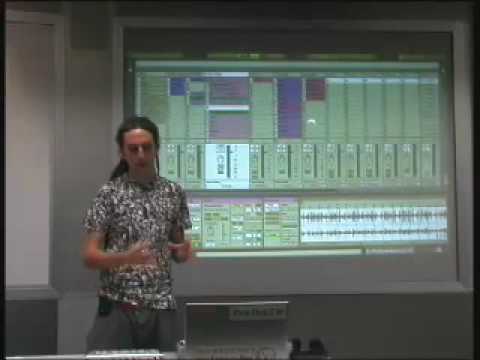
This (if I could explain myself correctly) can give you some ideas of how to use multiple decks, you can see me using this technics on the video for the digital dj contest so you can have a better exaple.
Pd: Also with time I have developed what I call “combo tracks” which are 2 tracks (most of the time 1 track and loops from the 2nd track) that go very well together so i usually load both of them at once and play with that during the mix.
When i’m feeling really saucy (and this I only really do when home practicing for now) I’ll load two songs into traktor (decks a and b) and start mixing, kind of following what alien2k does with a long mix. When the breakdown of the second track is coming I’ll kill the first track and cue the third track to about 16 beats before the buildup back into its melody. If done right, I’ll end up jumping from Deck 2 to Deck 3 once that build up hits, switching tracks suddenly, or I’ll cue jump back to the beginning of deck C and mash it under deck B, making it sound like Deck B’s track just changed a bit.
I’ll usually load samples and loops into deck D to play with some effects, just for fun. But, honestly, I rarely use more than two decks.
The third deck is a great tool, even for turntable djs. Basically it let go the idea that to load a new track you have to completly fade away one track in order to use that deck.
yo b33son explain how do you get off on the 4th deck.
i am changing my ableton template as we speak. I think I am figuring it out now. gonna have to do alot of practicing before i actually play out live with it.
Well… I probably won’t be much help for what ur trying to do. I use Traktor to mix, not Ableton. The key to using 4 decks is to streamline your work-flow. Make loading, cuing, syncing, playing and looping as few button/key strokes as possible. You need tactile control over all 4 decks. Mice ain’t gonna cut it. I’m working on a keyboard layout for Traktor Pro that I will share in the future. Still getting some issues worked out. Then I need to play on it for a while to be sure it’s solid.
I don’t think he’s looking for practice, B33son, more theory. HOW do you use your fourth deck, and why, kinda stuff. The practice is something he can perfect, but first he wants to know what uses it has.
(PS: If I’m wrong feel free to tell me to shut up )
But that’s sort of a strange question then. Sometimes you mix into a new track that’s on Deck C/D, sometimes you loop a nice bassline or drumbeat. Sometimes you use it to add an acappella. Sometimes you use it for staging your next mixout in case you want to burn through tracks really quickly. Sometimes you use it for a phase shift effect. In Traktor Pro, I’ve started to use it to scratch… try applying the gater effect while scratching.
My advice for putting this into practice is first make sure you know your workflow and get comfortable with 3 decks. After that you will just fell the need for a fourth one. You will know that you could add something else or use it to enhance your trasitions. You will know that you are ready to step up the game, just as now you know you need a 3rd deck.
Recently i have been experiementing with using 2 decks ontop of Ableton live looping a kind of 4 deck control - yeilds some pretty interesting results. Should be really awesome once its finished development.
Throwing the midi clock out the window is a great first start to keeping Ableton and Traktor in time !
If you want to do tempo changes ontop of that… i have recently discovered a trick that keeps Traktor and Ableton in time when doing tempo changes much better than the midi clock ever could too.
aight well today i was messing around with ableton today with 3 decks I am getting the hang of it, it was fun just throwing loops in there it really added to my mix, helped brighten it up a little bit, but i have maxed this x session pro out lol





 )
)