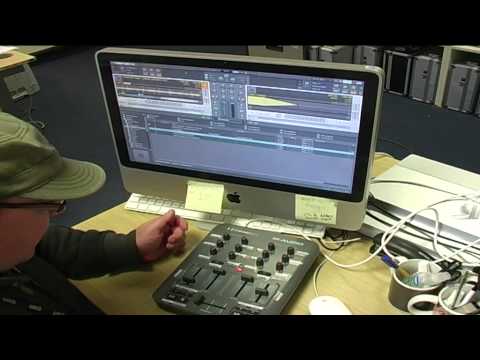
dont know if this is of any use to anyone but here is a TSI for full mouseless operation using Traktor and a X-Session Pro from M-Audio.
One thing you need to do is set a filter on the 3rd effect channel and turn it on (for both 1 and 2), for some reason it doesn’t save this setting in my tsi.
Also the only other thing is that to toggle SNAP and QUANTISE you have to press ‘S’ on the keyboard and ‘Q’. But I just leave them on by default.
Also there is no gain for each channel, so if your loading a track for the first time you will have to reload it again for the auto gain to kick in (Traktor bug).
No taking the piss out of me or my messy work desk!
hi, great stuff, gave it a run through yesterday and was surprised how quickly i got used to it.. a question..i tend to mix 3 tracks at a time and prep a 4th… is there any way to change a button (say the pause/select for example as I dont find it necessary to not use a mouse to select tracks) so that it would change everything to control decks 3 & 4? or is the xsession pro strictly limited to a 2 deck control?
I’m sure you’re asked all the time for help with this but i’m struggling to sync my x session with traktor. I’ve downloaded your file and imported it in my settings but still nothing. Please help if you have a minute.
Your settings are great. They have saved me a lot of time.
Unfortunately I have run into one problem. Ever since I added your tsi file I have started running into sync issues with newly imported tracks. All tracks that existed prior to importing your settings can still be synced, but anything added after can not. Do you know what may be causing this and how I could fix it?
Actually it can be synced, but it has to be playing. Where as prior to importing your settings all files could be synced before playing. Also, for the new files that have to be playing to sync properly, the sync light does not come on. So there is no feed back that it is synced, other than listening to the tracks. Which is sufficient, but it would be nice if they all worked as intended.
I can not download the file! Everytime I click on the file it takes me to the login screen and I do login but it keeps saying thanks you for logging in… then boots me back to login AGAIN.
I am very new to this form. if any help please assist.
@ian3dge, thanks man really appreciate this mapping .
@monomalo, are the crossfader and volume even showing? If not your probably in external mode… Make sure under preferences/output routing under mixing mode that “Internal” is orange, if it’s not then click it and that should be the problem solved, otherwise try deleting the mapping then re-importing it - might solve the problem?


 and your SN is shit hot hahahaha