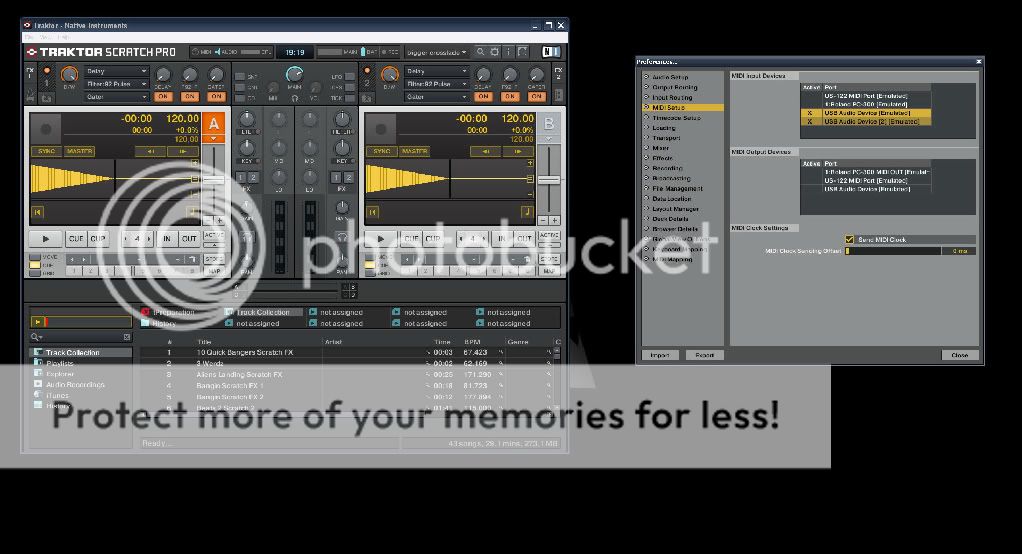
This is my new mapping for X-Session Pro with Traktor Pro. The idea is to have the most used functions in the controller, so we have to touch the computer as less as possible
With this mapping we can control thing like:
Play / Pause
Cue
Hotcue
Beat Jump
Create / Active / De-active Loops
Tempo
Sync
Key
High / Mid / Low
Monitoring Cue
Load / Turn On / Turn Off / Control Effects
Gain
With the TSI file I also added a manual in PDF with screenshots and everything you need to start using this.
NOTE: If you wish a completely mouseless mapping for X-Session Pro you can access my “4 Modes Mapping” in the link below:
First of all, I do not understand how to monitor each channel.
Second, i realized how to kill the lows, meds, etc (and it’s working) but i don’t know how to undo that.
Could you tell me more specific witch buttons do I have to press in order to:
monitor (A or B)
undo the frequencies cut
Thanks!
I’m new to all this, but the idea for me when i bought this console is to replicate as much as possible the cdj’s 1000 behavior in terms of cue/pause, EQ, search in track, and bit synchronization without the help of the Traktor.
To enable monitor A:
1st hold Ctrl
2nd press monitor cue A
To enable monitor B:
1st hold Shift
2nd press monitor cue B
Now regarding undo the frequencies cut, I mistyped in the pdf file. To do that hold Shift and move the knob to -100% (in other words, turn it completely anti-clockwise).
sorry to bother, tried to open or dl the zip file - getting an invalid messge. saved to my desktop and it said it’s empty. will try the rapidshare links again but it was busy and said try again later
Haven’t imported the file, but after looking at the pdf, I wanted to thank you.
Excellent use of modifiers. Exactly a solution to what I wanted with my x session pro. I especially loved the shift/modified use of the shift into cue/monitor buttons. It helped me realise I had good shift buttons on the x session afterall (before I was only thinking once I use it for a shift button, it can’t be used for anything else).
just got these tsi’s dl’d. these are crazy mapping. maybe a little too advanced for me as a new tpro user. i think i’ll have to do something more basic for starters. i will keep them tho for future use. thanks for putting inthe work that we’re all benefiting from. peace
Hey Tim,
Thanks for the feedback. Yeah it took me a while to figured out the best way to configure the monitor buttons, but the modifies are a very powerful feature in Traktor.
Hey Deco,
Good to hear you finally got the files, but even you been a new user of Traktor I think you can use the tsi, after all, the basic functions (without using the shift buttons) are pretty much the basic you need.
I’m having problems with importing the TSi file into Scratch Pro so I can use my X-Session. I’ve tried the 3 files I can find through the search on here and Google, and all three are recognized in the TSP file browser, but when loaded, it doesn’t change anything! I’m expecting it to load a preset range of settings in relation to the controls on the X-Session, but nothing works! I’m missing something, right?
I’ve moved over from TorqLE as it wouldn’t allow me to assign independent channels to my external mixer, but after spending the money on TSP, I now can’t sync the two things together so i’m still without my X-Session!
myke tantrum, i’m really new to tpro - haven’t mapped anything yet but from what i’ve read, check thru the basics of selecting the xsession ins and outs, be sure traktor is seeing it. i’ve jsut switched over from Torq 1.5.2 and am learning the tpro ropes as well. i have an xsession pro that i plan on mapping but not with anything i found here.
i have a Kontrol X1 so thats going to do my FX, browsing/loading, cuepoints, etc. just need the xsession for internal mixer and maybe a seperate tsi when i’m ready to tackle all four decks. i keep watching this post to see if anyone else has a different mapping that might suit me better. in the end, i think making your own is best cause everything will be where it makes sense for you
Cheers Deco, sounds like we might learn a lot from each other as we’re at relatively the same point
I was SOOOooo frustrated with TorqLE and the X-Session after I initially purchased it. I was misinformed by the sales ‘assistant’, but also I didn’t know enough about it prior to the purchase, however, it did only cost me £50 so I can’t complain. What initially seemed to be a good piece of software has been let down by poor afterthought, support and misconception (well that’s how I feel). TorqLE ‘looks’ very nice, but under the surface it doesn’t have enough options to make it user friendly (especially from a dj’s point of view), but then I suppose this is where M-Audios more expensice equipment and software comes into the argument. I’ve been a long time fan of M-Audio stuff, but this has disappointed me a lot!
As for the X-Session itself, it’s not too bad, for a lump of plastic. It’ll eventually do what I want it to, and I can use it in Ableton and REASON4 without any problems.
Anyhow, back to the topic, i’m not here to slate other vendors equipment.
I’ve checked in the Preferences Pane, under Midi-Setup, Midi-Input-Devices and I have my US-122 Midi Port, Roland EDPC-300 Keyboard, USB Audio Device (Emulated) and USB Audio Device [2] (Emulated). The 2 USB Audio devices have a cross next to them. Is one of these the X-Session?
Could you please send me a new link to download midimap(traktor pro) for X-session pro, please?
I downloaded the zip file but It wont extract, it says unknown format or file is broke.
Thanks in Advance!!
thx a lot i hope work with this mapping very well , what can you do with green and red colours? because i want only use mid high low cue play pause and volume and pitch blend , why should activate the green and red colours , did they modify anything?
because cue play pause are on the black colour on that .pdf
and fx and another are on green color or red color ?
what are the differences?
When you keep the LEFT headphone button held the controllers behave as the GREEN labels, when you keep the RIGHT headphone button held the controllers behave as the RED labels, otherwise you have the default behaviour (Play, Cue, FX Parameter, etc).
Hi, does anyone have a basic TSI for the X-Session Pro for use purely as a mixer to go with my X1 and TP mixing internally with an Audio2DJ. I only want a traditional mixer controls ie crossfader, channel faders, pitch, headphone cue, EQ and volume. I will use the X1 for filters, loops, transport controls, etc. I will also add in another control surface to scratch with on one deck later. All advice gratefully acepted.