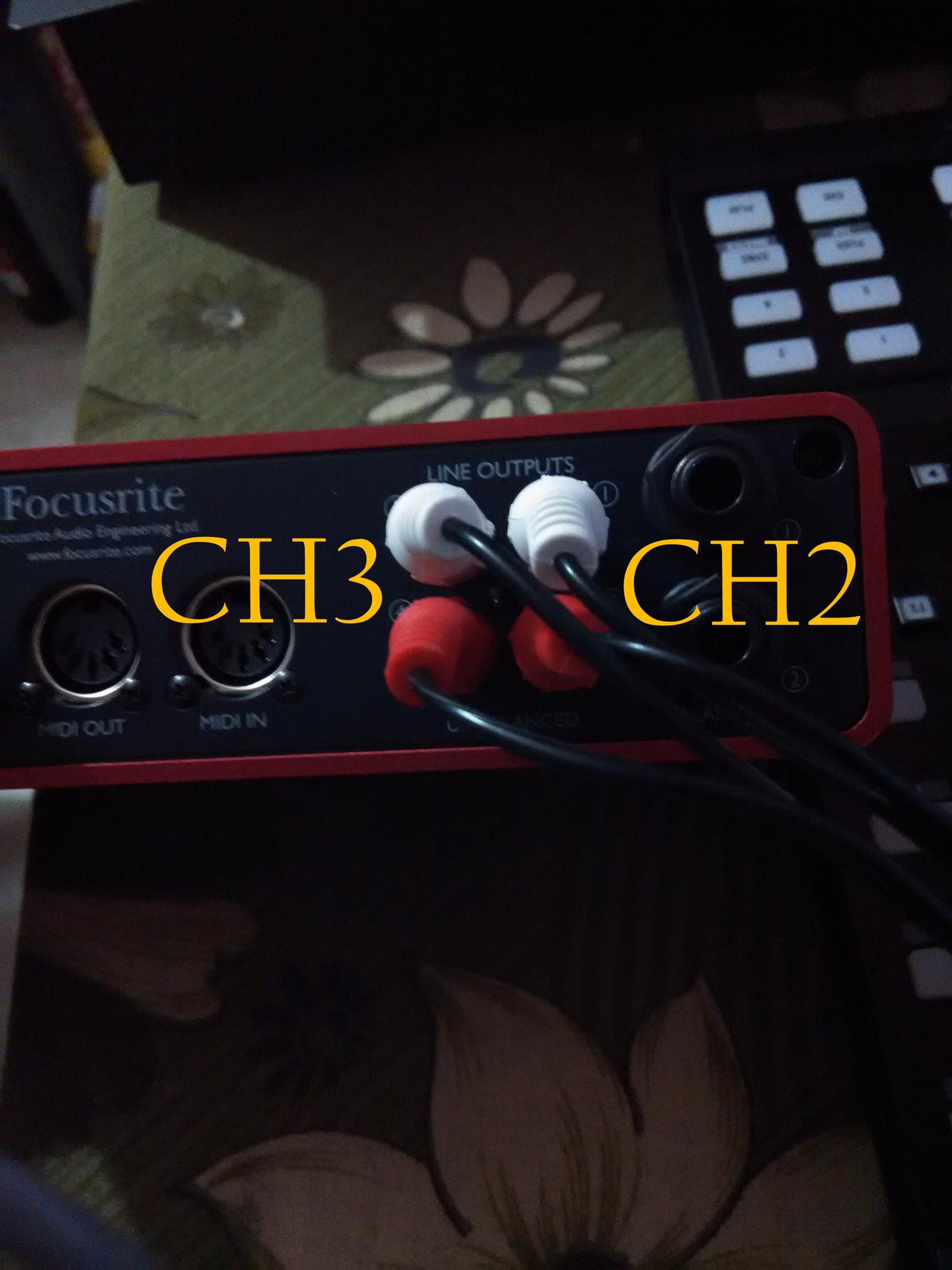
I have set the direct monitor knob to 100% playback and set monitor volume to 100%.
Problems that I’m facing:
I can hear music playing on my CH2 (Outputs 1&2 of scarlett) of mixer only when I set the direct monitor knob to 100% playback and monitor knob is set to 100%. If I reduce the volume there, then the volume is lowered in my mixer’s CH2.
The output from CH3 (Outputs 3&4 of scarlett) is always heard not matter what the setting is on the monitor knobs.
Output on CH3 is loud when compared to the output of CH2.
Am I missing some setting in software? Are my connections correct?
I know scarlett 2i4 is not meant for DJing. But I need just two channels on my mixer which scarlett can easily provide and also it fits in perfectly for production setup.
I thought when I connect it the way I have did now, I would get the outputs directly to CH2 and CH3 on my external mixer and I would not have to touch scarlett to control the volume of my outputs coming from traktor software.
DJ Rams, first of all: I am impressed. You are probably the first new member on DJTT that has posted proper screen shots of Traktor settings, connections etc.
As far as I can see, you’ve set everything right. Position of the monitor knob and volume should have no impact on the output of 1&2 and 3&4 channels from RCA’s, only on the signal coming out of headphone socket.
So, my only guess is that it’s a signal routing problem.
Scarlett should be using ASIO drivers and I see you have under Traktor Audio setting selected a USB driver (with a high latency). Does Scarlett also supply a ASIO driver? Try changing that and see if it helps.
I don’t have any experience with the Scarlett 2i4 but I have a similar set up with a komplete audio 6 - one of the channels is set to the main out and the other is set to use the digital out. There is a volume knob on top of the komplete that effects the main out so If I don’t have that knob at unity gain (all the way up), the main channel will be quieter than the digital channel. My solution is just to keep it at unity and use the faders on the mixer for volume when I’m doing non-dj stuff.
I too have the same situation. I have keep the monitor knob to 100% and control the volume in my mixer.
Actually I was more fascinated in buying Komplete Audio 6 than scarlett 2i4. But I had to buy scarlett because of the difference the price.
Try to set it even - then do the final adjustment on the mixer via gain knobs
I agree, that’s a design flaw in my opinion. Line outputs should always have a constant strenght, volume knob should affect only the headphone output or MAYBE only if selected via selector knob.
But that’s a calculated decision from the manufacturer because they wanted producers to be able to control volume of their monitor speaker (without remote volume knob) connected via RCA’s.
I’ve just tested this with the following Traktor > Scarlett 2i4 > Xone 4d. I used the same 4 bar loop through each channel.
The volumes of both pairs (1/2 vs 3/4) are the same providing the monitor volume (the big one) is at 100% (this only effects 1/2).
I suggest you do the following:
Check the channels on Traktors internal mixer. Set everything to the 12 O’clock position (gain, EQ, Filter etc) for both channels and check none of the EQ kills are active.
Check the gains and EQ on the external mixer (again set everything to 12 O’clock)
Play the same loop through both channels and use the channel (up) faders to play each individually. Use your ears and the master VU to check the volumes.
If the signal is high (the vu is hitting the red) turn town the master volume in Traktor.
Yes. I know how to monitor. Everything is good here.
The Scarlett 2i4 was built in such a way as to control the volume of outputs 1/2 with the monitor knob and 3/4 have no control over the volume. They just output whatever is coming from the software.