scratch upgrade timecode problems
ive been having a few problems getting my 1210’s setup with my s4 and traktor.
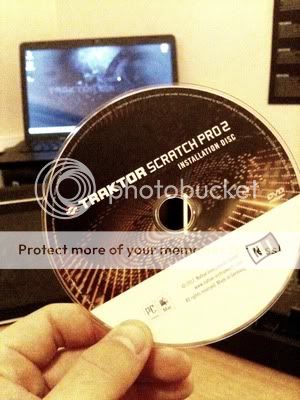
ive installed the upgrade cd and followed the video below but i cant seem to get it to work. ive added a few photos to show what im using and how ive got things setup
http://www.traktorbible.com/video/setup-kontrol-s4-for-timecode.aspx
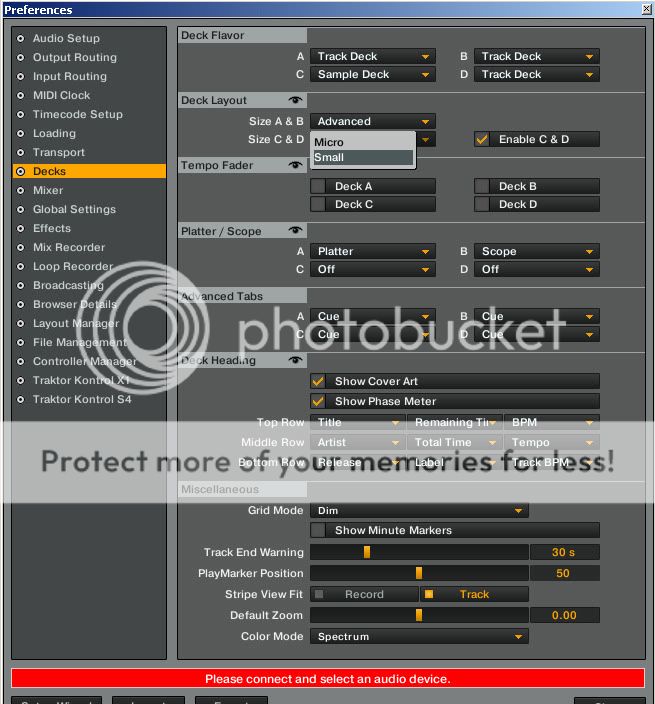
here is how ive got it setup but i might of made a simple mistake. i was going to run A+B as normal decks using the s4 then deck C as a sample deck, deck D as a track deck for scratching. in my settings ive got the “scope” selection greyed out so when i get to that point in the tutorial i cant go any further.
any help appreciated
ant
You’re still using traktor Pro. Go into your service center and click upgrade next to Traktor Pro 2 and enter in the scratch serial number. No need to install anything as the serial is what unlocks the DVS functionality.
Cheers for that mate, I knew it was my fault and something to do with installation or activation but I just couldn’t figure it out. After a few hours installing, reinstalling, playing with the configuration I was getting really frustrated so thanks man. The activation was in the second tab in the service centre, the 1st tab said everything up to date and it only changed to scratch pro 2 after id entered the serial.
Couple more questions, is there a way to get full view on deck d so I can see the wave close up or have I got to use a or b for that? It’s not a major issue if I can’t but it would be handy.
And lastly I’ve got loads of old vinyl, is there a way I can record them so that they are digital. Would it just be a case of changing it to line in then push record like I’m doing a mix? Quality don’t need be amazing it’s just for messing round in my bedroom and party’s.
Change deck layout to advanced, both C&D have to be set to advanced.
Yes. Make sure you’re not clipping (in the red) at any point. Traktor will record as wav, so you’ll need to convert it to mp3 if that’s what you want. I use Audacity for that.
Awesome mate, little things like that would have taken me ages to figure out. I’m just scared to change the wrong settings and cock everything up. It’s much appreciated thankyou 
spoke too soon 
the preferences menu has changed slightly and i cant choose advanced any more.
all i have is small and micro.
it’s not the end of the world but it would be alot better if you could see all the waves close
anyone know a way round it?
cancel that last…
i started playing round in the settings and the computer didnt spontaneously combust! it’s still working. anyway i can get them bigger but cant have them big with a sample deck which is a better work around for what i want it for and atleast i know how to change back and forth now.
Yep if you change one to sample deck the other will reduce in size, no way around that. Take a serious look at the manual, there’s tons of stuff in there that will help you out. Especially pages 26, 36, 45, 50, 51, 54, 55, 59, 84, and 101. They all have info on things that are not labeled on the controller.
Im guessing the manual is online or something? All I have is a setup guide, wall chart and keyboard shortcuts. I was thinking of buying the traktor bible next pay day too. Thanks for taking the time helping me through it, I’ve got a party this weekend and everything is setup ready to use
I had a couple hours just playing around before and this has definitely been one of my better purchases.
** edit, just googled the manual and it’s on my computer, cheers mate