Question for all you gurus. So I basically want to use the sequencer in Maschine to play loops that I will trigger live on top of my music. Now the question is, do I really have to switch to Traktor for this to be possible. Traktor has the sync with “midi clock out” which Itch is lacking. However, isn’t is possible to run both programs at the same time, match the BPM in Maschine to the BPM playing out in Itch, and then start banging away on the Maschine? The downside to this is that you’d have to get the loop perfectly on the 1 though, correct? Still not sure why this would be a problem if the BPM’s on the two softwares are in sync…
Another issue: I prefer all in one controllers, I have no external soundcard. For me to run Maschine + DJ software (traktor or Itch) at the same time, would I now have to invest in a mixer or a 4 channel controller (since right now my VCI-300 is 2 channels)? I’m assuming Maschine has to be one channel on the mixer! Running Maschine is not logistically possible with a 2 channel controller right? I hope I at least have some basic understanding of the situation. Sorry for the noobness here.
Just looking for some clarifications so I fully understand what I need to do to make this happen. Here are my questions summarized:
To run Maschine simultaneously with your DJ software, Maschine will be one of your channels on the mixer, correct? So essentially, you HAVE to have a 4 chan controller/mixer…?
How hard is it to really sync Maschine to Itch (to master out right?) ?
Would switching to Traktor just make my life a lot simpler? What’s the simplest pro setup then with Traktor (fewest modules…4 channel controller + Maschine?) ?
I know I’m coming across super lost, but I’m trying Thanks for helping me out guys! I want to take 12 years of drumming experience and incorporate some live Maschine action in my sets. Just need to know if I have to switch back to Traktor now.
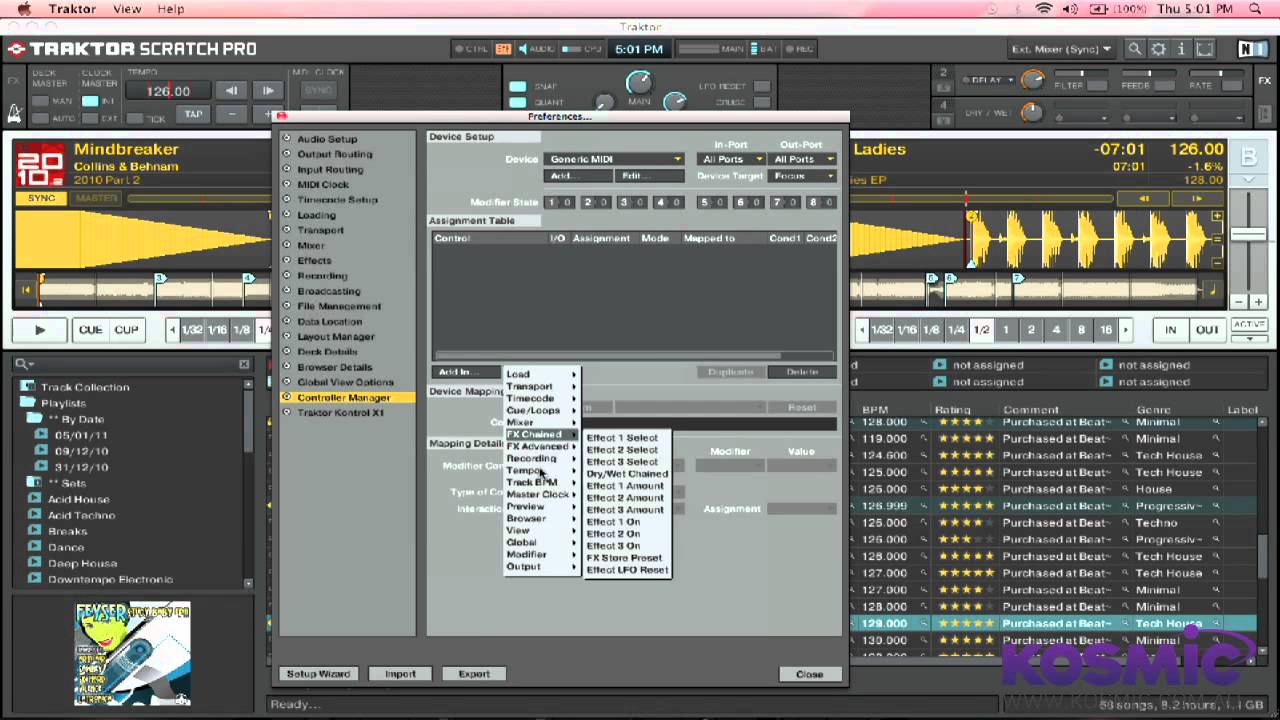
Ok so I just watched the Kosmic Sound video. God, I need to switch to Traktor ASAP lol. I didn’t realize how easy and awesome the setup of Maschine + Traktor is.
Looks like fewest modules setup is: Mixer + external soundcard + something for transport functions aka X1 + maschine?
i don’t know much about itch but i have experimented with the midi clock from traktor and it’s not all that awesome. ableton live seems to handle it ok tho. you might need to press the ‘sync’ button in traktor (that sends out a midi “start playing” message) at the start of a measure every now and again if maschine starts drifting. all depends on what kind of processing/decoding is done for the midi clock/ticks (that are sent out 24 times per beat)
but yep anything receiving the midi clock ticks will adjust it’s tempo if you adjust the tempo within traktor.
cool sure… and damn that video is cool! i want a maschine now
tho be interesting to see what sample decks stuff they have added to traktor 2.5
not sure if you’re on mac or pc but i don’t think traktor on windows has the builtin virtual midi port, so you need to use something like loopMIDI which will add an extra bit of latency and jitter to the ticks. should be ok tho - and i’m sure maschine must be pretty good to decoding the midi clock sent from traktor anyway
For sure man. I’m on PC btw (i5, 4gb ram, win7). I’m just wrapping my head around what’s the simplest setup that I need to change to now. If money wasn’t an issue, then what’s the configuration that requires the fewest number of controllers? For example:
Xone 4D + Maschine ? (Can you plug the Maschine directly into the 4D soundcard, so no need for Audio 8 external soundcard?)
Xone DX (running Traktor obvi) + Maschine ? (Again, can you plug the Maschine directly into the DX, so no need for Audio 8 external soundcard?)
VCI-400 + Maschine? (External soundcard needed?)
-S4 + Maschine?
Upcoming K2 + Maschine + soundcard? That sounds like a sweet setup
Again, sorry all for the ignorance on this topic. This could be a major change for me and I need to understand everything real well so I can start my quest of selling/buying…
no builtin soundcard in maschine so you need to use a sep soundcard with it. you could do some cunning audio routing with “jack” for windows but it’s going to add latency which you really don’t want as a drummer (my background is as a drummer too - way before i ever tried decks)
would be very cool, i’m planning on getting a k2. any soundcard (separate or in the k2 or vci400 etc) that has two sets of stereo outs could be used as one stereo pair for traktor and one stereo pair for maschine (tho u might still need to use “jack”) but then you wouldn’t have any spare outs for cue’ing.
ideally i guess you’d want two stereo outs for decks a+b in traktor and a stereo out for maschine into an external mixer, then use headphones in the mixer for cue’ing.
Traktor is the easiest way to do it. You have to manually beat-match the 2 metronomes to get the midi clock offset correct but once you do, if your beatgrids are perfect you’ll never have to worry. If you don’t use sync and/or don’t have perfect beat grids set, don’t bother with the midi clock…or Maschine. The BPM can only be set to +/- 0.1BPM and the controls are really touchy.
BTW, if you ever touch a pitch bend button or jog wheel during your set, your beat grids aren’t perfect and running Maschine like that will be a headache.
Other than that, if you’re on OS X, you can use Soundflower to route Maschine’s audio into Traktor and just use your controller. Doing it that way doesn’t work with time code, but working with time code also makes the midi sync sketchier.
I spun that way on Traktor, but after switching to SSL I’m just not using Maschine like that anymore. It’s going to get replaced with a hardware groove box that actually has the controls I need.
I see 2 good ways to do this type of thing: all automatic or all manual. And Maschine doesn’t seem capable of doing it all manually because NI just didn’t give it good enough controls over tempo.
Thanks for the info guys. Would love hear if anyone has tried using Maschine over Itch too. I feel that the beat gridding system in Itch is much better than Traktor’s and don’t really want to make the switch if I don’t have to! Lots of things to think about, thanks guys.
Generally speaking you can sync Maschine and Traktor on the same Windows computer as well. Because on Windows Traktor doesn’t provide the virtual MIDI ports, you need
to either use a DIN 5 cable, connect it to the MIDI OUT port on the S4 and the MIDI IN port on the Maschine controller, and then select the appropriate MIDI ports in Traktor and Maschine respectively
or you use a virtual MIDI driver like LoopBe1, that you can download here (LoopBe 1, Virtual MIDI driver) for free and then select the LoopBe ports in Traktor and Maschine respectively
However, the transport of the MIDI clock messages in OSX works better than in Windows. When comparing the BPM display on Maschine software under both operating systems, one can see that the clock fluctuates much more under Windows than under OSX.
Thought if had scratch pro and a ni audio interface it was seemless and would be played through deck c and d. Im certain I recall this. However syncing would be impossible since beatgridding is not 100% in traktor unless non live drummer and newer tracks. However I believe quant was possible which would mean you would only have to be almost spot. That is all dependent tho on how you wanted to use maschine tho.
haha yeah I knew that at least. Nah, no MIDI clock out for Itch yet
Its starting to look like I might switch over to Kontrol S4 + Maschine in the near future. Since i have PC, there’s no “virtual MIDI”. The dubspot video by DJ Endo says that on PC, you can get a cable that goes from your souncard’s MIDI in to the same soundcard’s MIDI out, thereby “tricking” itself that it’s getting MIDI from a different source.
Still slowly trying to figure out if an external soundcard (like Audio 8/10) is necessary with the Konrol S4 to pull this off on PC…
Endo really said that? God…he’s a moron. One more thing in a long line of horrible advice. Seriously…I don’t think I’ve heard him say anything correct that was more complicated than “Traktor runs on computers.” You’ll do well to ignore everything he says and pretend that blog doesn’t exist.
The Kontrol S4 and Maschine both have MIDI In and Out ports. You just need a cable.
@Lucidstrings, Maschine and Traktor are completely different products. There’s no reason that an NI interface would change their behaviors at all. Either I read that post wrong, or you got some bad information.
I know I read it in the machine manual that only can be done with a audio6 and it then changes your c and d deck. When I’m on a computer again I might find the reference to this being able to be done.
@Lucidstrings, I think that NI is just giving an example of how you can use the Audio 10 with Maschine (scroll down to setup example 3 http://www.native-instruments.com/#/en/products/dj/traktor-audio-10/?page=1967 ) I think Mostapha is right in that you can use any soundcard as long as you have enough I/O’s. I could be just interpreting your post wrong though.
Would using the upcoming A&H Xone K2 as my mixer (internal mode) along with Maschine work? Could I route the maschine into one of the channels inside Traktor on the K2? Then use the soundcard on the K2 to cue in my headphones? So confused
 Thanks for helping me out guys! I want to take 12 years of drumming experience and incorporate some live Maschine action in my sets. Just need to know if I have to switch back to Traktor now.