I read the manual, but still seem to be missing how to efficiently set a proper beatgrid in Traktor Pro.
My question is, when traktor gets the bpm wrong and requires manual adjustment, how do you quickly set the track’s correct bpm without having to hold down the bpm increase/decrease buttons for 10 minutes while it slowly adjusts?
Is there a setting in preferences where you can change the rate that the bpm increase/decrease buttons adjust the beatgrid? It’s way too slow and overly-precise when you have to adjust the BPM by anything more than 1-2 beats.
I think it’s been established that the “tap” button is pretty much useless in T Pro, at least in my experience.
Hold down the right mouse button when using the BPM Adjust buttons. That should speed it up.
I’m not so sure that the Tap button is useless. I use it quite a bit to correct a given track’s BPM and then I use hotkeys that I have mapped per Ean’s beatgridding tutorial to fine-tune. My early mistake was tapping on the upbeats (snare) only at first and then it dawned upon me I need to be tapping on each quarter note for one bar/measure.
When I’m in cue mode of the advanced panel on Traktor Pro, I can choose how to look at my waves with white markers on the last dropdown list. I always prefer to look at it in grid view. But how can i change this via midi?
I have tried everything but i cant find it…
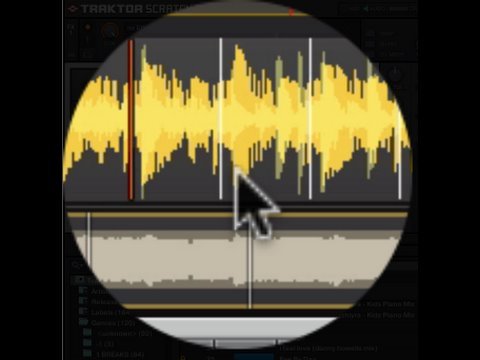
I don’t think there is a Grid View… not sure what you mean. The white markers are Grid markers, which means they re-align the grid every time you put one down. You can only set Grid markers, but I wouldn’t recommend it, if that’s what you mean.
This I disagree with. I use the kick drum for my snares, being it is much easier to see in the wave form, and I always aim for the first beat of the bar/phrase.
Oh, and for that you don’t even have to go that far. Where the BPM is read out in the Advanced panel you can highlight it and just type it in, as long as it isn’t locked.
Half the time the problem is the autogrid marker. If my grids are out half the time it is because of that little bugger. Delete it, go to your first beat and voiala, most likely the grid will be fine.
I am saying beatgrid your own tracks. The Autogrid marker, as of the last time I tried it, was off around 50% of the time. It is easier and more reliable to just get good at beat gridding so you can fix it on the fly. Eventually you’ll be able to grid a track in around 20 seconds, quicker then you could beatmatch it.
Is it not easier to just move the beatgrid marker. Tracktor pretty much alwasy gets the BPM right so i find its just a matter of moving the beatgrid marker and everything slots into place.