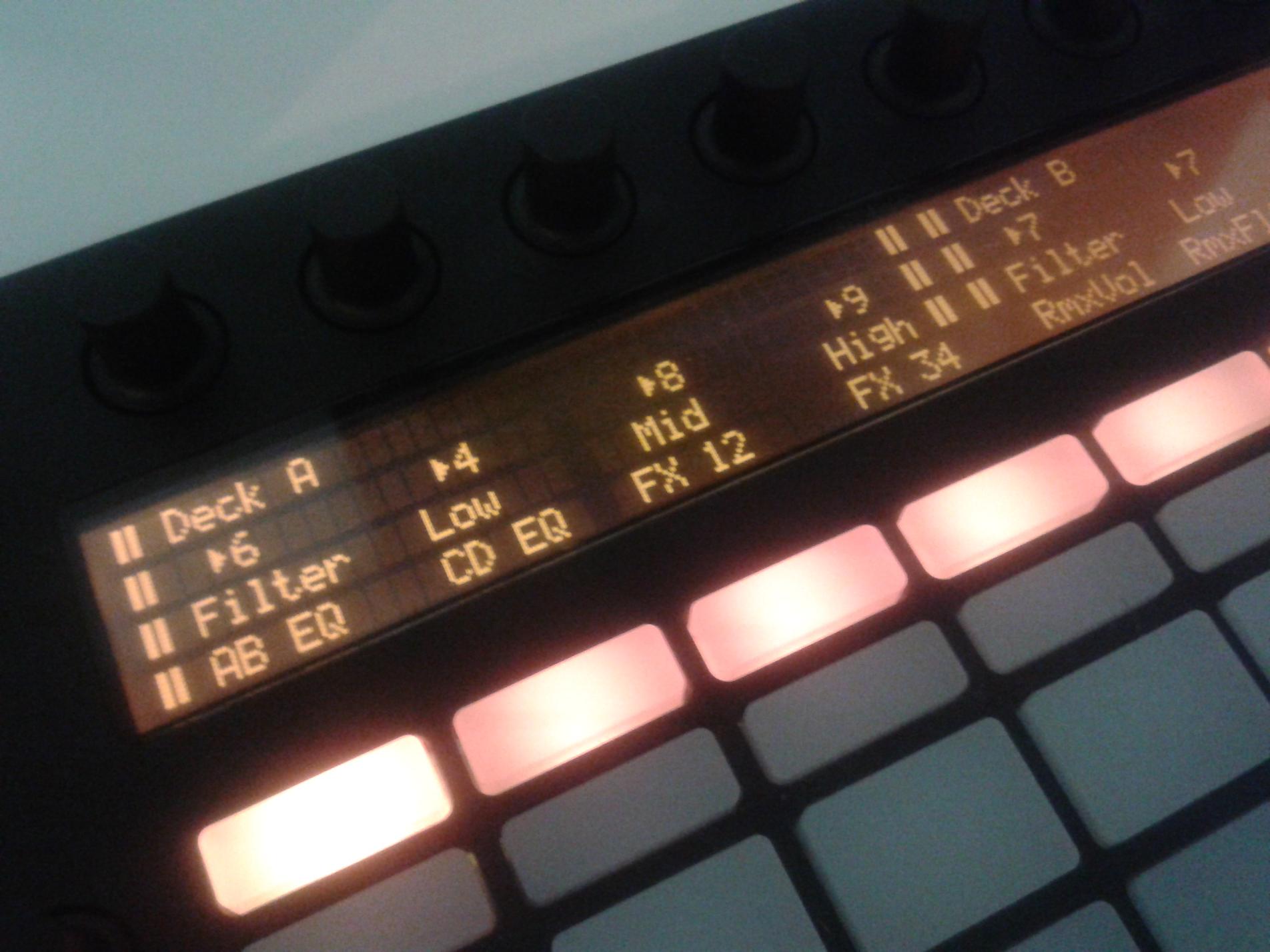
this is a proof of concept for using Ableton LCD display in Traktor. Hopefully someone with more expertise can takeit on them selves to write something a bit less tedious.
I apologize for the terrible quality. I don’t have a good video cam so this is taken from my phone.
First i made a Traktor Mapping that takes controls from Ableton Push User Port and sends them to Traktor virtual Port (Output).
Then I used midipipe to take midi CC data from the traktor Virtual Output and triggers Sysex messages from CC#71-78. You can learn more about the sysex message the ableton uses for it’s LCD screen from these posts/pages:
Writing up the sysex information will be a bit long so just either research it using the links provided or download the midipipe configuration file and unzip it. It may not work for your particular setup though.
Working nice here. Useful to change the touchstrip modes too (https://app.box.com/s/w900ll2tq3tj83raes2a), my only gripe is I can’t get the strip to listen to incoming midi
Thanks for the info. I will take a look at the touch strip. It maybe useful to do page selection in traktor or phase/nudge.
I’m still having trouble with the LCD. I got mine setup for volume of remix decks and the filter. The 2nd line is to indicate volume and filter changes indicating 0-9 volume and filter increments but the 3rd line is suppose to tell you what mode you are in. I got the changing volumes and filter numbers fine as you see but I’m stuck on getting the text for the modes to change. I think I might have to clear the line.
Got the touchstrip feedback working, just needed to set it to the first modes, output as CC in traktor and reconvert to pitch. =)
Are you using a different CC for the filters in the new line or is that handled inside traktor?
Update: No need for a line clear sysex, just make sure the buttons you use to switch display layers have it’s midi range set to 1-127 instead of 0-127 in Midi Pipe, otherwise it will still send a message even if the button is at 0.
Sending the same CC through CH 1-7 and assigning each in the display, you need to split the Controller Range too obviously. Getting it to show single bar advance instead of pairs is a pain due to the way the characters palette is arranged so while it has 2 steps less of resolution than numbers, it doesn’t look like a hack and you can inverse some of them to get a Pan bar.
Cool that was what I was thinking of doing. I’m trying to get a purely remix deck setup and wanted that for my slot filters. Can you post the pipe file?
I want to find a programmer to help make a simple editor for the Push to allow you to edit the LCD and it will compile the assignments into sysex messages without necessarily inputting hexadecimals. Something more specific to push that has presets you can assign.
Hopefully with presets such as:
Volume bar
Volume (db)
Volume (1-10)
Pan bar
Pan (L.10-C-R.10)
Frequency (hz)
Time(mm: ss)
time(Bars: beats )
Frames (hh: mm: ss: frames)
Beats(64/1-1/64)
On/off
Step through List(item1,item2,item3)
Percentage (%)
Midi range numbers(1-127)
Alphabetical
I know things such as timing maybe fairly impossible due to the restriction on sysex transfer rate and midi resolution.
Also it could assign things by section. Instead of having to write a whole line at a time(i.e. the whole 68 characters row). You could assign them to blocks of either 8 or 17 characters. Essentially splitting the LCD into 4ths or 8ths.
I have drawn up some interface ideas. Unfortunately my programming knowledge is limited to the web.
Here you go, needs some cleanup but you’ll get the idea pretty quickly. I’m sending the same CC through channels 1-7 to keep mapping a bit more intuitive and sending velocity 6-5 (on Traktor’s side) for the bar characters. I’ll update this along with a mapping when it gets done sometime next week.
I’m glad I came across this thread! I’m trying to figure out how to translate this process to Bomes Midi Translator, which I have an extensive mapping that I’d like to incorporate the LCD into. Anyone on here have any guidance/experience with Bomes sending sysex? From what I’ve read, you can just type in the sysex codes directly and it should work but so far no luck.
I also tried loading the TSI and midi pipe files posted and no dice there either
Unfortunately, I don’t have that program. I took a look at it but it wasn’t as easy as midi pipe, but that is just me. I’m in the process of writing max/map program to do this but I’m a beginner at max. As a test run with max, I made a step sequencer for the push