Xone 4D configuration and mappings

Xone 4D configuration and mappings

Hi guys
I have upgrade my setup and bought A&H xone 4D, but I’m having a lot of problems to set up everything.

I use Mac and TSP 2.6.
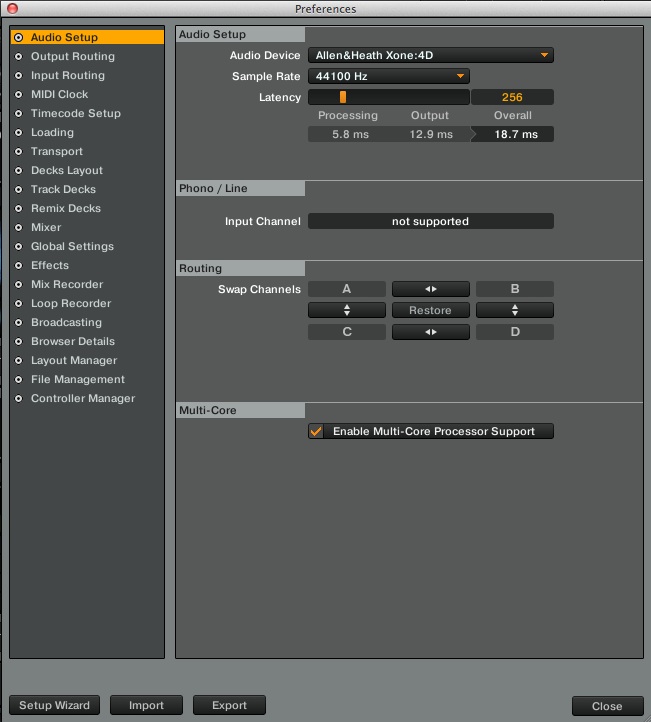
First thing I made was download the latest drivers and firmware. And after that I try to configure the outputs and inputs but everything that I try simple didn’t work. I want to use 2 TT only and the other decks for remix decks. But all the configuration that I made the result was the same.
With the internal output sound the mixer don’t work all the mixer faders and knobs simple don’t do anything

With the external output I don’t have external sound only on the phones, the mixer works, but the crossover don’t work.

This is normal with this mixer?
This is very weird, I have unnistall all the drivers and TSP but it’s the same.

And other thing can anyone tell me a good and simple mapping to use?
Thanks

What are your output settings in Traktor?

Can’t read that, too small.

Try this one

Its possible use this mixer with timecodes using the internal output?

Are you already trying to use timecodes? Yes, it’s Traktor Scratch certified.

I have saw that video, but the problem is that booth TT plays on channel 1.

And I have one connect on channel 1 and the other on channel 2

And the sound even with the faders down still plays on the speakers

Whats wrong with this…:rage::rage::rage::rage:

Have you set it to different inputs in preferences to see if that works?

Also, have you set it to external mixing mode in preferences?

I try to choose another input and connect the TT cable on other channel, but when music starts the music only play on channel 1

The problem is in the output master, the channel out that I choose thats the one that we will play the music

Thanks Ross is almost everything working, now it’s only some maps that didn’t work.

Thanks

Try finding a map online and import it into Traktor.