Ableton+TriggerFinger User wants to use Traktor + cue point juggling. Any advice ??
Hey all,
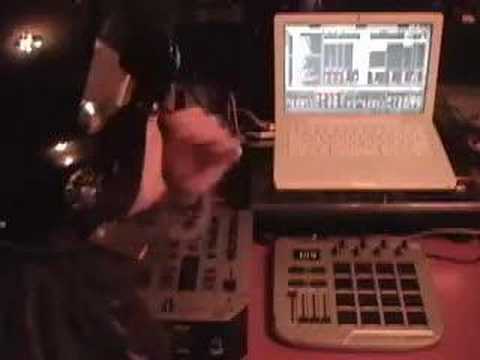
I’m currently running an ableton live setup using a Trigger Finger with the Effectrix VST to trigger my effects however I can’t do cue point juggling like Traktor.
I love triggering the effects however I KNOW i’ll love cue point juggling that much more.
That being said I guess i’m just wondering if my fellow DJTT brethren have any advice for being able to accomplish both ??
I also just returned my audio 4 DJ so that I could upgrade to the audio 8 DJ with Traktor scratch pro bundle (eventually I want to integrate my turntable for cutting).
I think I might have been a little weak on describing my mission statement …
I dont have traktor right now. I’m only using ableton live. I do not know how to use traktor , I dont even know if anyone uses a trigger finger with traktor successfully or not.
In ableton I’m assuming you can do cue point juggling like in traktor however I have no clue how to do it , if you even can.
Ideally what i’d like to be able to do is to , as you mentioned, do both at the same time without having to switch. whether I can do that with just ableton or with both traktor and ableton I’m not sure.
So in the end, you’re right , I want to be able to both cue point juggle and trigger effects without having to switch pages (ideally).
However if I had to choose i’d rather ONLY being able to cue point juggle in traktor with a trigger finger and be able to just use the traktor effects. The effectrix VST is cool and there are some cool effects that I really love being able to throw in there but its just not enough for me.
well the trigger finger is midi-mappable, so it will work with traktor (ideally) and control whatever you assign it to.
if you’re cool with having your knobs control the effects, then you can set this up without having to switch pages.
you have 16 pads, and in Traktor Pro, there are 8 assignable cue points per deck. so you can assign each of these pads to control all the cue points on deck A and deck B.
you have 8 knobs, and in Traktor Pro there are 2 fx sections, which have 4 knobs on each. you can assign each on of these knobs to turn on each knob (since there are buttons below each knob, and you don’t have buttons on the TF) when they’re turned past the “0” position (don’t know exactly how to do this, but i know someone in the forum does).
if you’re having trouble understanding let me know and i’ll try and clarify it for you.
i’ve uploaded some pics to help give you a better feel of what i’m talking about, it would be really hard to visualize otherwise
this is the “advanced fx” panel, where you choose 1 effect and 4 knobs to control different parameters of the effect. (notice the “1” on the left side, this tells you it is fx panel 1, and will come in handy in the third picture)
this is the “chained fx” panel, where you have 3 effects that are chained together, one knob controlling each, and one knob controlling the dry/wet of the entire panel. (notice the “2” on the left side)
this is in the mixer section, where you can assign panel 1 and 2 however you like to each deck. (deck A is on the left, deck B on the right). so you can have both panels on both decks, or only one deck, whatever you like.
traktor pro has a bunch of built in effects, like 15-20, all awesome. but no VST’s
metaverse, have you checked out the DJTT stuff about integrating Traktor and Ableton? I run them on different laptops and have a midi clock running from Traktor to Ableton, and use 2 sep controllers, outboarding them to 2 channels each on the mixer.
If you found a nifty way of switching between them, and you got urself an oxygen 8 v2 or something - you could do a similar sort of thing on the same laptop?
But, i recommend you read the bumf on integrating them on the same laptop - i think its by bentosan?
cant find my old mapping but i found the trigger finger much easier to use if i rotated it with the sliders towards me and nobs running down the lefthand side. This way you can have a correctly positioned cross fader and the eq knobs can be mapped like more conventional mixers.
Cue point juggling is easy enough.
What you need to do is to take and make a clip from where you want the cue to begin. This can be of anything, a song section, loop, whole course, one shot.
Next, how fast do you want to be able to trigger the sample, go into the clips Launch Panel and change the quantize setting, or the launch setting to whatever works for you.
then map your trigger finger to how ever you want to use with the setup
Here is a great little vid where Dylan explains how he sets up his trigger finger with ableton live.
I use the Trigger Finger with Traktor Pro myself, here are 2 things Im experiencing.
The preset selector P1…P16 works ok, but I can’t get it to work with ‘soft takeover’. switching between scenes, I had the knobs set to control EQ on P13 and FX on P14. But when I would turn the knob again, it would jump to the absolute knob position instead of soft takeover. To get around it, I use modifiers, but still figuring it out (anyone know a fix?).
I may have the velocity settings wrong, but when using it to cue tracks, I have the cue button set as ‘cue up’ where I press a pad and then upon lifting up, it plays the track. I guess a few times last night I didn’t press initially hard enough, because it didn’t sense a press down, so my press up didn’t start the track. I missed a few mixes this way. This are more cue button options that changed in the version Traktor Pro 1.2 so Im gonna explore that.
All in all, I have my Trigger Finger working so I have mouse-free operation, still tweaking the settings.