Traktor pro 2 routed to ableton
Thought this might be of interest to some of you  the bridge is looking to be a massive waste of time by rane/ableton tbh
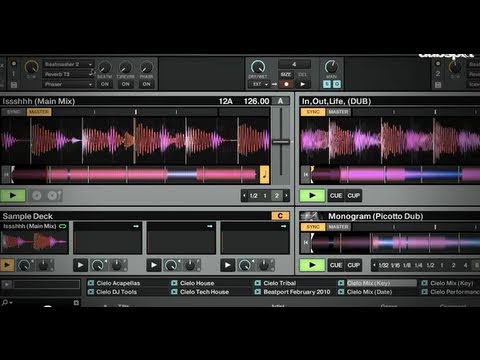
Traktor pro 2 routed to ableton
Thought this might be of interest to some of you the bridge is looking to be a massive waste of time by rane/ableton tbh
the windows version of jack is a lot different.
does anybody know how to setup the traktor->ableton with jack for windows?
thanks
Let me ask you 1 question, why would you make the output of Ableton
be the Audio 10, and not jack router? You can route all the ableton
outs to System Output.
Jack is the go between…Traktor and Live…From Live out…its Soundcard as usual.
I’m then sending Ableton tracks as one out mixed using the apc40 with two decks from traktor as seperate tracks and then the cue from Ableton as my fourth track into a DJM600…
Fun is not the word, cutting the APC40 in half comes next as i want a 5x4 ableton clip launch grid and then the other half given over to Traktor controls… I’m using Vinyl to control traktor and the sync seems good (not serato good) so far…
Cheers
D
sweet find!
JackOSX looks pretty easy to use. Jack for Windows is a completely different story. Headache city.
Before I go through this guide…
Will the outcome of the guide be the same as The Bridge in the way Ableton records the actions of the faders? I have an SL3 but no Rane Mixer and used The Bridge but it just overlayed each track with no fader actions (recording an .als)… which was pretty useless to me as I want to record a set into ableton, add samples and fine-tune it afterwards…
I guess I am just a bit confused on the way it’s recorded as it shows 4 decks being recorded at the same time but no midi actions?
Any guidance would be appreciated, just moved from Serato to Traktor.
I agree with benz1ne. Any clarification would be massively appreciated =D
How to route Traktor to Ableton by Me (windows) PT 1
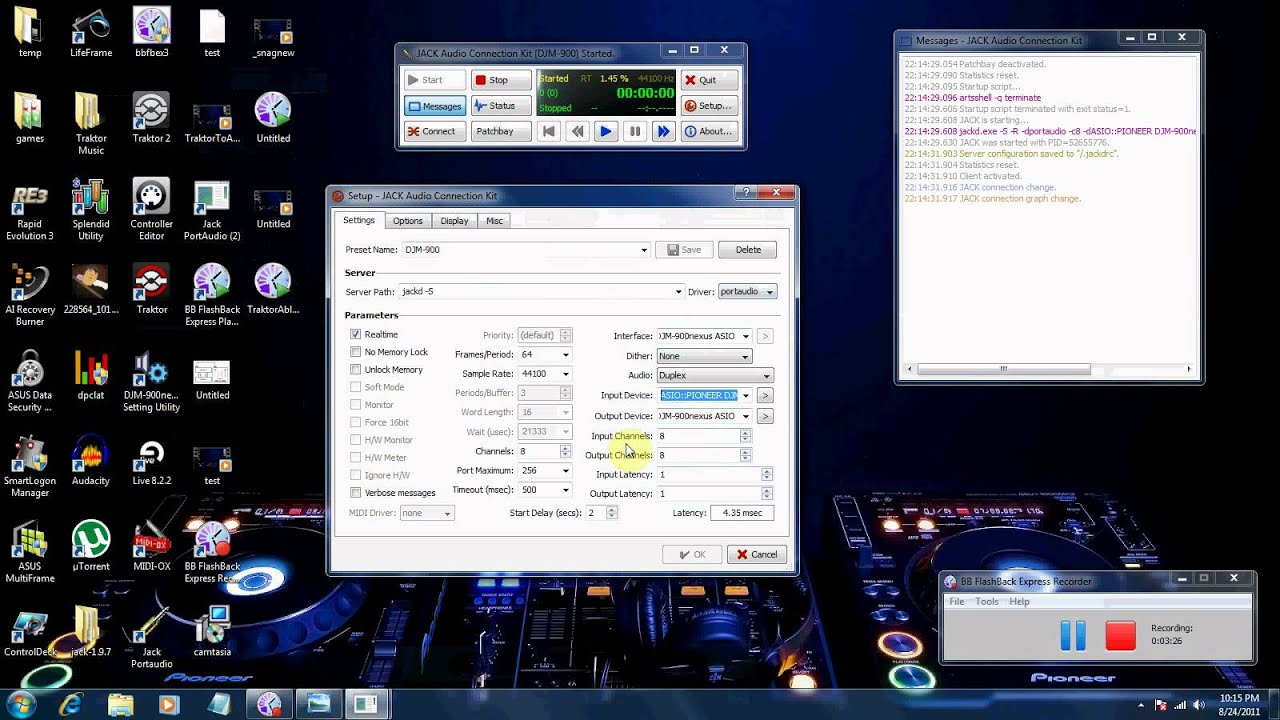
How to route Traktor to Ableton by Me (windows) PT 2

If you guys also want. I can make a new video explaining how to use MIDI functions. Such a Ableton Effects, Sugarbytes VST filters, and Native Instruments Filters like Reaktors The Finger.
Umm well yeah you should be able to use ableton to fix your mixes and add filters after you record your mix into. Once your recordered your mix manually quantise it to 1.1.1 start point. This will make sure all effects are on beat. You can from there cut sections to remix, or add in effects to paticular sections. Stuff like this does require some how to guides if you never done it before.
Brilliant thread! I am running Windows 7 and just downloaded the Jack 1.9.7 and i have no idea what to do with this!!! Can’t even begin to think where to start to install this.
Any walkthroughs available?
should be a standard wizard to install. doesn’t need to be bounded to traktor or ableton. Just install and run.
So if I set this up using my Audio 8 and Traktor scratch Pro2, will I need to be in internal mixing mode?
Like others have said, will it record the actions of the cross faders so that I can record a live mix into ableton and it will record the fader actions? or would I need to also map the corresponding faders ie the physical crossfader on my midi controller to both traktor and ableton?
Im knackered now so will give it a go tomorrow, but to save time would be great if anyone had an answer!
No wizard, just loads of random files and a text file sayin i need to create a script to run the program. I have no idea ha! Is this the correct page:
sorry - corrupted download, got it working! Thanks again for the fantastic videos
That would be brilliant if you can? Nothing else like that that i can find!
I feel your pain man. I went through the same looking for windows how to guides and could not find anything. So I decided to head bang against the wall and document after I had it working for others.
Vids I want to post are:
Midi Sync Traktor to Ableton
Use Ableton Filters and VSTs on Traktor Routed Music. Pre and Post production.
Route Traktor into Ableton :: open_mouth:ne:::
Post Production Tips
Remix Live Loops and Filters
That’s my TODO list. I don’t own a MAC so all this will only be Windows 7 Stuff.
Looking forward to it - just been on the hunt this week on how this can be done, thanks for spending your time on this!
To acomplish this there is 2 methods, 1 (the clean way) is to use the jackrouter connection kit to route and reroute the post fader ausio into ableton, 2 (the easy way MIDI map fader controls to the prefader audio in ableton.