Another newbie question
In the beatgridding tutorial he is saying to match the tick with the metronome .. umm can someone explain? lol .. What should I be looking for/listening to with the tick?
Another newbie question
In the beatgridding tutorial he is saying to match the tick with the metronome .. umm can someone explain? lol .. What should I be looking for/listening to with the tick?
Which are you talking about ?
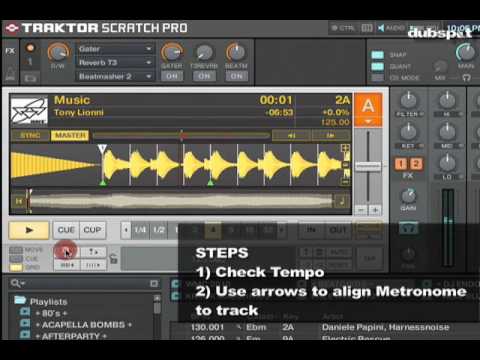
I always re-grid my tracks. Traktor does an okay job of getting the general BPM, but IMO, it’s not good at placing the grid. I always play the tune and go into the beatgrid settings and TAP the beat out. I then zoom in to a section that has clear drums an adjust the grid accordingly 
I’m starting to feel really dumb that even after all this research I still just don’t understand how to beatgrid a track accurately ..
What i do is first delete the grid that’s already there (the trash can icon next to the bpm window) then go in an find the first clear snare in the waveform (the always have a big clear spike) and place a cue point there (zoom in and place it at the VERY BEGINNGING). then go into the cue window underneath the deck and select the cue point you just placed and go to the drop down menu and make sure you select GRID. then i like to set another cue at the beginning of the bar. then i set a 4 beat loop and adjust the bpm until all the lines align with the beats (assuming its 4 on the floor type stuff they match up with the waveform) and that it sound on time. then do that for an 8 beat loop, then a 16 beat loop, then a 32 beat loop. then just scan through the song looking to make sure every beat is on time and if not make minor addjustments with the buttons next the bpm window (the ones that change the bpm, not move the grid.)
Sorry if this is rambling and incoherent, I’ve been at work all day and going through nicotine withdrawals.
I know I’m going to sound like a total retard but I just still don’t understand what I need to look for in order to know if my beatgrid is perfect … What I have been doing is just trashing the beatgrid then finding the first line in a song , putting a marker on it and then locking in that beatgrid.
ne1>???
Drop a grid marker on the first “pip” of a downbeat or snare. Let the track run through, keeping an eye on changes in the grid as you go and adjust the bpm if necessary. A quick way to do this is to skip to about halfway through the track, maybe after a break to see if the grid is still bang on. Remember in the drop down grid menu, the top arrows move the entire grid, and the bottom ones adjust the bpm. Once the marker is in place its these bottom arrows you need to use.
Couple points from a few years of going through this procedure…
thanks mostapha, very insightful, and you are right .. i still don’t quite understand where to put the marker down .. right now i am just putting it on the first line of waveform in every song … should i be putting it on the first snare instead? thanks
also when u zoom in and u are moving the beatgrid .. should it start exactly in the beginning of the waveform? because I have been shifting it usually to the left to have it start at the first point of where the waveform jumps up. Thanks again, i really do appreciate u guys taking the time out to help me out.
^^^
It goes on the first downbeat that you can clearly discern, right in line with the top of the first peak. Usually, that’s a kick drum. If there’s some kind of non-drums intro, it’ll be into the track somewhere. It doesn’t really matter where it is in the track, because Traktor extrapolates the grid in both directions…so find somewhere it’s obvious where you should put the grid marker, and figure out your load/cue points later.