well, people mixed that way for over 30 years…
1/4 TRS cable can be either Mono Balanced, or Stereo unbalanced. In the case of the Audio 2 DJ, it’s actually stereo unbalanced.
You can definitely use the cds without any laptop and plug the cdj’s right into the mixer. To use traktor with the cdj’s you are going to need an Audio 4 or 8.
Like Padi mentioned, you can have your 2 cdjs playing on 2 channels, and then have traktor w/ the audio 2 hooked up to the other 2 channels on the mixer.
Another option than the Audio 4/8, would be to save a little more money and get something like the Numark NDX800’s. They are cdjs and midi controllers. That way you could use them to control traktor without timecode cd’s, and just use your audio 2.
DDM4000 for a mixer I think would be your best option.
I was actually looking at those as well. They’re not too much more and have a whole mess of effects. And the Audio2 is all I would need with them to still run Traktor? And the only way I would need to upgrade to Scratch Pro is if I run timecode?
As for the mixer, that is still up in the air, but I do like the pioneer. But that could change.
Basically I am trying to get rid of midi functionality though. I want the pitch faders to be much more accurate (reason for CDJs instead of my controller) and jog wheels to beat match. Will I still accomlish this if I still run Traktor, or are my pitch faders on my CDJ going to be as non high-res as the ones on my controller if running Traktor with them?
You wouldn’t need timecodes as the NDX800s are midi.
Since they are midi though, am I losing functionality in my pitch faders of the NDX800? Basically what I don’t know is, since they are midi, are my pitch faders now as well? Will they not be as accurate, like my controller is now? It’s damn near impossible to beat match with them.
And would TPRO allow me to scratch with them?
Edit: After watching some videos, it seems like the pitch resolution is dependant on Traktor. And from what I know, it’s fader is not that accurate, even after adjusting the parameters of it. So when this relates relates back to the NDX800 through midi, it too loses a lot of it’s accuracy.
What a freakin tough decision. I would love to keep Traktor, but without it, it seems I can beatmatch better without it, or is this a completely wrong misconception I have?
Have you setup your beatgrids properly…
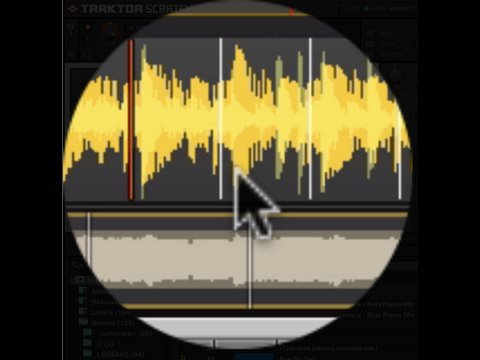
Yes, my beatgrids are spot on. I usually just sync and that works well enough for me.
I am hitting midi limits when mixing 3 or 4 decks at once and notice a little bit of sound issues.
I want to learn to beatmatch and thought a CDJ would be perfect for that. The NDX800 has a pitch resolution down to 6% whereas Traktor only starts at 8%
Is it possible to still run traktor and use the midi of the NDX for just FX and not map the pitch fader…keeping the 6%?
I basically want an industry standard (I know these aren’t pioneer CDJs) which would allow me to beatmatch and have some FX. Will using the CDJs as midi controllers give me any issues with this? Would I get better sound and performance using them without software? That is my question I guess.
Well when you map the pitch fader to midi, it will negate the 6% setting and use whatever traktor is set for. However i’m not sure if the 800 has 7 bit or 14 bit pitch faders. If it’s 14 bit then it should be fine to beatmatch on. However if it’s 7 bit, then it will be rather jumpy and less accurate.
What is the bit rate on the industry standard pioneer CDJs?
When you say it will negate the 6% and go to what Traktor is set for, are you saying there will still be a difference in resolution with the 7 vs. 14 bit even when running on Traktor?
First, bit rate doesn’t apply to the line level outputs of the cdj. It will play at what ever bit rate the cd’s are.
About the pitch fader. When running the cdj in midi mode, it will override the factory pitch fader settings and just send a coded signal(midi cc) to traktor; traktor will then interpret the signal and use it for the resolution you have set, 8% 10%… 50%.
As for the difference between 7-bit and 14-bit, this does not apply when your not using traktor. It only has to do with the midi cc message that is sent to traktor. If it’s 7-bit then it is sending a smaller message, which means the fader will be less accurate. If it’s 14-bit, then the message sends twice as much data, making it much more accurate.
Thank you very much for your information! It has truly helped a lot!
Now my last and final question is this.
I am set on which mixer I am getting, but as far as CD players, here is what I am torn between. Please advise.
2 NEW Numark NDX800s at $350 each
Or
2 Refurbished Pioneer CDJ400s at $350 each
Based on the last comment on this post…
http://www.skratchworx.com/news3/comments.php?id=1402
And all my horrid experiences with numark in the past… their webpage is down now too.
Go with the pioneer. Plus they have a higher resale value.
Sp you all think the pioneers, even refurbs, will perform good and work well with Traktor should I choose to use it as my software?
Yeah, ultimately I want 2xCDJ 400s. I didn’t know they were that cheap refurbished!!
Just out of interest, why do you want to exchange a midi setup for purely CDJs? Isn’t that a bit like swapping out the DVD drive in your PC for a floppy drive? Wanting to learn to beatmatch properly is admirable, but is it really worth dispensing with all the flexibility (and access to your full music library instantly) of traktor?
I keep coming back to this point over and over in my head.
I would need timecode CDs as well as an upgrade to Scratch Pro though…more money.
OR
I am not sure, but if the CDJ400 is midi mappable, couldn’t I map it to scroll through my traktor tracks?
Taken from Pioneer.com
DJ Software Compatibility and MIDI ControlWith more of today’s DJs utilizing different DJ software for their performances, the CDJ-400 is also equipped with a PC mode. In this mode, the CDJ-400 is a native controller for software such as Pioneer DJS computer software and SERATO® Scratch LIVE. For example, the movement of the pitch slider on the CDJ-400 can control the pitch slider on the computer software and no timecode CD is required for audio control. The player can also act as a MIDI controller where the user can assign virtually every button on the player to trigger functions of various DJ software programs.
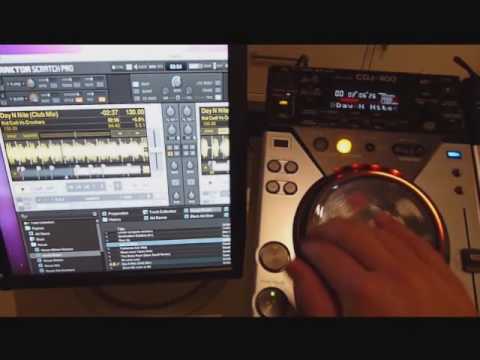
CDJ400 have their own soundcard (you pair both with an aggregated device on mac or via asio on pc), so you could just buy the pair and sell the audio2dj. You can hook it up via HID, having track info displayed in the CDJs and better resolution than MIDI. CDJ400 are a solid buy, they have been replaced with the newer cdj300 but haven’t tested those, so I can’t tell you if there are any benefits from getting those.
i bet you didn’t see that one coming 
IMO you should get the 400, they are excelent stand alone players (CD or USB drives) and perform greatly on digital setups. These CDJs are what Pioneer used to “test” the market before updating their whole line of CD players with what we see today.
PS: I don’t work for Pioneer 
Thanks again for the help!
I already run ASIO4ALL to bring down my latency settings, but you’re saying all I have to do is have ASIO recognize both Pioneers and both will show up in my Device Manager? I see as well a tsi file for the CDJ400. Do I have to use that or can I use my pitch fader resolution of 6% and FX on my CDJ without using the Traktor pitch fader and FX?
What part of this makes this HID and not MIDI?
ASIO manages only audio, so it will only take care of pairing both units and making them show up in Traktor as a single soundcard with 4 (2 RCA pairs) outputs.
You can make a TSI for one deck then duplicate it and assign each copy to one player, doing it this way will save you a lot of time and assure you both devices work in the same way (less debugging)
You can’t have the display show track information without HID and you will have way better resolution for the pitch fader and jog (regular MIDI has only 128 steps). Regarding pitch resolution, you can set that up in traktor to the 6% and the decks will respond accordingly. If I remember correctly, you can’t use CDJ fx while in HID/MIDI but you can map traktor’s to the CDJs and control them in the same way the native ones work. I prefer traktor fx flexibility.