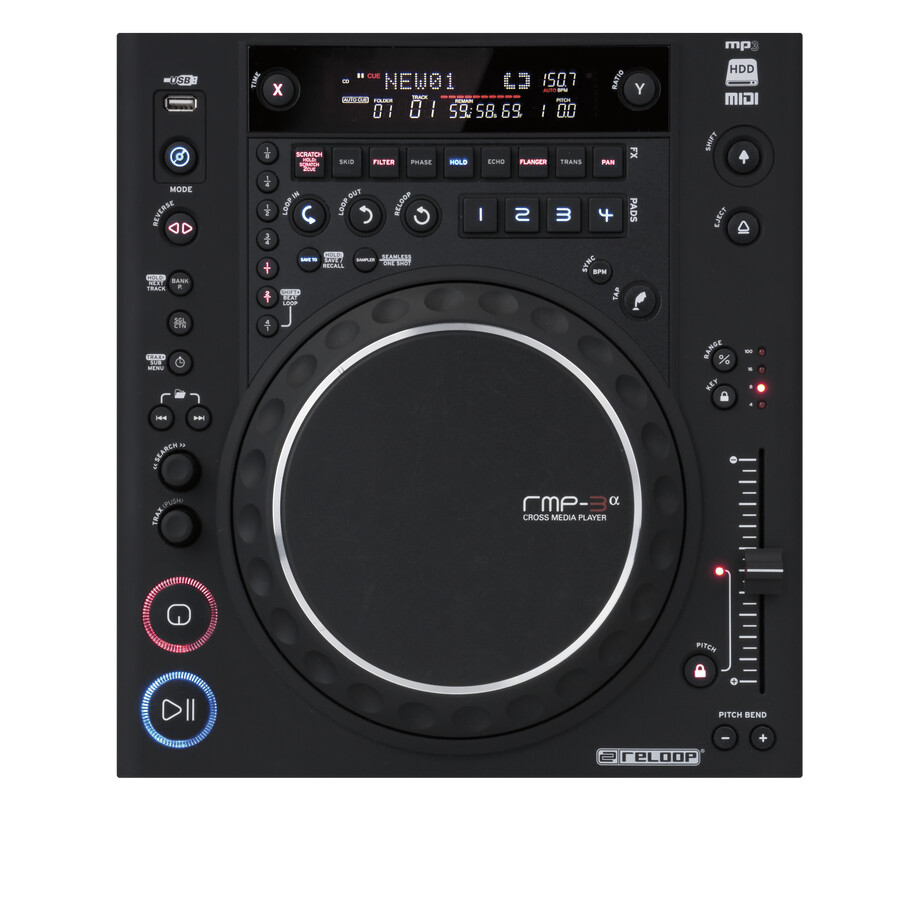
I’m a self-proclaimed controllerist. I juggle, do crazy effects chains, use acapellas, and mix on three track decks and a remix deck. I do this at every gig, and I am one of the higher-booking acts in my area. The point is that doing this stuff is not what gets you booked and should be WAAAAAAAY secondary to learning traditional DJing. DJs are there to spin dance sets, 99% of the people in the crowd don’t know or care what you’re doing. They judge you on how good it sounds. This is why people get away with pre-recorded sets, or 32-beat transitions and everyone thinks they’re great.
Performance techniques in dance sets are awesome, but they should be done for yourself, and never expected to matter in anyone else’s eyes.
Find me ONE person who is -NOT A PRODUCER- besides Ian Golden (who still doesn’t count, because he’s only well-known because of his instructional videos and DJTT) who is successful as a DJ doing only this kind of thing.
Yeah, if you want to play at bars and stuff. Unless you’re a producer, you’re never getting booked in good slots at big events without jogwheels… It just isn’t going to happen.
and you can beatmatch without jogwheels, but almost never a reason to besides it being fun to you. Unless you’re really mixing non-quantized music a whole lot, the only practical reason for beatmatching is for your integrity, and nobody’s going to realize you’re beatmatching with buttons, they’re going to see your lack of jogwheels and be certain that you’re syncing.
I’m not saying any of this is good, I’m saying this is the way that it is.
The Filter Knob is actually the same knob that is labeled Trim when using Serato Itch. In Traktor the filter knob has an on off button to underneath it that is the headphone button on Serato so you can jump back and forth from trim and filter. The touchstrip believe it or not actually does a pretty damn good job on accurately pitch bending all though it does take some getting use to to get the hang of it. Its very similar to zooming in and out on a smart phone or apple trackpad.
You brought up another dislike I have for the Twitch that I meant to add. Pitch Slider > Tempo Knob…The Tempo Knob is a pain in the ass compared to a pitch slider. Although the upside when using the Twitch in Ableton you get to extra knobs to map
Thanks for the feedback. I am only interested in this as a personal hobby, to have fun with, create some awesome mixes and mashups for myeslf, possibly for youtube though mostly likely not to honest..It’s purely just for a fun creative outlet and I don’t care to play in any sort of big venue or production. I’m a software engineer so with my normal work day and side projects, I don’t have tons of time to devote to this as someone would need that wants to get into bars, clubs, and playing for large crowds. This will be used more or less as a vent and fun time after a long days work.
I just want to learn to make some awesome controllerist mixes that I personally enjoy creating and listening to, and was just wondering if the Twitch is my best bet for a controller given my budget and what I want to do here.
With that being said and thats all that you want to do. You will have a lot of fun on the Twitch. Whether it be learning to incorporate loop rolls, auto looping, slicer mode, adding fx the fun will never stop.
OP, this is a matter of personal preference. If this is your first controller, my opinion is that you should try one with jogs. They’re intuitive and it’s easier to adjust tempos if your grids are off and easier to set cue points/loops with precision.
You could map these functions to buttons and knobs but that wouldn’t suit me personally.
You make good points. Learning to carry a dance floor is #1 and production and remixing is the key to progressing from a simple DJ to a successful DJ artist.
However, just because you produce a few tracks and get them on Beatport does not mean you will be be a famous DJ.
I know lots of wedding DJ’s who make more $$$$ than 90% of the producers on Beatport.
Also, I learned to beatmatch CD’s on the first CD player ever to feature pitch control. No jogs. Only pitch bend buttons. And of course, no sync.
Well I figured I would toss a bit of info/opinion in…
Do you need jog wheels no… are they only for scratching… no…
Along with the ability to scroll through the song and pitch bend if you watch a couple of Ean’s videos they have created a DjTechTools Mapping for the Kontrol s2/s4 that uses the jog wheels as effects controllers… a very cool option if you don’t feel you want to scratch. Also having them and not needing them is better than wanting them and not having them. You will find as you begin to really get into djing that you will want room to grow and your ideas and styles may change or shift along the way. Also djing and music production can become more than a hobby… as you get better and more involved in the art you may find that you end up spinning at shows or parties. Keep those things in mind and get yourself a versitile controller.
As for the Twitch… I looked into it as it is really an interesting controller and it’s take on djing is innovative, but if you google it and look at reviews and such for it there are a few issues with it that you may not like… such as by itsself it is not very loud and you may need to have it run through another unit to get sufficient volume out of it. There are also some other issues as well… I don’t remember what they all are but they were enough for me to abandon the idea.
I would suggest that you go with a NI Controller and Traktor. There is plenty of power and tools in the software and hardware to do all that you want to do and more. One thing that is important is stability and dependability. If you get the wrong tools or if you try to cut corners you will end up spending more money in the long run and have to deal with endless tech issues. Do alot of homework, google everything seek out the good and the bad. Also make sure that you have a pc that will handle the software and hardware, there is nothing more frustrating than dealing with latency issues! Good luck and have a great time, welcome to the art and craft of Djing!
The filters on the S2 are also the gain which you can switch to gain/filter or filter/gain with the shift button used to activate the secondary function. It works very well. As for the “plastic” it is a very durable controller. Yes over budget, though one thing to consider is that to wait and save for a controller that will suit your needs and give room to grow that is better than purchasing something else only to want another controller down the road.