Loop shortening won’t work
I have firmware 1.1 and Trator Pro 1.0.1.070
I saw in the demo video you can use the first button top left to shorten a loop.
I click but nothing happens.
What is going on?!
Loop shortening won’t work
I have firmware 1.1 and Trator Pro 1.0.1.070
I saw in the demo video you can use the first button top left to shorten a loop.
I click but nothing happens.
What is going on?!
Do you have the option in your TSI?
wauw what a quick reply 
I used TSI version 1.3.2.. have no idea where to find it?
I see Loop size in the midi setup Note C7 (ch1) M1=2 is this what you mean?
Is it set as Direct and a size or Previous?
the feature has changed in traktor pro- watch the new traktor pro explanation video:
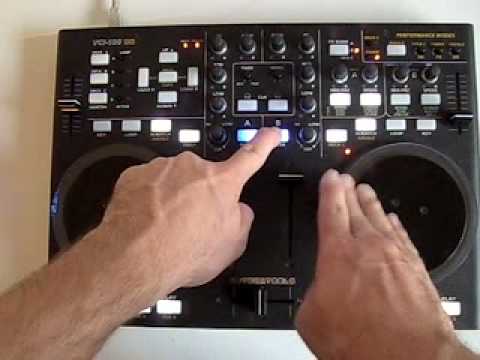
did this help?
sorry for my late response.
This is what I found:
Loopset - Deck A - Trigger - Note F7 (ch1)
Is this what you mean?
Kinda. I wanted to know what you did differently. The point of these threads should be that when someone fixes a problem they can post the solution for others who will have the problem in the future. 
Well, this is all I know and still nothing is working. Is this a problem with the firmware? Or is this the midi mapping?
There is a whole extra section to the commands. You have to tell Traktor what that command will do. You need to select the correct Loop command, which should be Select Loop Size. One of the menus should give you options like Direct, Next, Previous, etc. etc. Select Next and click the button you want. That should do it.
thanks for the reply.
I put the list in alphabetic order and saw the following info
Loop Size
Deck A (also b and c)
Type Previous
Note C7 (ch1)
Deck A
Type Next
Note C#7 (ch1)
Deck A
Type Direct
Note F7 (ch1)
Is this correct?
The last one is not necessarily needed. The other two command sets look right. I’d hit Learn and select the right buttons you want to use. Does this work?
For the first one, though, are you using the same buttons for all decks, or is it focus?
hey,
I tried to change buttons using the learn button.
It’s very difficult to understand how this all works.
I tried everything but nothing works.
Is there a way to reset my Traktor Pro and start all over from scratch? Then import your midi file?
Stef
You can Delete All and reload a .TSI. You don’t want mine, trust me.
You might want to read through the manual on the MIDI section. The Addendum that comes with the T-Pro update has some really good info on what all the commands do. It does help it make sense.
Pretty much this is what you want to do.
Go to Add → Cue/Loop → Set Loop Size
Select Next.
Click Learn
Press the button you want
Click Next so it is not highlighted.
Hit Duplicate. (Both lines should be highlighted)
Change Next to Previous
Click Learn
Select second command you want for Previous.
Now, look at the deck in the advanced panel and when you hit those buttons the number should move across the panel. Does this happen?
maybe it’s me, but I deleted all the keyboard mappings and midi mappings.
The I tried your list (below)
Go to Add → Cue/Loop → Set Loop Size
Select Next.
Click Learn
Press the button you want
Click Next so it is not highlighted.
Hit Duplicate. (Both lines should be highlighted)
Change Next to Previous
Click Learn
Select second command you want for Previous.
I also included a screencapture of my setup screen
Where it says Direct. That is a drop down menu. There should be a Next and a Previous there.
Also, I made a mistake. When I said “Click Next so it’s not highlighted” I meant “Click Learn” my bad
Hey DvlsAdvct
I tried to do that, but I don’t have those options
I that same drop down I only can select
DIRECT, SET DEFAULT or OUTPUT
is there something wrong with my software?
I think he actually means the drop box just below that one.
Set the one you were just talking about to direct then next and previous will appear in the drop box below that.
Got it Stef
Don’t use Loops Size & Set, use Loop Size. On the list it’s right above. that one. Then set the command, and the loop size That should do it.