Get your credit cards ready, the one just came out on public release, it looks very interesting, cant wait to get home to give it a try.
I can’t link the video’s as they are embedded into their webpage so follow >>this link<< for a closer look at some of the capabilities. Unfortunately for mac users it’s not yet available but here is the demo for pc it will run for 15 mins at a time.
you can have as many decks as you want and use sync lock, so I can’t see a reason you can’t use the f1, although in the docs there is nothing about led mapping or soft shifts so it may not be optimised like in traktor.
Dear god it’s beautiful…
If this thing doesn’t lag, and is as good as it makes out to be, well, for 50Euros, I’mma gonna pick it up.
I use vdj atm, and the only way to have the ‘perfect’ interface is to make your own skin, or be lucky enough to find one you like. I’m unable to make/download skins (because reasons), so I make do.
However, this just looks great. Beautiful looks, the ability to rewire the whole setup, and some good looking effects… I’ll try the demo and tell you if I’m sold on it later on.
If I do enjoy, I’ll be buying it at the same time as a denon MC3000, and I give my full review then.
Looks interesting but I doubt I would use it live. To do a cool remix it looks like you will be using the mouse/trackpad 99% of the time. But for making remixes/mashups at home this looks better than using Live 9.
First impression on the demo:
how the hell am I supposed to make an idea about it within 15 minutes? I hate those kind of demo, I understand limitations but there are so many different ways to limit its use and still allowing one to get a good impression of your product.
For me it’s a bit buggy, just tried to sync the two demo tracks (not that good it seems unless I moved the beatgrids not knowing it), changed the master from one to another ->decks going crazy on the pitch by themselves..sucks…
It looks cool for sure, it has some interesting features (audio routing, fancy layouts, etc.. VST HOST!!!).
But I let others to be the early adopters, I’m not a guinea pig at this stage.
i find this interesting but does it support DVS? i dont like that smart timeline thing its like timeline view ableton (or what ever its called)
who really mixes in that view unless you want to do a pre recorded mix tape.. seems like you need a mouse to use it…
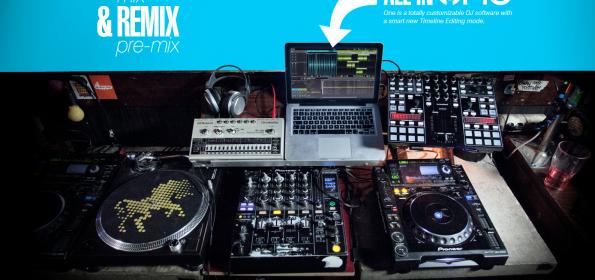
from the picture on there website it leads you to belive it can be integrated in any setup… if this is true or they just took that pic becuase it looked cool is to be anwered?
They had a link for supported controllers that went nowhere on that page yesterday.. Kinda weird that they don’t just create a list of supported controllers. I have heard nothing but bad reports from testers, I had a play yesterday but didn’t find it all that intuitive and couldn’t find how to turn tool tips on. Other than that the fact that you need to duplicate every song in your library is pointless when they could just create an external file with all the meta data they need to play the song. And where is the support forum? presumably this is a public beta still being worked on but how can they get any feedback from their users?